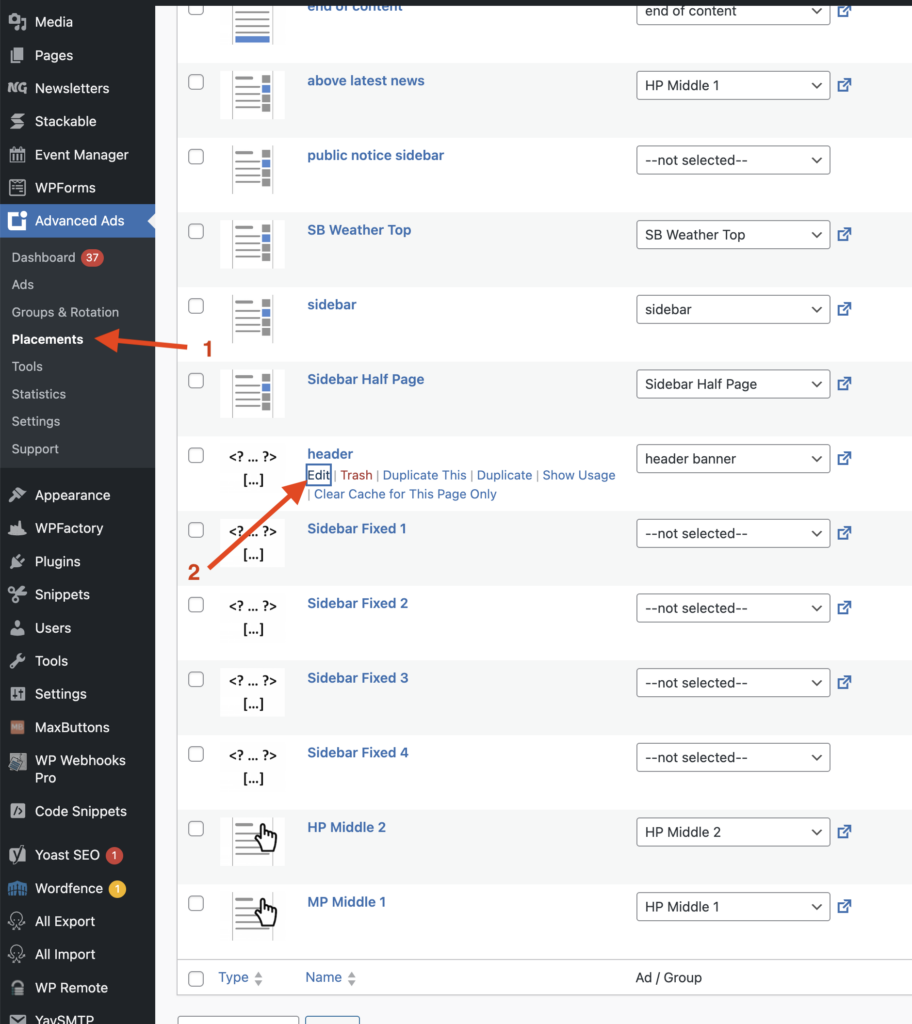
To ensure that an ad is centered, we recommend setting the Placement as centered. To do this, log in to your WordPress dashboard and find Advanced Ads -> Placements -> and Edit the placement.
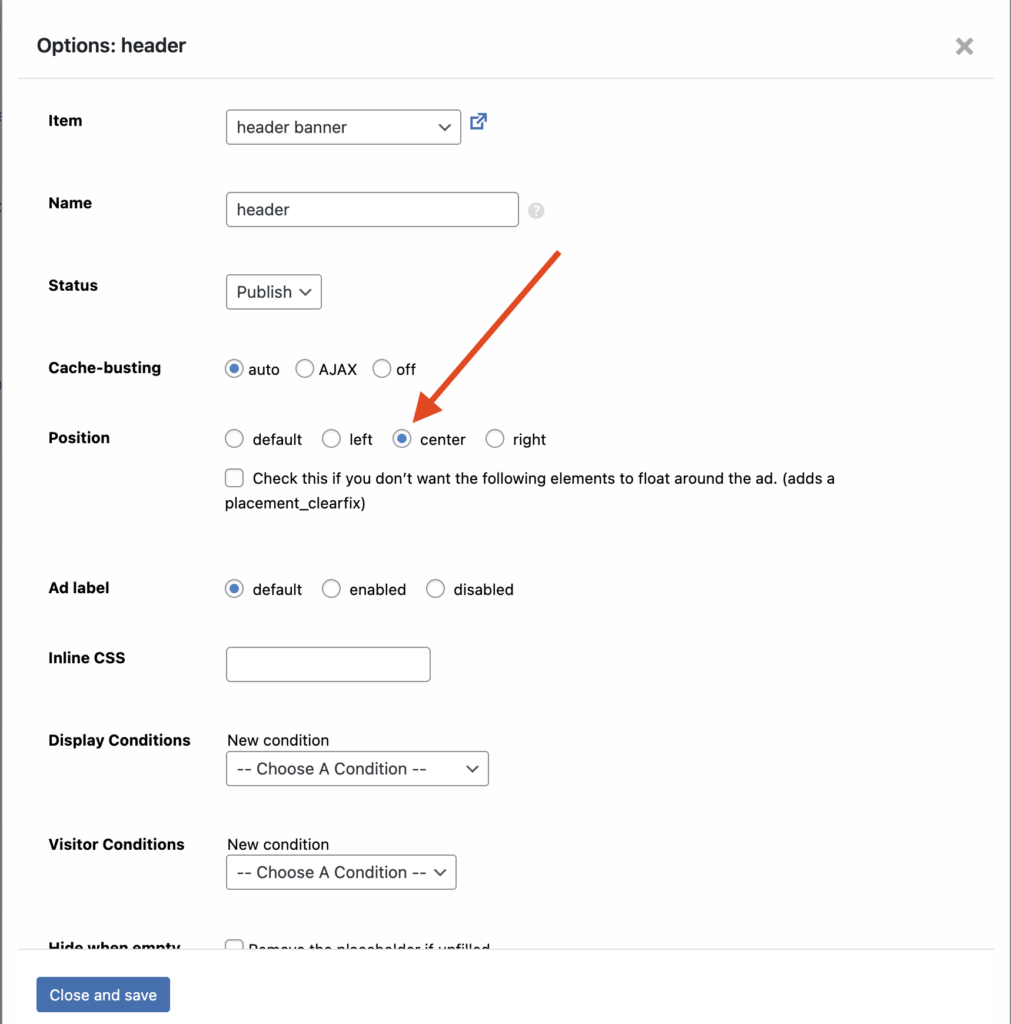
Don’t forget to select Close and save. This will make all ads in the placement centered.
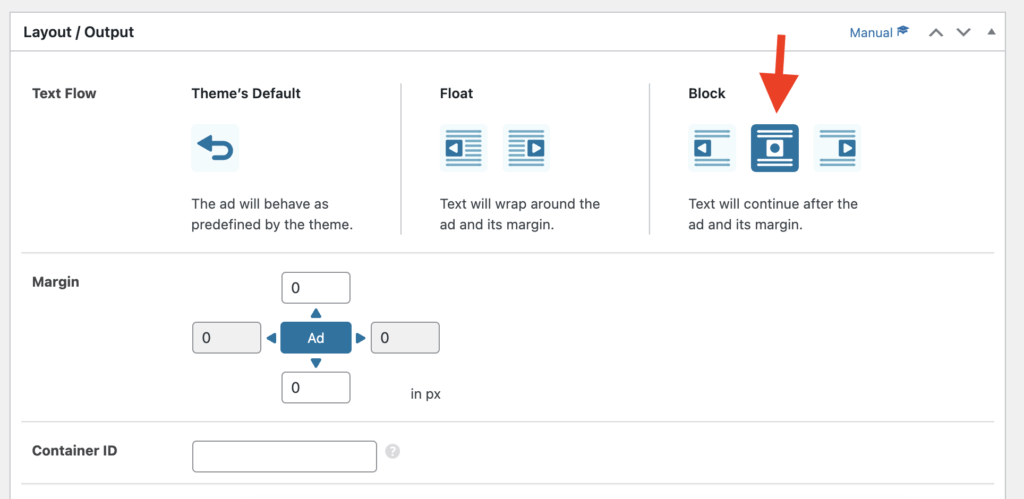
If you’d prefer to make this decision on an ad-by-ad basis, please select the ad in WP Advanced Ads and scroll near the bottom of the ad. You’ll see a Layout / Output section. Adjust the Block to the middle option.