To schedule a newsletter, click Newsletters > Emails from the WordPress dashboard.
Click the Add Campaign button to start creating a new newsletter.
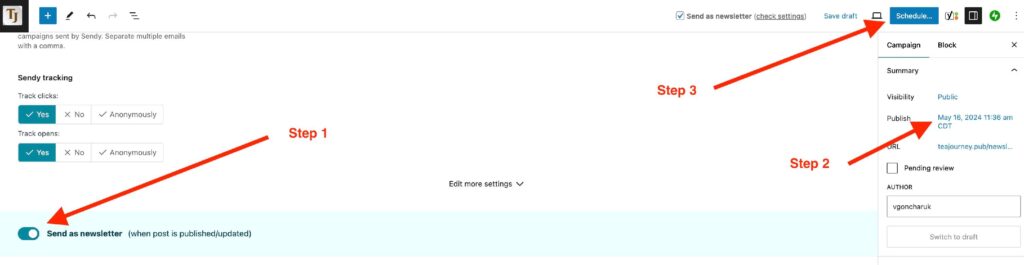
After you’ve added all your content and configured the sending settings for your newsletter:
- Select the Send as newsletter toggle.
- Change the publish date in the sidebar (in the Campaign -> Summary area).
- Select Schedule.