
Gift subscriptions
Gift subscriptions let a buyer purchase a subscription for someone else. The buyer pays at checkout, the recipient gets a redemption code by email, and access starts when they redeem it. You need two pages: one to buy a gift, one to redeem it.
Set it up
- Create a page for buying gifts and add the shortcode
[ppaccess_gift_subscriptions]. - Create a page for redeeming gifts and add the shortcode
[ppaccess_gift_redemptions]. - Go to PaywallProject › Settings › Gifts and select both pages. The redemption page is the address the plugin puts in the recipient’s email, so gifts cannot be redeemed until it is set here.
- Choose your reminder and message options on the same screen.
- Link both pages from your subscription page and your account page, then buy a test gift to confirm the email and redemption work.
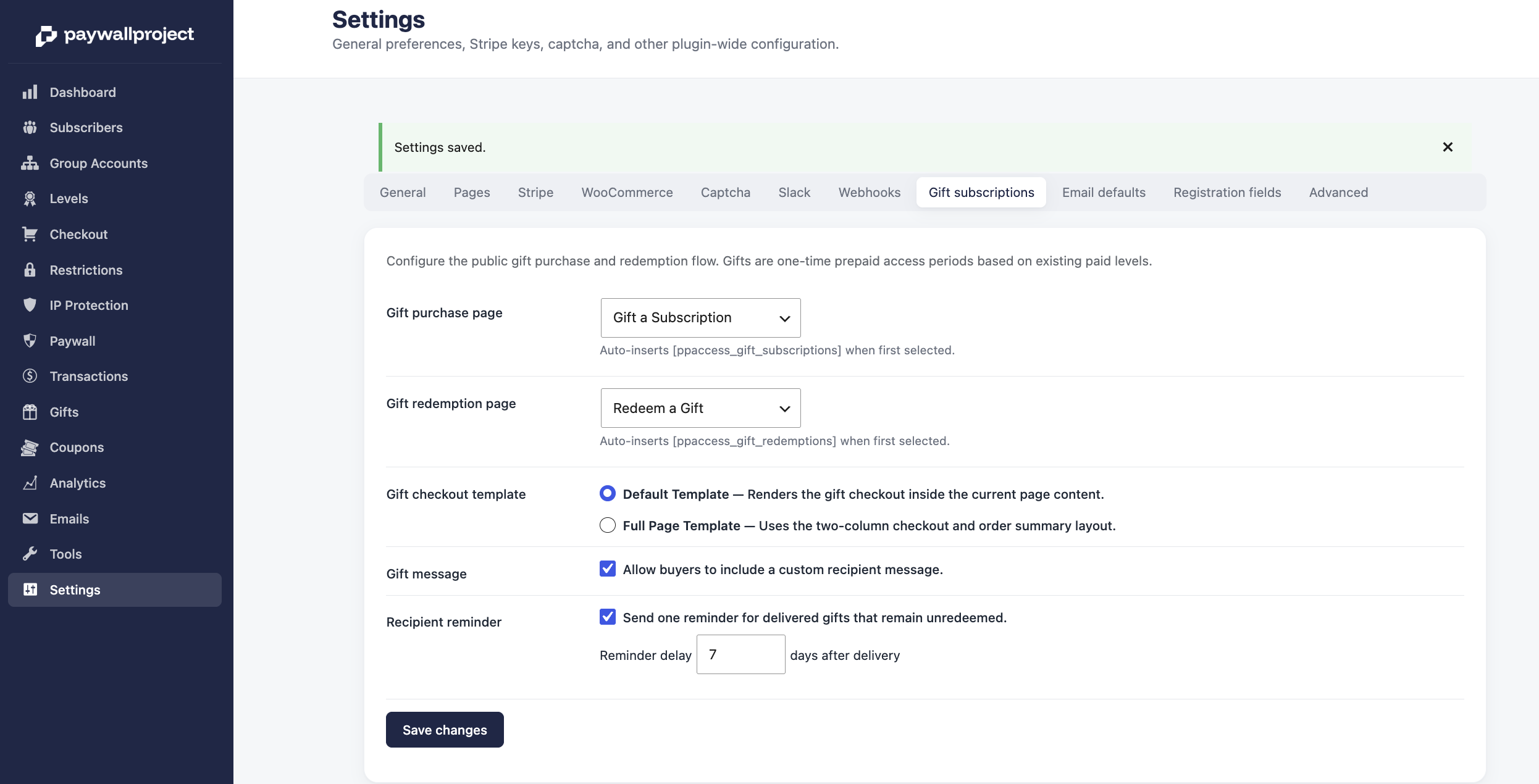
Settings
| Setting | Default | What it does |
|---|---|---|
| Gift subscriptions page | Not set | The page holding the gift checkout shortcode. The plugin links to it from account pages and emails. |
| Gift redemptions page | Not set | The page holding the redemption shortcode. Required, because this address goes in the recipient’s email. |
| Allow a personal message | On | Adds a message field to the gift form. The buyer’s note is included in the email the recipient receives. |
| Checkout template | Full page | How the gift checkout is laid out. Full page takes over the page for a focused checkout. Default renders the form inline with the rest of the page. |
| Send reminder emails | On | Emails the recipient again if they have not redeemed their gift. Without it, an unopened gift is never followed up. |
| Remind after | 7 days | How long to wait before that reminder, from 1 to 90 days. Each gift gets one reminder, not a series. |
Reminders run on a scheduled task that sends up to 50 at a time, so a large backlog clears over several runs rather than all at once.
Offering only certain levels
By default, the form offers every giftable level. Use level_ids to narrow it, separating IDs with commas.
[ppaccess_gift_subscriptions level_ids="9,10,11"]Use numeric IDs, not slugs. A slug such as print-digital-60-area will not match anything, and the form falls back to showing every giftable level. Find the ID in the number column of PaywallProject › Levels.
The gift checkout shortcode also accepts page_template, set to either default or full_page, which overrides the site-wide checkout template for that one page.
Which levels can be gifted
A level appears in the gift form only when its status is active, and its price is greater than $0. Free levels cannot be gifted. If a level is missing from the form, check those two things first.
Hiding a level from the subscribe page does not stop it from being gifted. That combination gives you gift-only pricing: create the level, hide it from the subscribe page, and list its ID in level_ids.
After a gift is bought
The recipient gets an email with a redemption code and a link to your redemption page. Signed-in subscribers can see the gifts they have bought, and the status of each one, on that same page.