
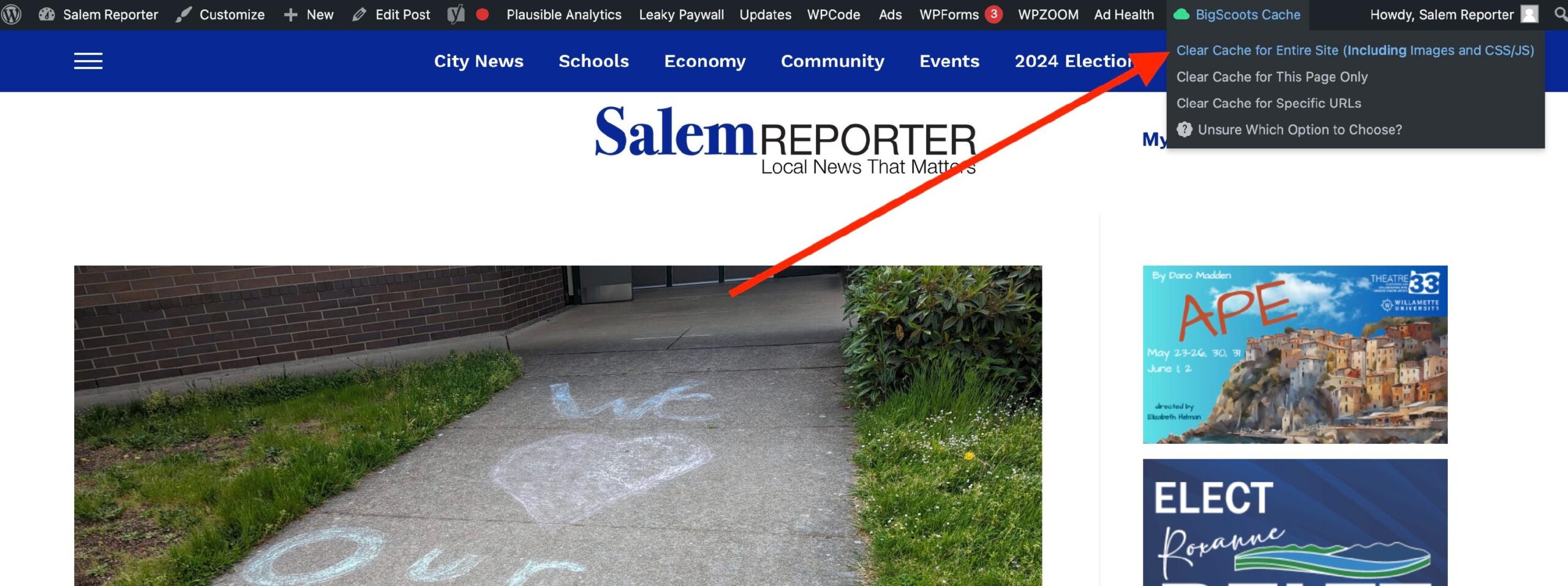
If a post is published without a featured image, it will land on Facebook without a featured image. If the featured image is later added, it won’t show up on Facebook. To resolve this issue, first clear the site cache.
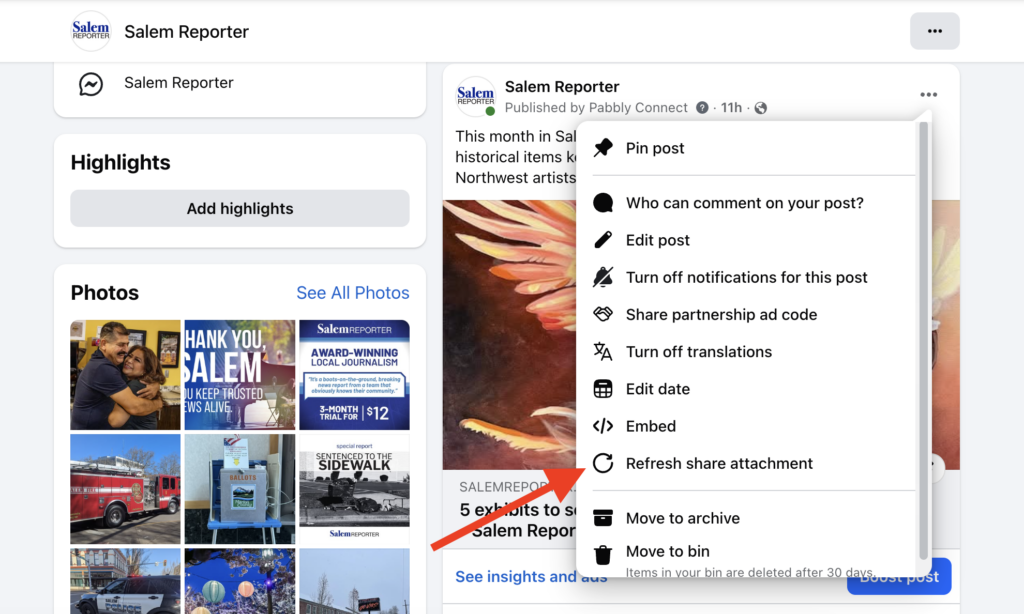
Find the post that has the incorrect image associated with it.
Select Refresh share attachment.
That’s it! You should see the featured image for the post in Facebook.