
Go to newsletter.paywallproject.com, login to your newsletter portal, and select “View all lists”. Select an existing list or create a new one by selecting “Add a new list.
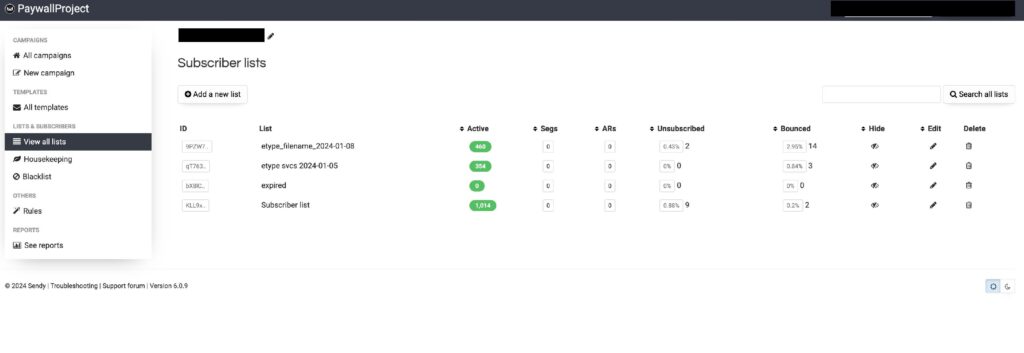
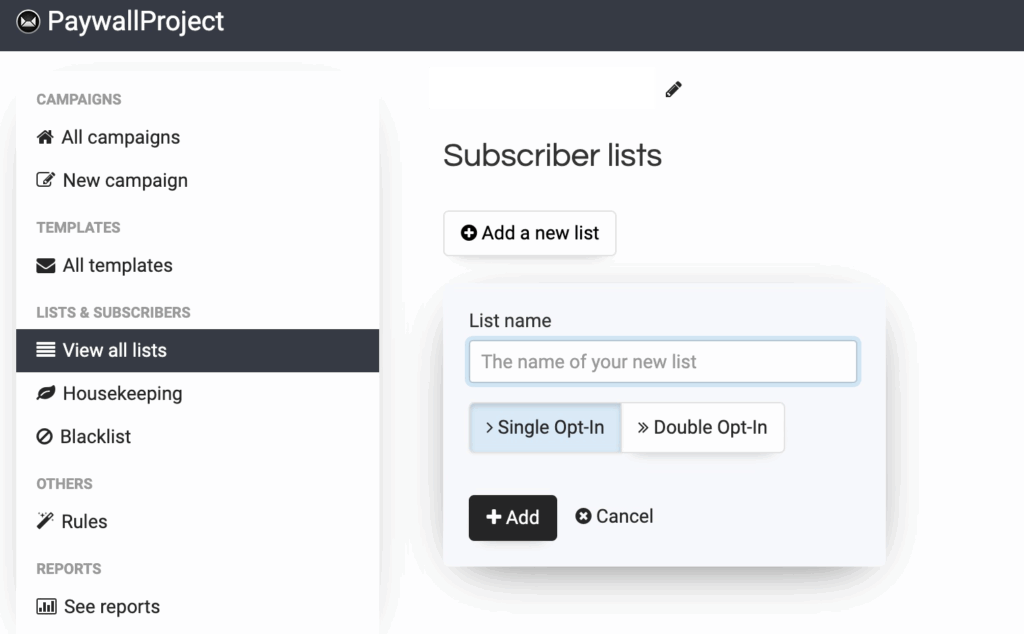
If you’re creating a new list, name your list and select “Add”. Otherwise, continue with an existing list by selecting the list name.
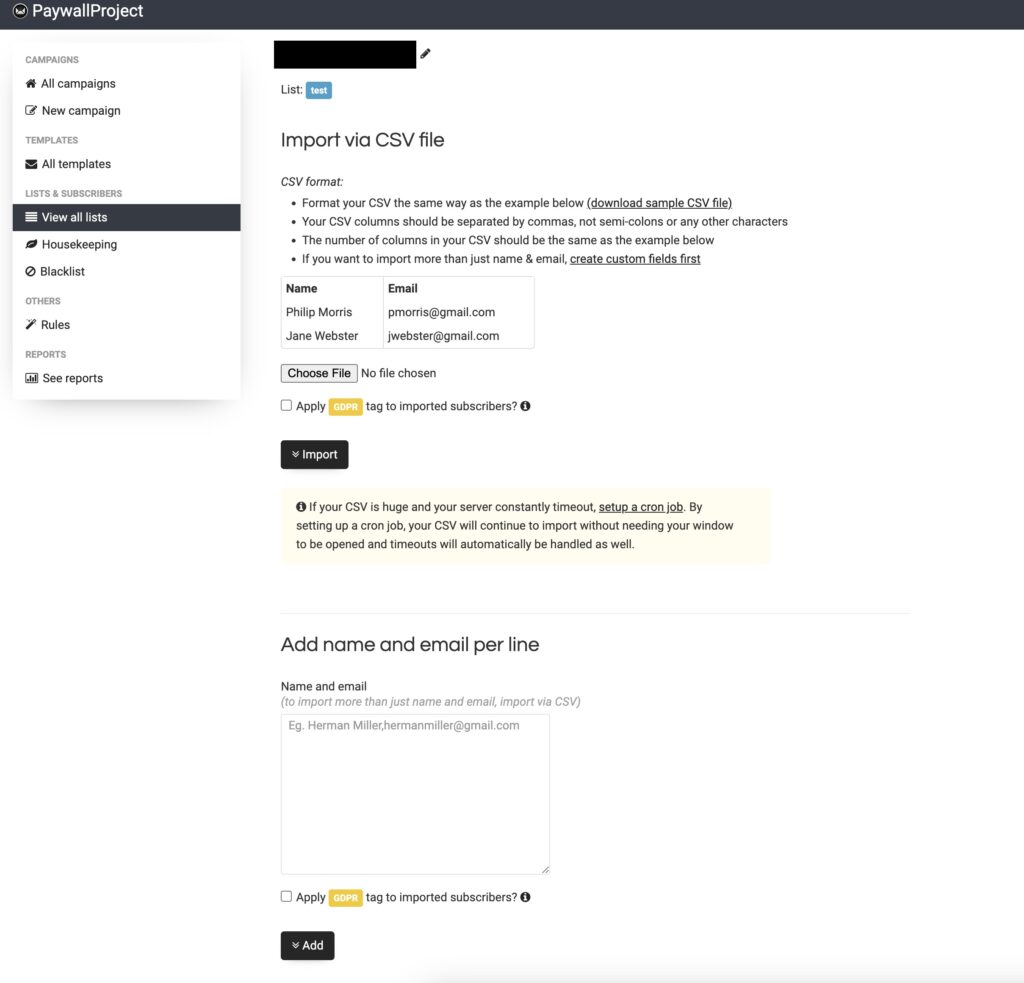
Select “Add subscribers”.
Scroll to the box below “Add name and email per line”.
Add 1 email per line. You can add as many email addresses as needed. If you have a spreadsheet, you can copy and paste a list into this box.
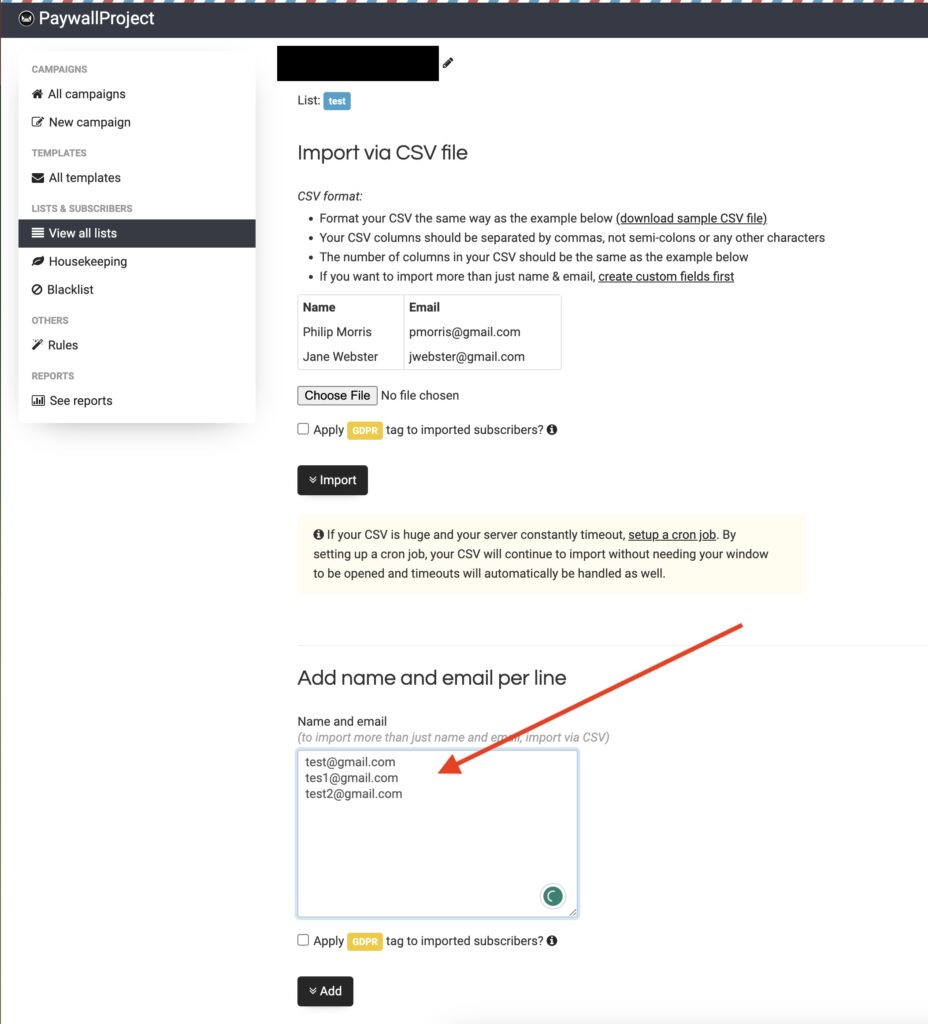
Select “Add” and you’re all set!