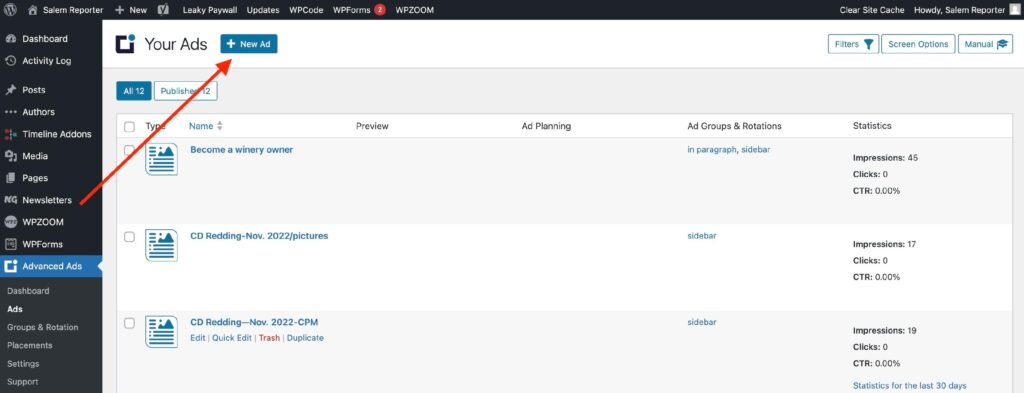
Go to Advanced Ads -> Ads -> New Ad
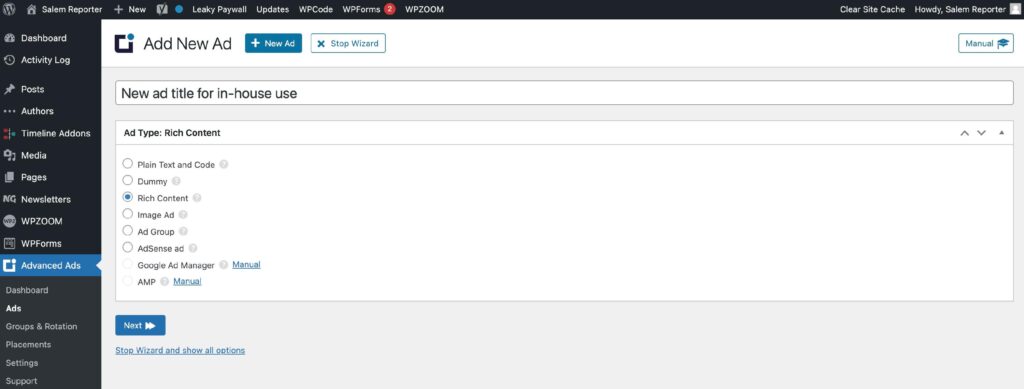
Create a name for the ad. This is only displayed on the backend for internal use. Select “Rich Content”.
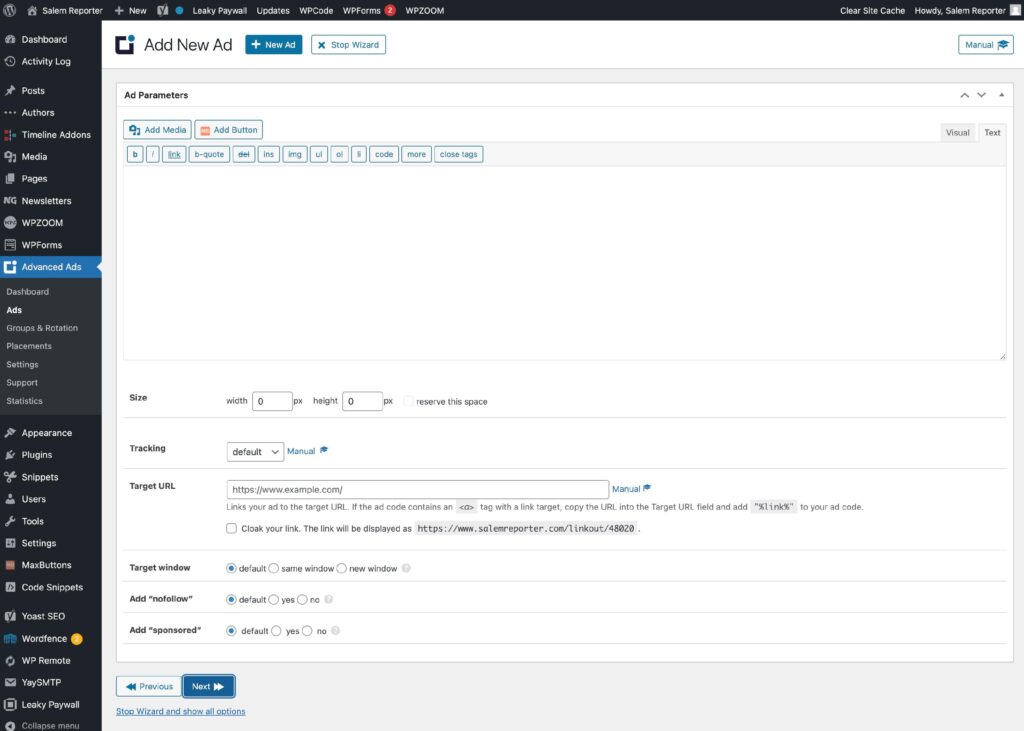
Select “Add Media” to add your ad image.
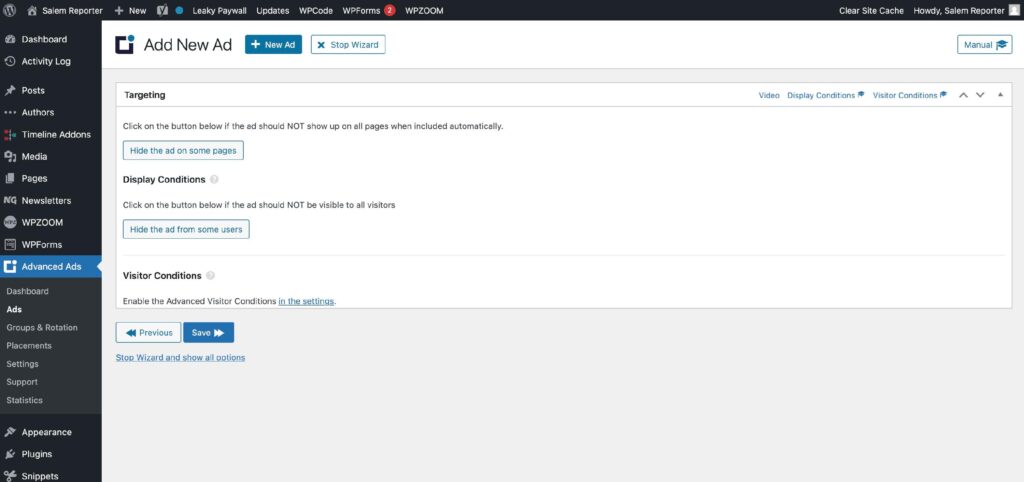
If you want to make the ad only visible to specific pages or categories, you can adjust the Targeting and Display Conditions.
If you’d prefer to rotate ads, select the desired “Ad Groups & Rotations”.
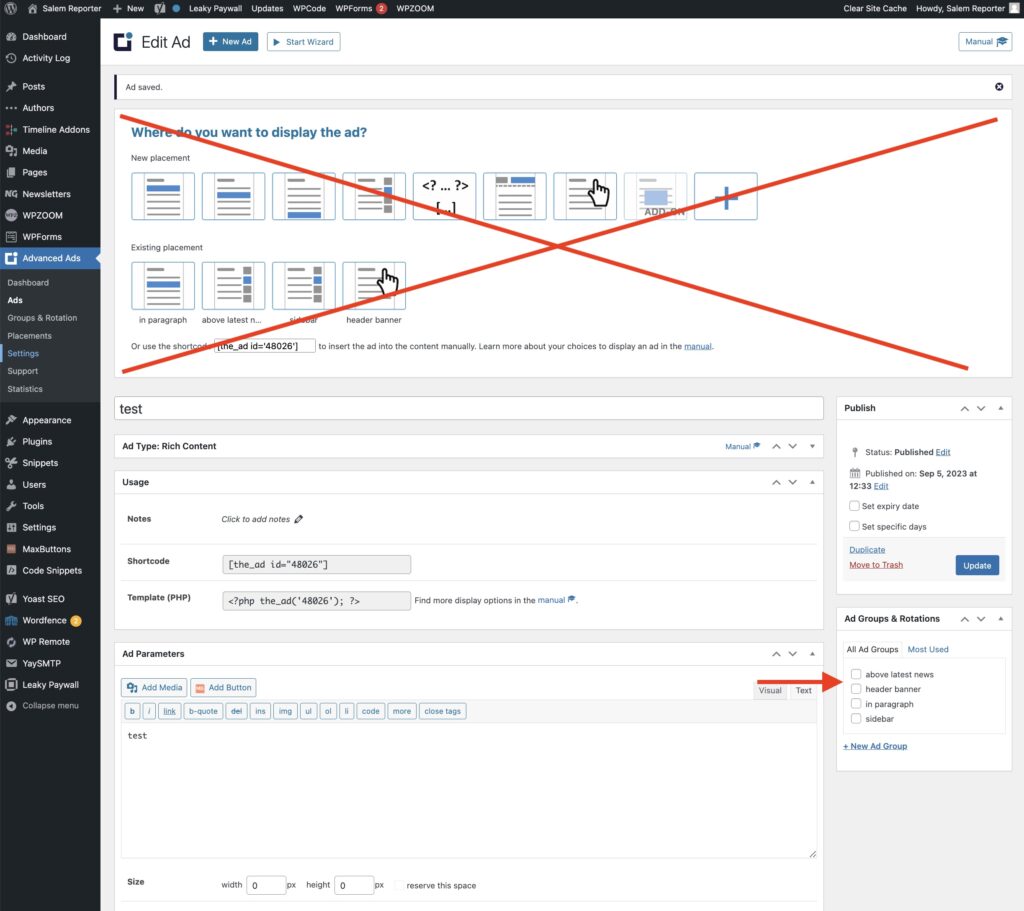
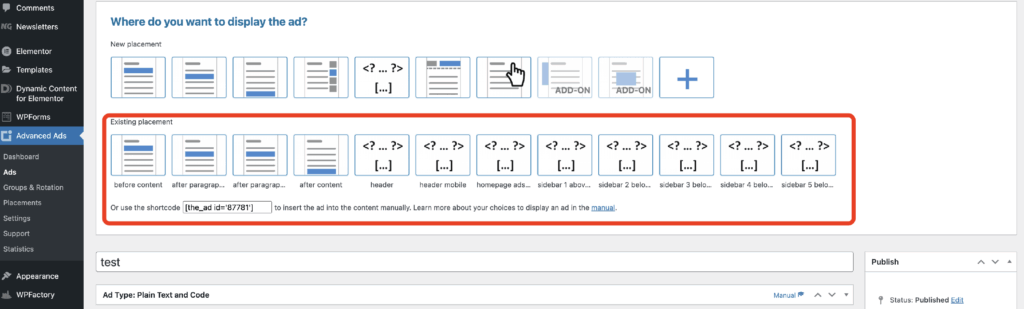
If your site does not use “Ad Groups & Rotations”, select from an existing placement at the top. Placements will not rotate.