If you’re using the Real3D Flipbook plugin, see this doc.
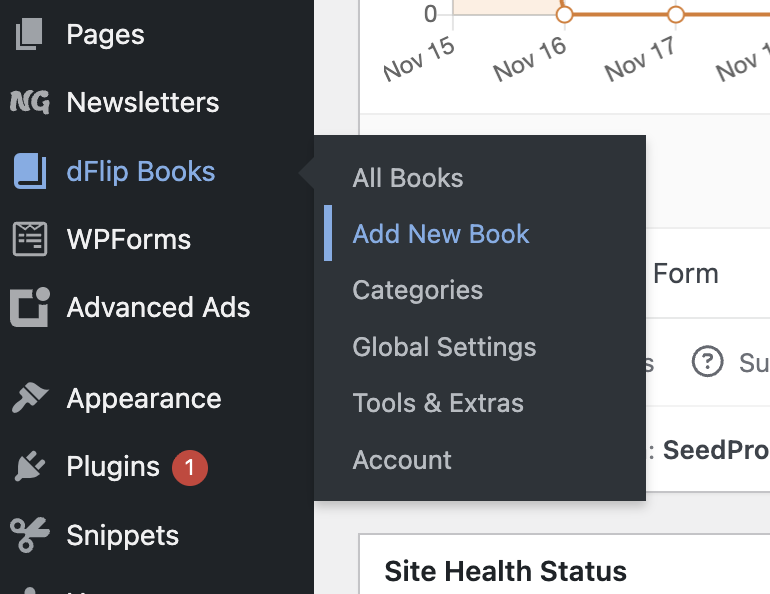
Go to dFlip Books -> Add New Book
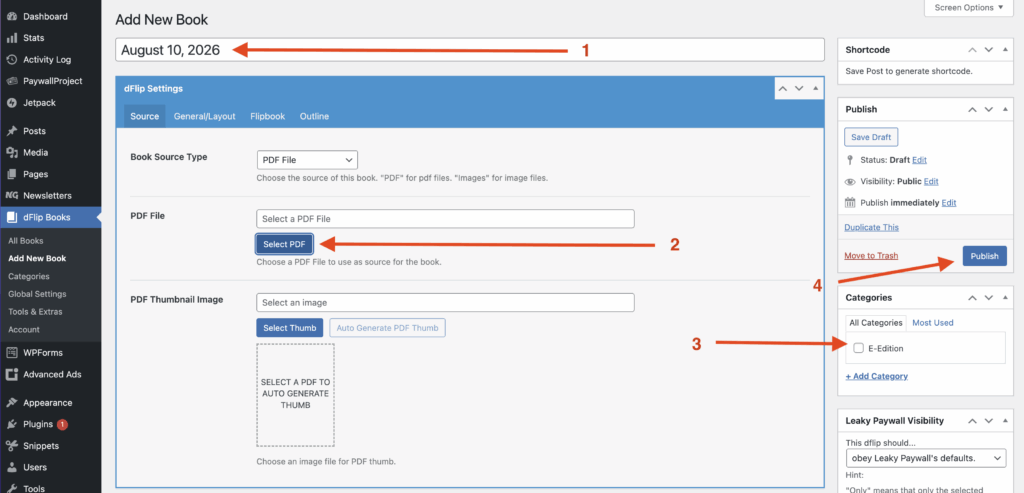
Create a title at the top (step 1)
Select PDF that you’d like to upload (step 2)
Select the desired category (step 3)
Select Publish (step 4)
A thumbnail will automatically be generated for your PDF. The PDF will appear within your E-Edition page.