
To begin, log in to your website as an admin user.
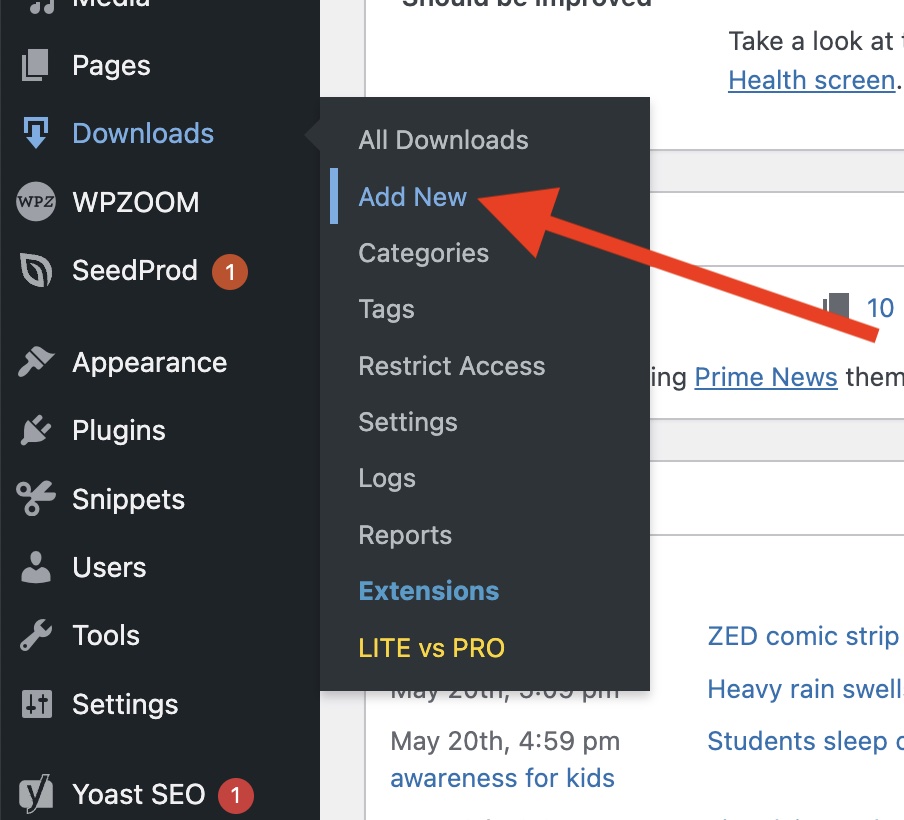
In the lefthand sidebar, hover over “Downloads” and select “Add New”.
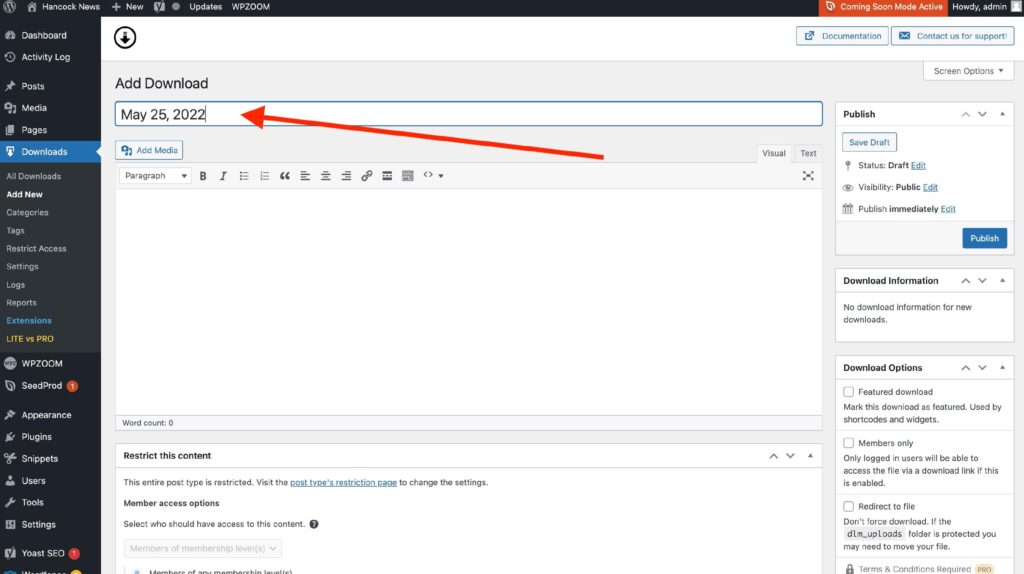
Enter the edition date as the title.
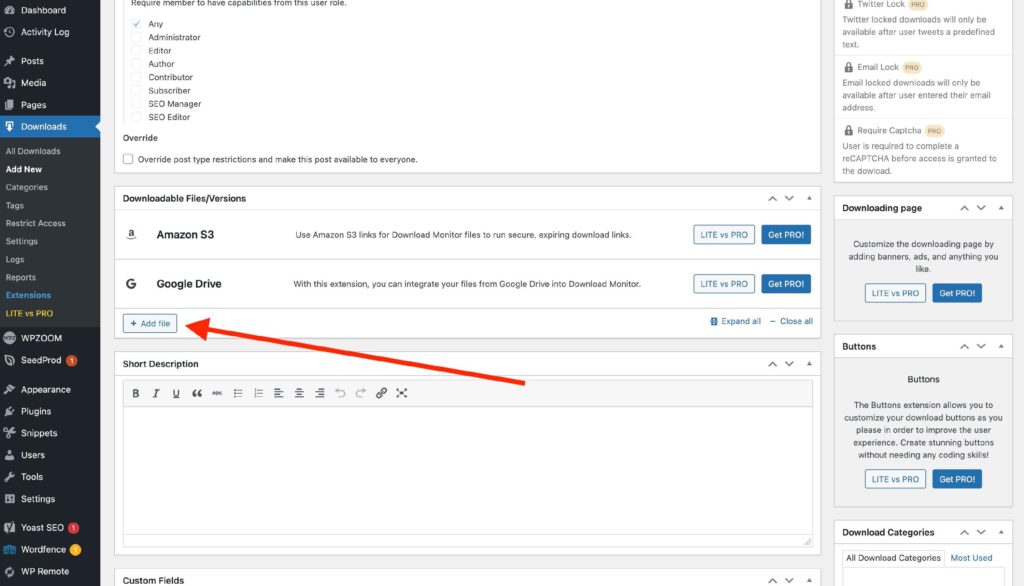
Scroll to the bottom of the page and choose “Add File”.
Select “Upload file” and choose the PDF on your desktop.
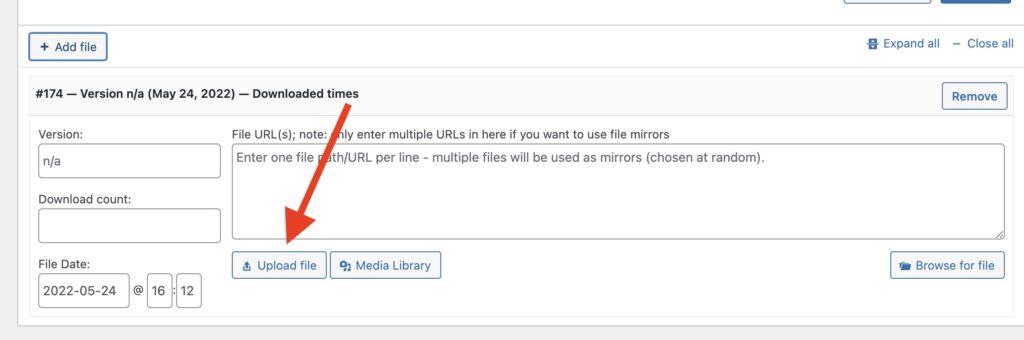
The upload may take a minute or two. You’ll see something that looks like the figure below while it’s uploading. Please wait until the notice is gone.
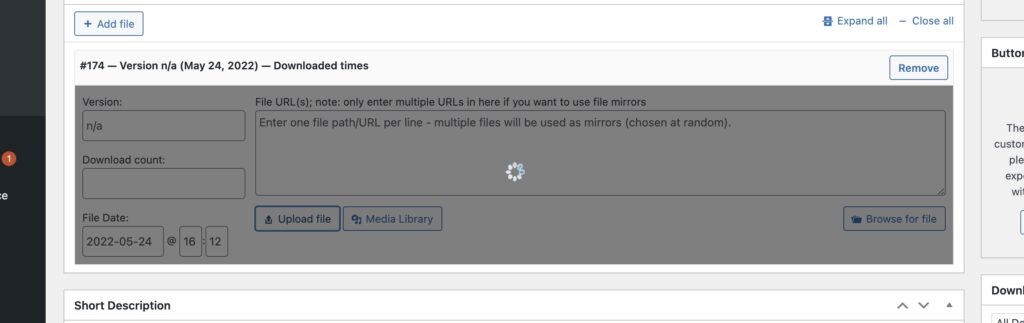
Once that greyed-out box is gone, proceed to publish at the top right of the page.