
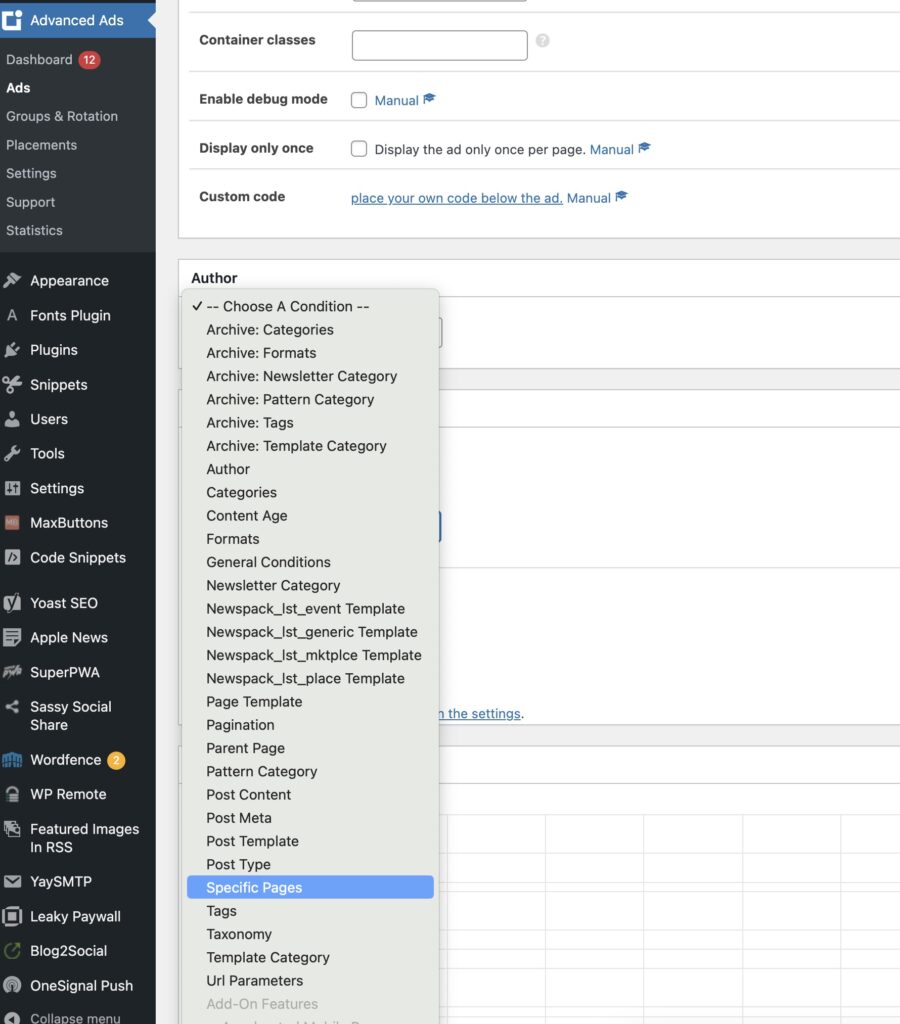
Select Ads -> Edit Ad -> Scroll to “Targeting” -> Select Specific Pages
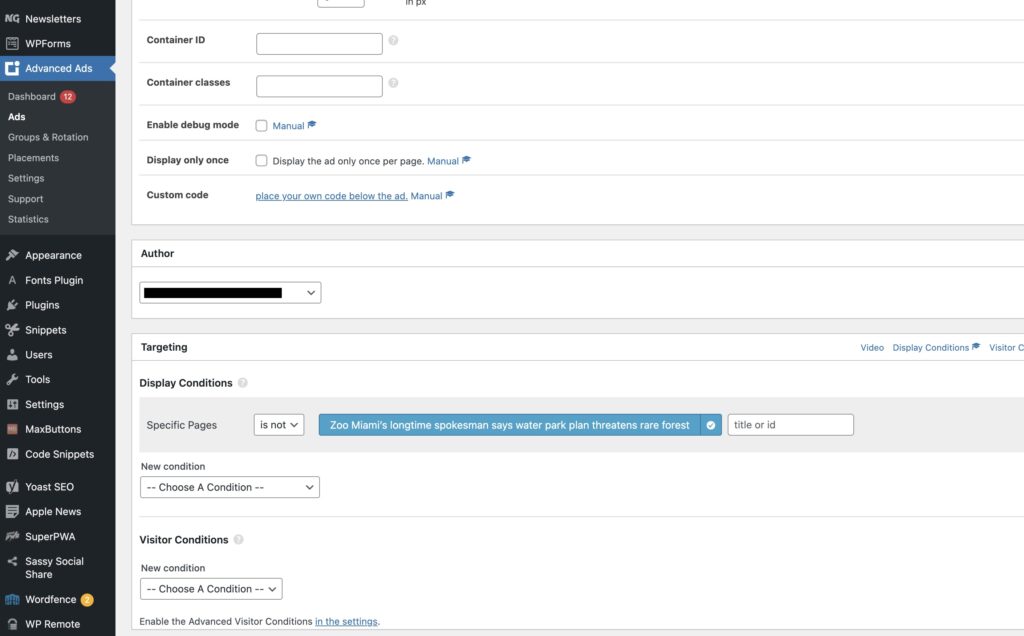
Enter the name of the post or page you’d like the ad to NOT display on. With the condition below, if the page/post is not “Zoo Miami’s longtime spokesman says water park plan threatens rare forest”, the ad will show.
Don’t forget the update the ad.