
First, log in to the newsletter portal at newsletter.paywallproject.com.
Select View all lists and search for the subscriber that’s not receiving the email.

In many cases, the subscriber unsubscribed from the list. Select the checkmark to re-subscribe them.
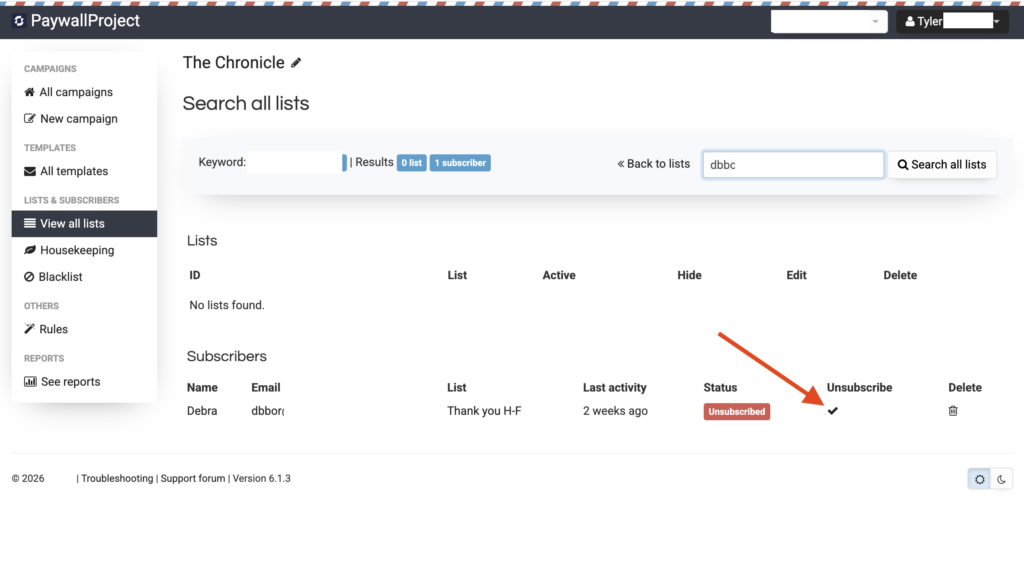
Please note: if a subscriber unsubscribes from a list, you cannot add them to another list unless you re-subscribe them or delete them from the list where they are unsubscribed.
If the subscriber is showing Marked as spam or Bounced, the subscriber must be deleted, re-added, and a ticket must be opened with our team to re-activate the subscriber in our backend systems.
