
1. Home
  2. Paywall
  3. How to adjust the paywall meter for non-logged in readers

How to adjust the paywall meter for non-logged in readers

Log in to your WordPress admin dashboard and scroll to the bottom and select Leaky Paywall -> Settings

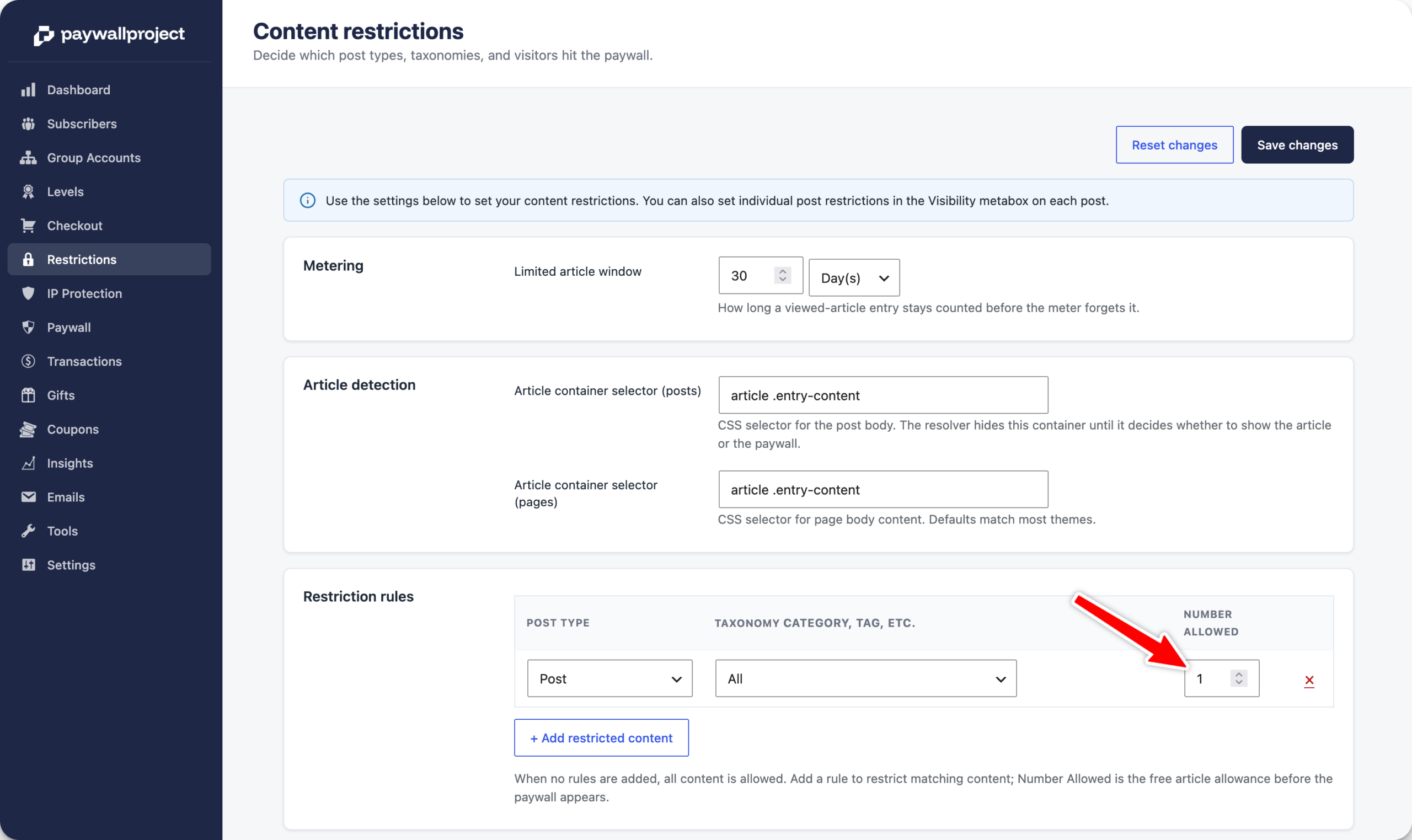
Select Restrictions on the top bar.

Adjust the meter to the desired number. We highly recommend no more than 1 free article. Anything beyond that can significantly impact your free registration email collection and paid conversions.
Next, select the Clear Cache for Enter Site (Including Images and CSS/JS) option.

You will see a confirmation message like this. Select OK, and you’re all set.

Updated on April 3, 2026
Was this article helpful?
Get more help
Can't find the answer you're looking for? Get in touch.
Contact support