
Go to PaywallProject -> Levels and select the subscription level that should have the ability to gift articles.
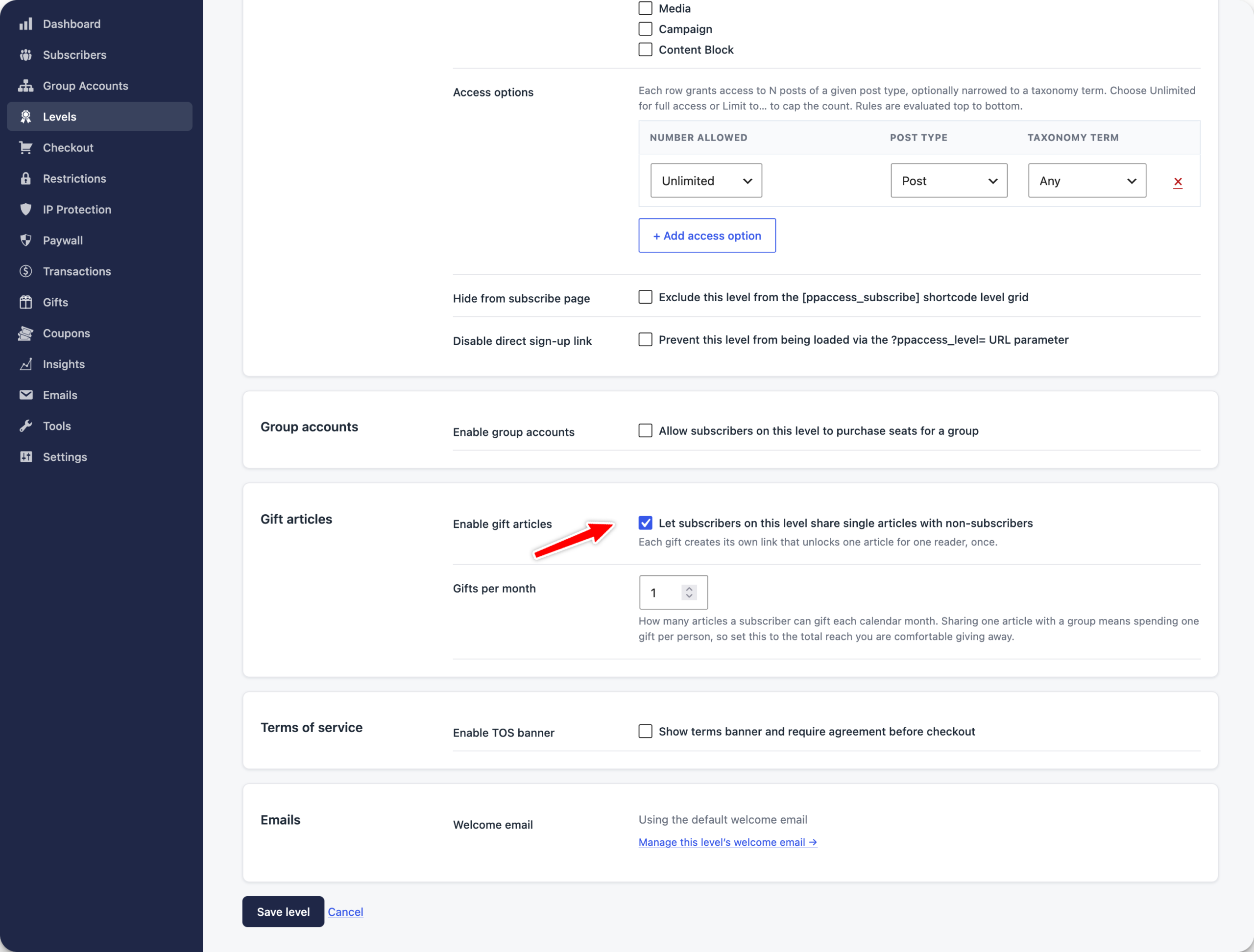
Select the Enable gift articles checkbox and set a Gifts per month quota. The quota will determine how many articles a subscriber on this level can share. Select Save level.
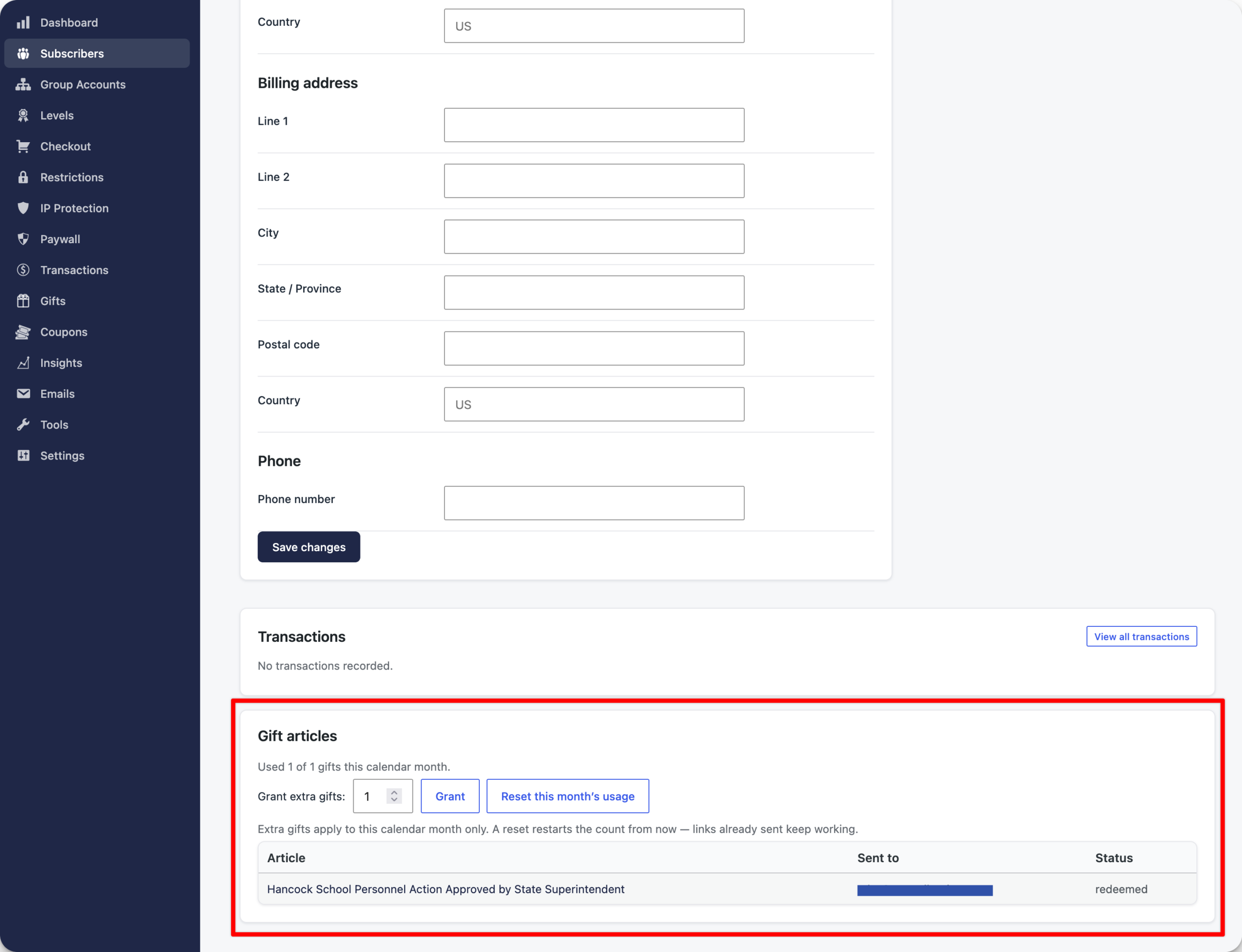
In addition, you can also modify gift-sharing capabilities for each subscriber on this level. First, find the subscriber you’d like to modify by going to Subscribers and searching for the subscriber. Scroll to the bottom of the subscriber profile.
Here, you can grant extra gift articles, reset the usage (resets automatically each month), and check the status of shared articles.
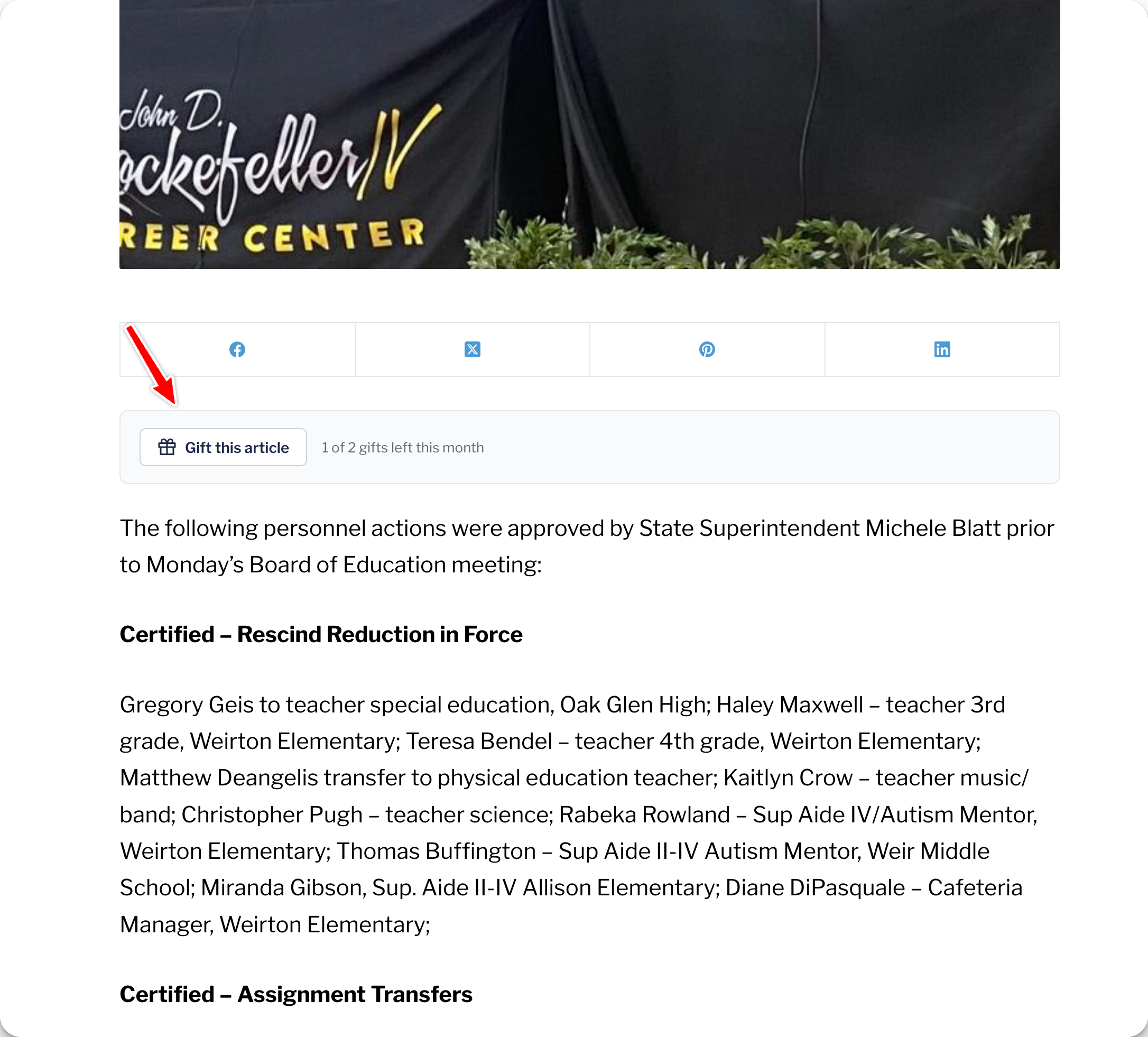
Now, when a subscriber on this level is logged in and visiting a post, they’ll have an option to Gift this article.
Next, they’ll add the email address (optional) for the person they’d like to share the article with and select Create gift link.

The subscriber will have the ability to share the special access link directly with a friend. If an email address was entered, the friend will automatically receive an email with the link.
The link is valid for 72 hours and only works once. If shared with other people, it will not grant access.
