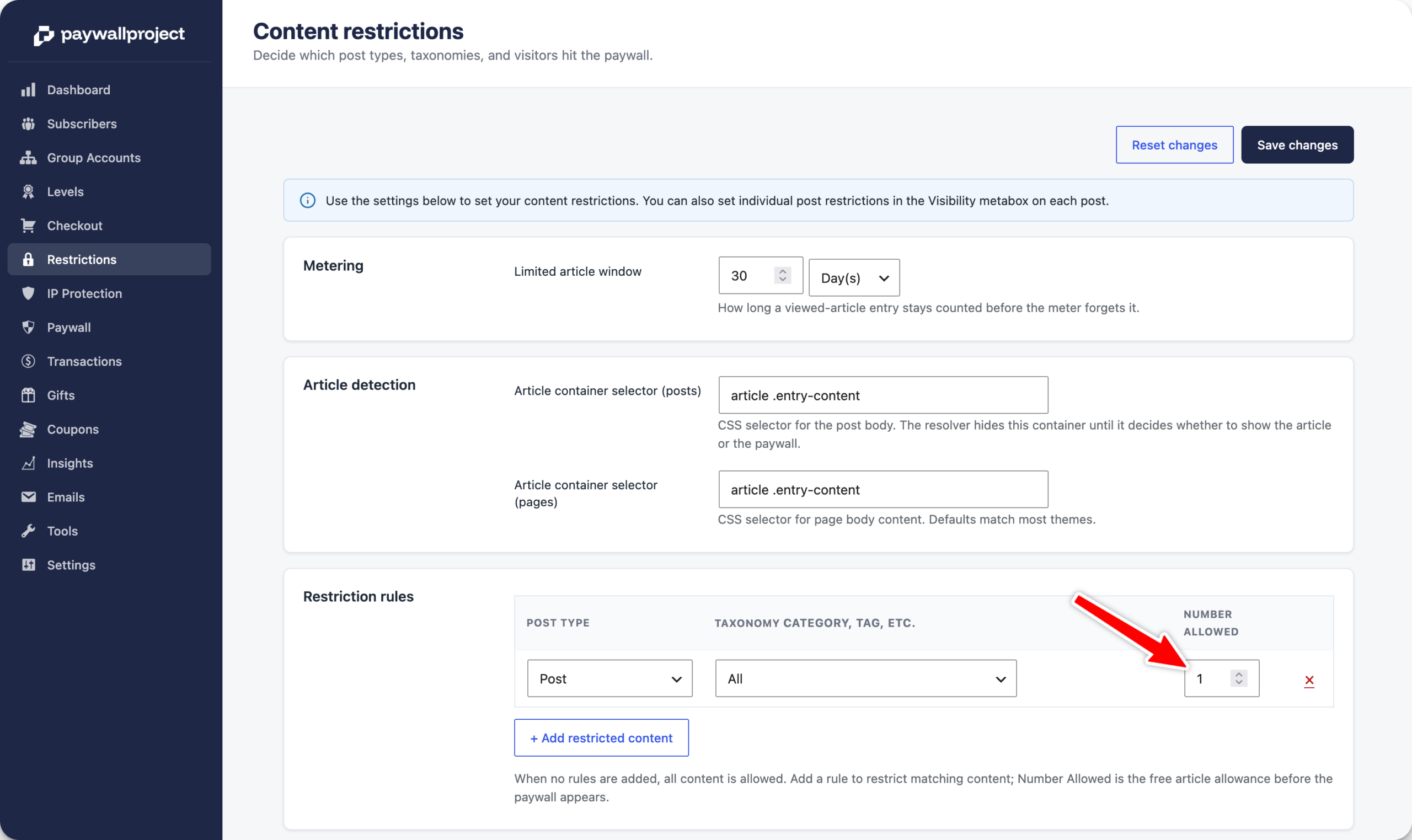
Log in to your WordPress admin dashboard and scroll to the bottom and select PaywallProject -> Restrictions
Under Restriction rules, adjust the Number Allowed to your preferred number.
We highly recommend no more than 1 free article. Anything beyond that can significantly impact your free registration email collection and paid conversions.