
If a subscriber pays via check, you’ll need to update the subscriber’s subscription expiration in Leaky Paywall so that access continues.
1) Go to Leaky Paywall -> Subscribers and search for the subscriber. If they’ve not been added to Leaky Paywall, you’ll need to add them.

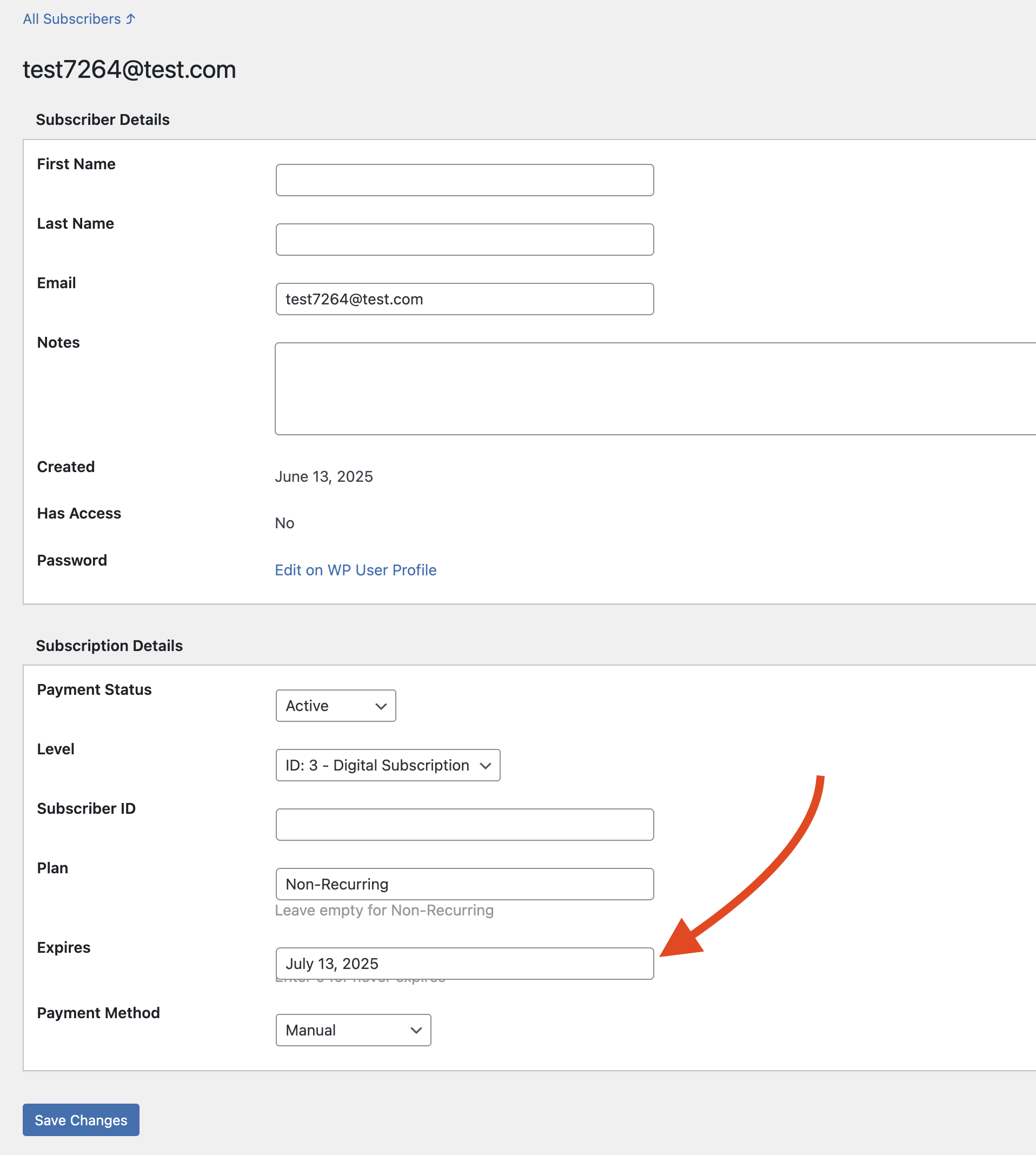
Once located, select the email address of the account you’d like to update.

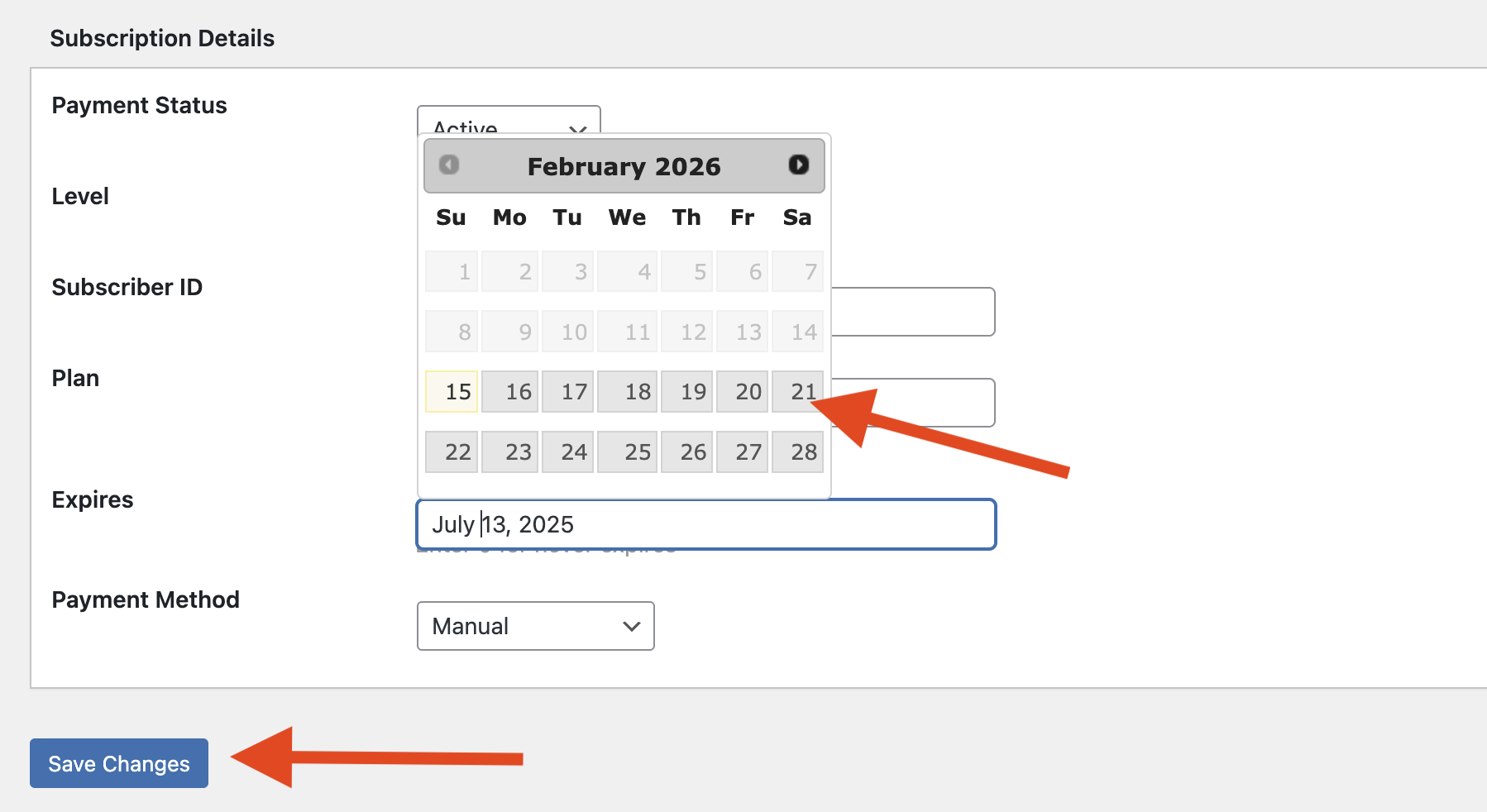
Select the expiration date and adjust as needed.
Don’t forget to Save Changes.
That’s it! Now the manual payment subscriber will have access until the next check payment is due.