
More and more publishers are noticing pieces of their paywalled articles showing up in Google’s AI-generated answers and being fed into other AI tools. It’s a fair concern. When your reporting gets summarized somewhere else, readers have less reason to visit your site, and that hurts your business over time.
Here’s how we think about it, and what we recommend.
Blocking every AI bot is a game of whack-a-mole
It’s possible to block known AI crawlers in your site’s robots.txt file, but robots.txt is a request, not a lock. New bots appear all the time, and some ignore the rules or disguise themselves as regular visitors in a web browser. Chasing them takes a lot of effort, and you’ll never catch them all.
We’d rather you put that energy into something that protects your content and grows your business at the same time.
Our recommendation: require a free registration
The most effective step is to lower your paywall meter to 0. Readers can still read for free, but they’ll need to register with an email address and verify it before reading any article.
- Most bots won’t get past it. Creating and verifying an account is a hurdle that automated scrapers rarely clear.
- Every registration grows your email list. Each new reader becomes someone you can reach directly with newsletters and subscription offers.
- You own that audience. Your email list keeps working for you no matter what Google, Meta or any AI company changes next.
If you’d like to make this change, reach out to our team and we’ll update your meter settings for you.
What about Facebook and other social platforms?
It’s understandable to want to stop sharing to platforms with aggressive content terms. Before you do, check how much traffic they actually send you. For many of our publishers, Facebook is still a top-three traffic source. It may be a small slice of your overall traffic, but those visitors are people you can turn into free registrations.
Our suggestion: keep posting headlines and links for now, avoid posting full article text on the platform, and use that traffic to grow your registrations.
Optional: Remove your site from Google’s AI Overviews
Google now offers a setting in Google Search Console that removes your site from its AI features (AI Overviews, AI Mode and AI features in Google Discover) without affecting your regular search rankings. It’s been available to all websites since August 31, 2026.
Before you switch it off, consider the tradeoff. Google’s AI answers now often include links back to the source articles. If you opt out, you won’t get any traffic or impressions from those features. Search Console’s Generative AI performance report (under Performance) shows how much exposure you’re getting today, so check it first.
A few things to know:
- You need owner access to your site in Search Console to change this setting.
- It’s all or nothing across AI Overviews, AI Mode and Discover’s AI features. You can’t pick just one.
- It doesn’t stop Google from using your content to train its AI models. That’s a separate robots.txt setting called Google-Extended.
- You can change it back at any time.
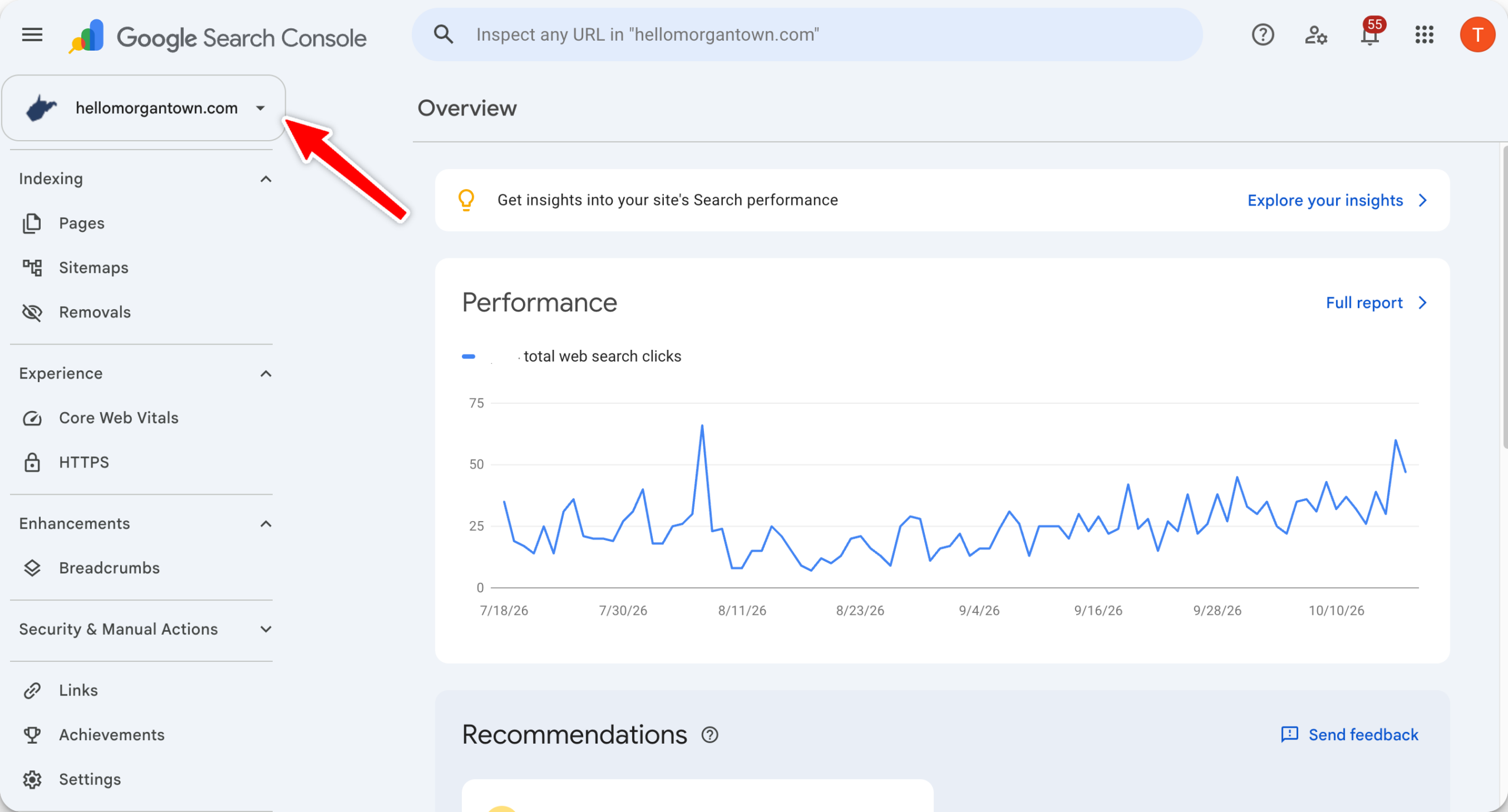
Step 1: Choose your site
Sign in to Google Search Console and pick your site from the property menu in the top left. If you see a domain property (just your domain name, like yournewspaper.com), choose that one. The setting will then cover your whole site, including every subdomain.
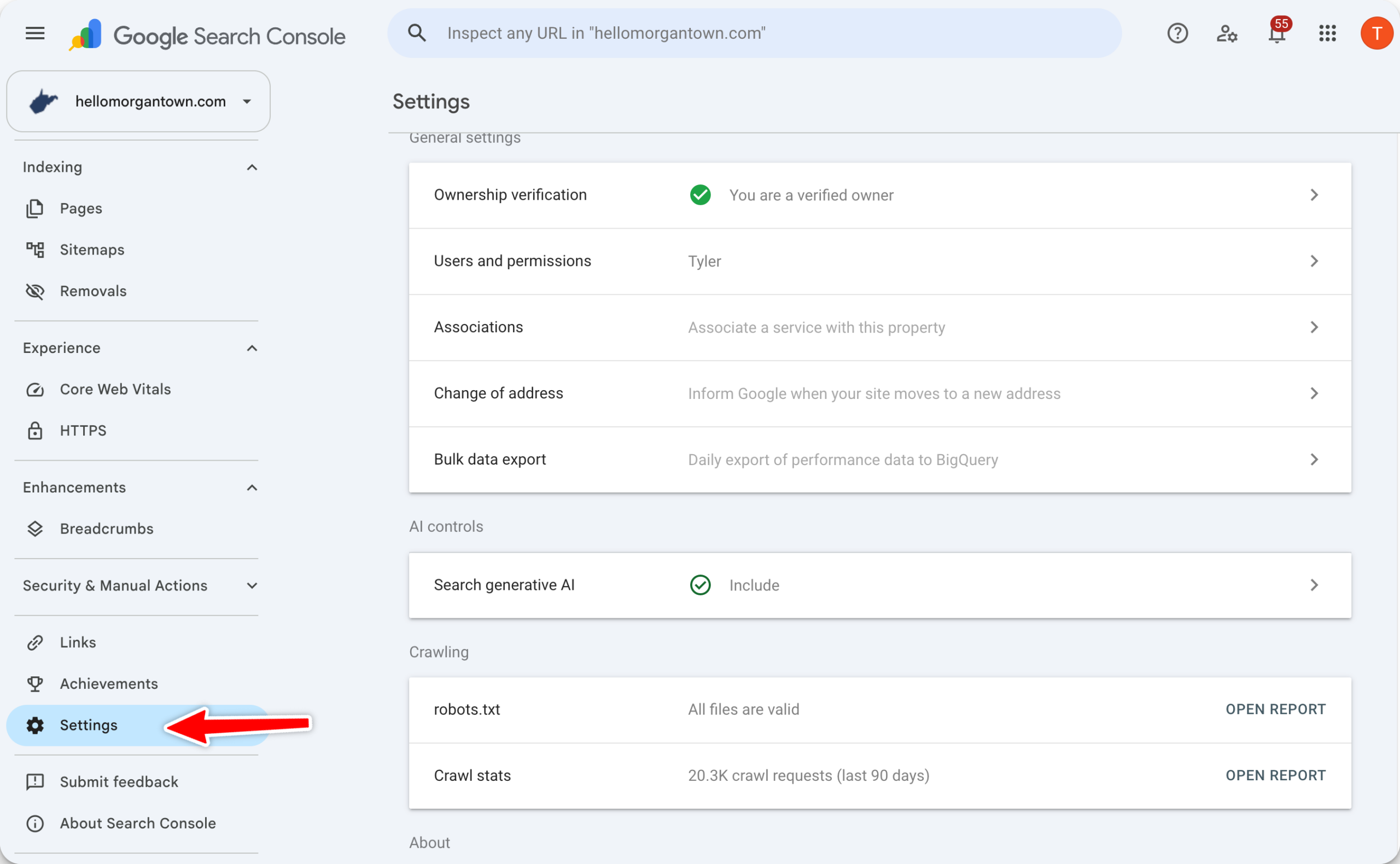
Step 2: Open Settings
Click Settings near the bottom of the left-hand menu.
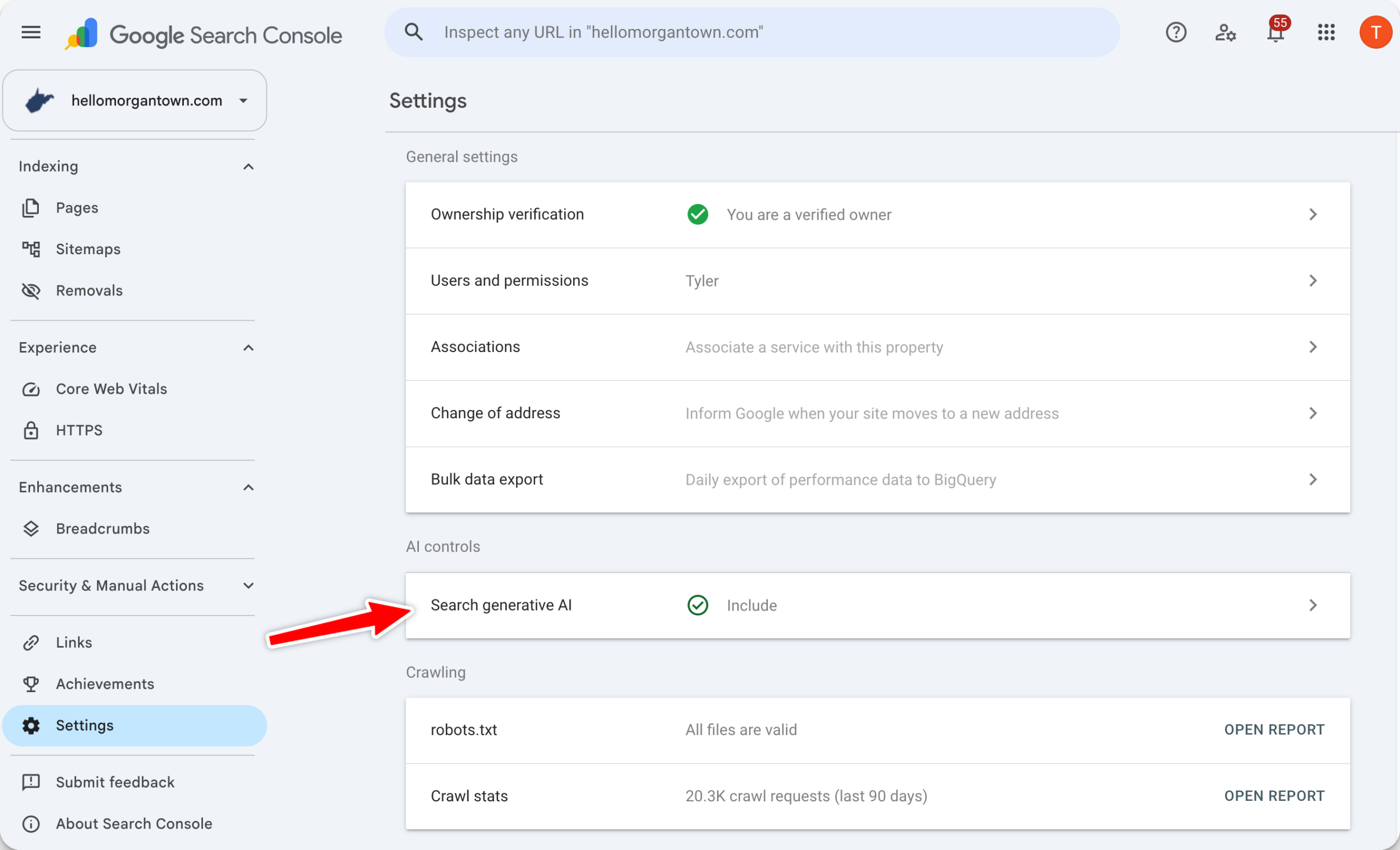
Step 3: Open “Search generative AI”
On the Settings page, click Search generative AI. You can also go straight there with this link.
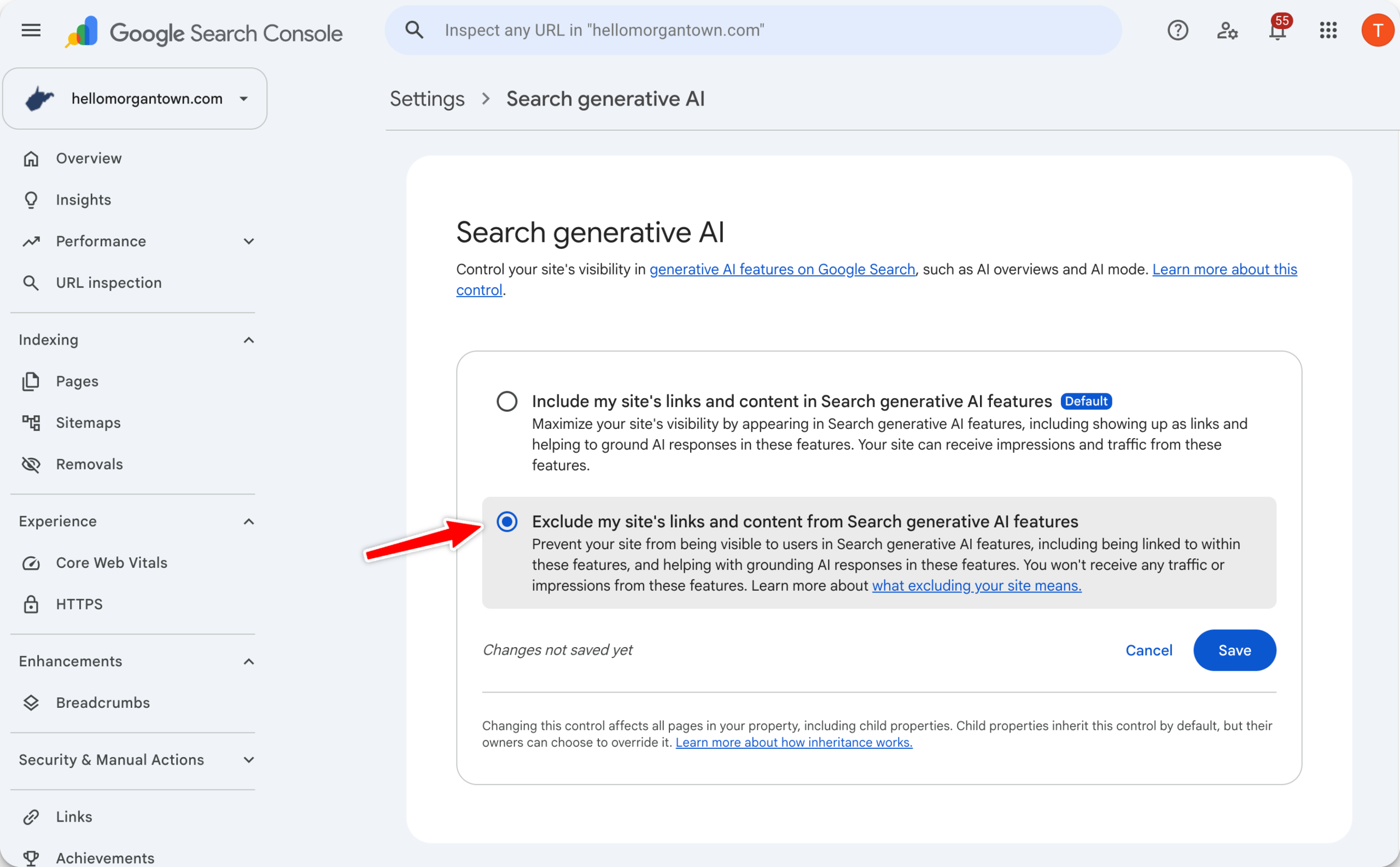
Step 4: Choose “Exclude” and save
Select Exclude my site’s links and content from Search generative AI features, then click Save.
Step 5: Give it a few days
Google says most content is removed from its AI features within one to two days, though some may take longer while caches update. Your regular search rankings aren’t affected. If you change your mind, return to the same page and choose Include.
Images in this guide are illustrations. Google’s screens may look slightly different.
Questions?
We’re happy to help you weigh these options or switch your site to free registration. Just reach out to our support team.