
In the event a subscriber is struggling to reset a password, you can manually change it for them at any time.
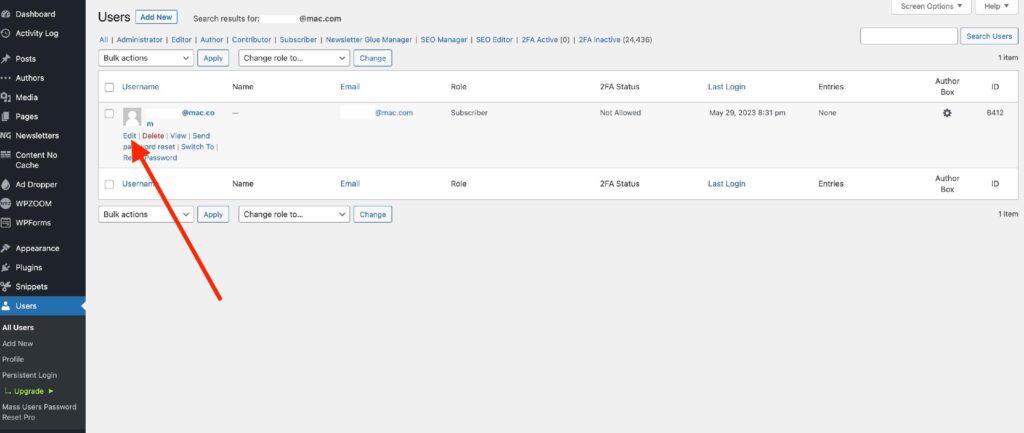
First, select “Users” -> “All Users” from the side menu bar and search for the user in question using the search bar at the top right-hand corner. Then select “Edit” under the user you wish to change the password for.
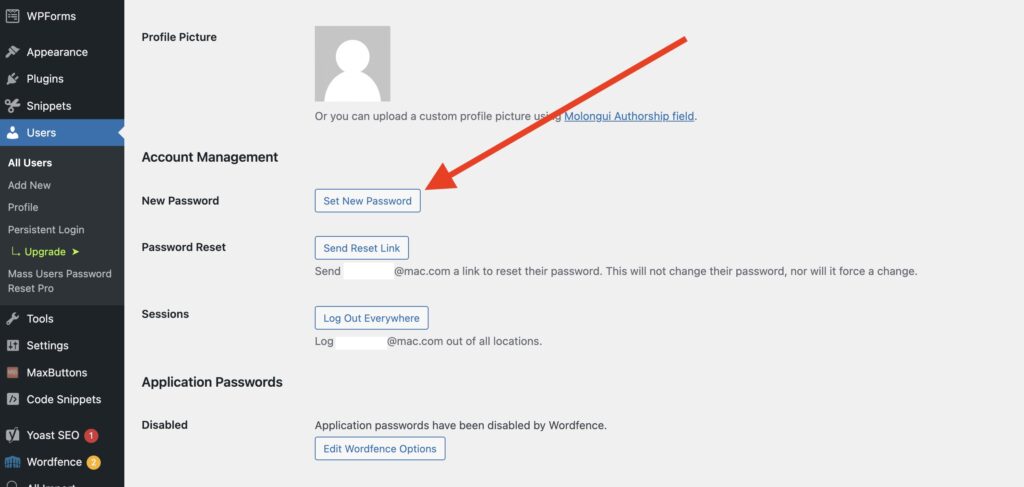
Scroll down until you see a “Set New Password” button and select.
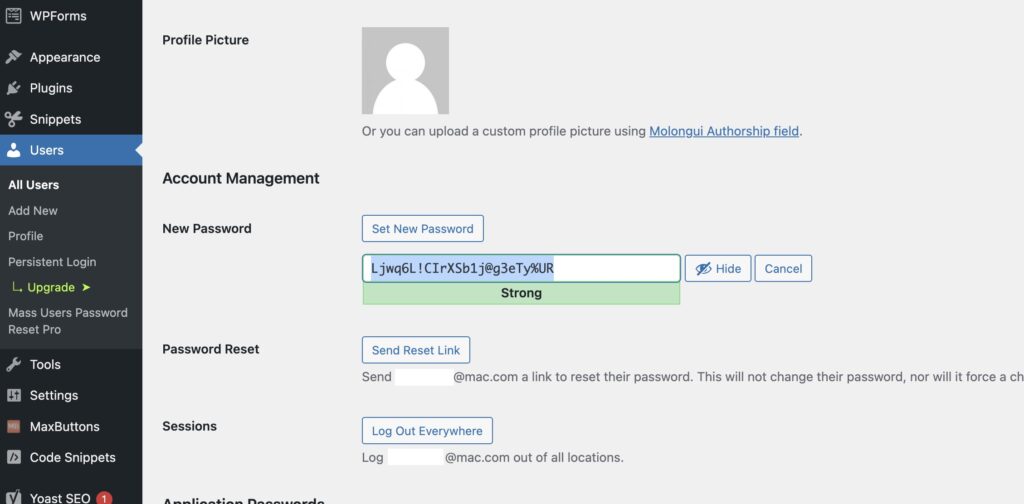
A password will automatically generate. Feel free to shorten this password. The subscriber can always change it at a later time.
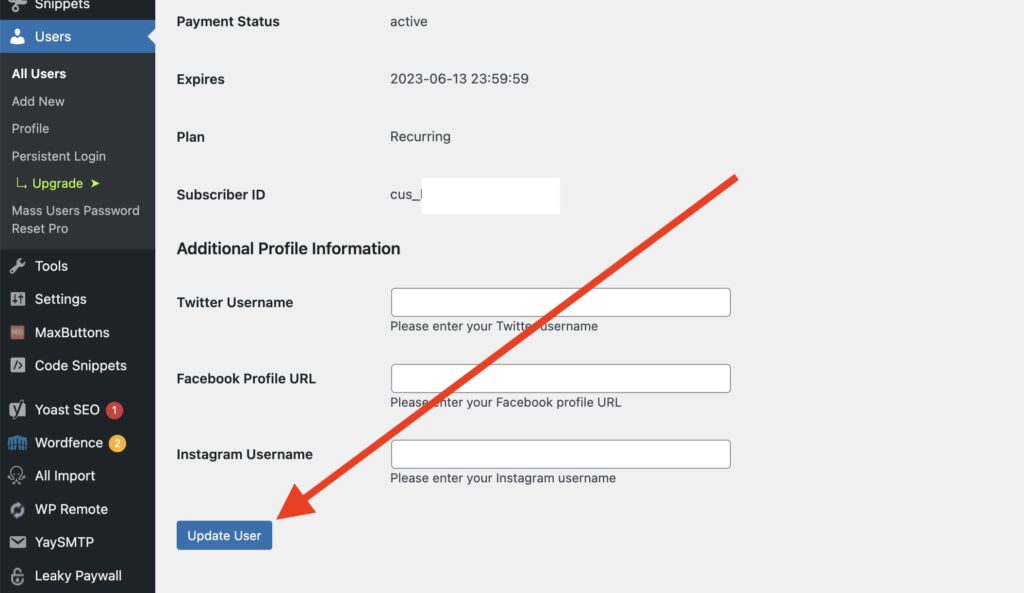
Scroll to the bottom and select “Update User”.
That’s it! Now you can copy and paste the new information to your subscriber.