
On your E-Edition page in WordPress, find the Paywall visibility settings. In general, we recommend always placing your PDF E-Edition behind the paywall and never offering free registration messaging here.
Select Require specific levels -> select all paid levels (leave free levels unchecked) -> adjust Lead-in to “0“
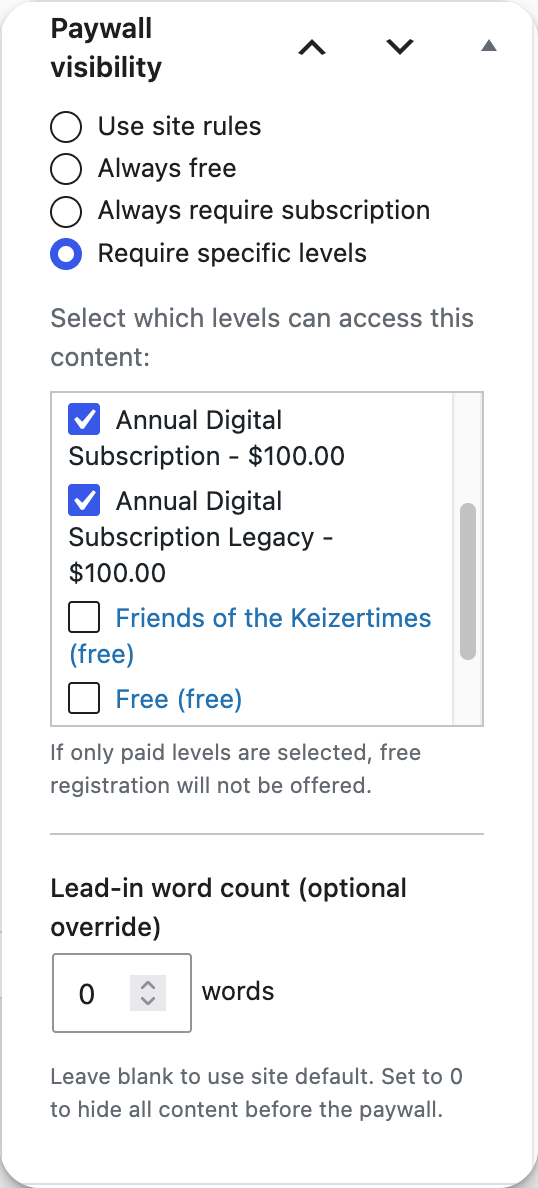
And that’s it! Your E-Edition will only be available to our paid subscribers.