
Go to PaywallProject -> Subscribers and find the user you would like to cancel. Select the Subscriber ID link.
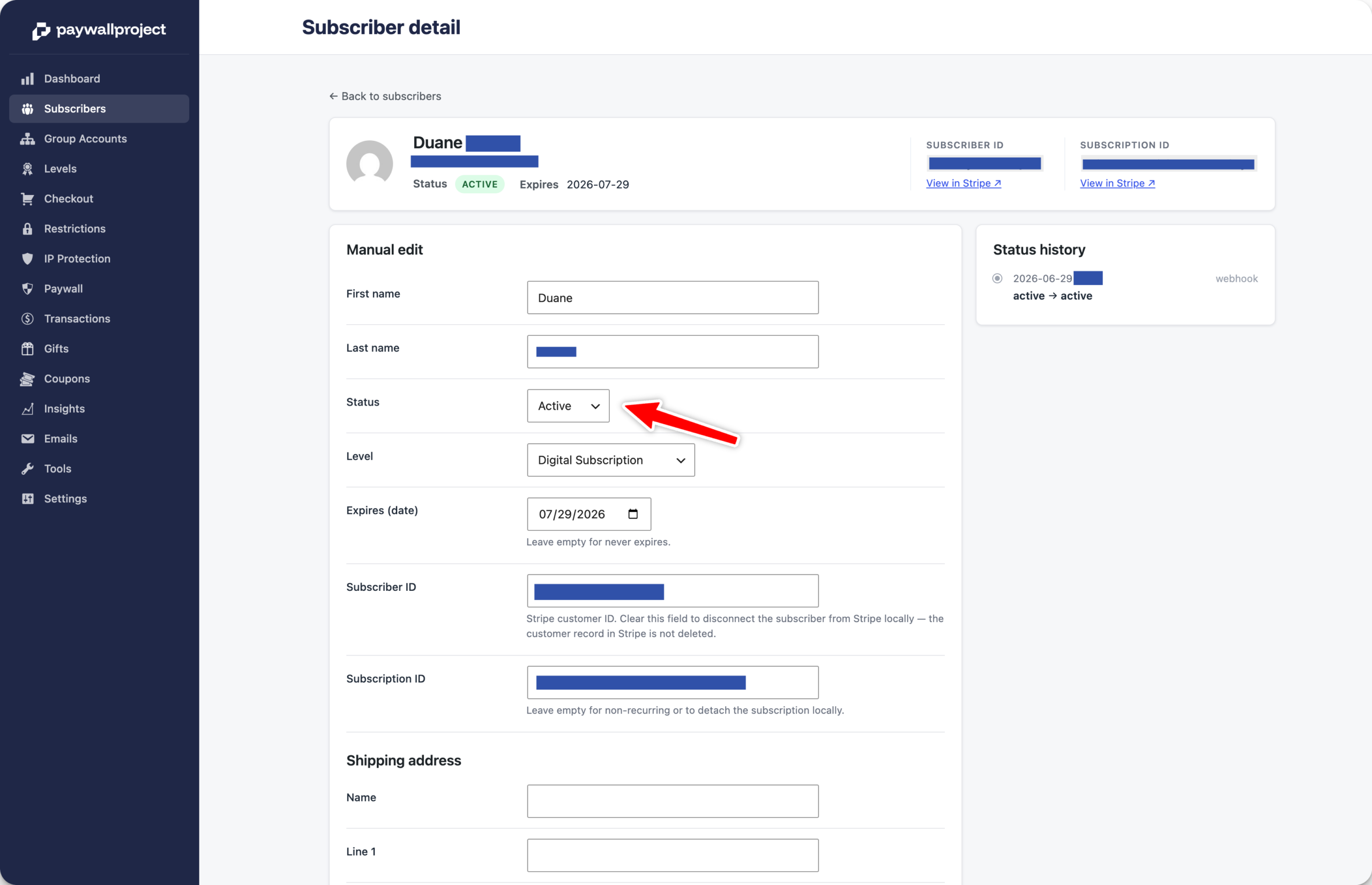
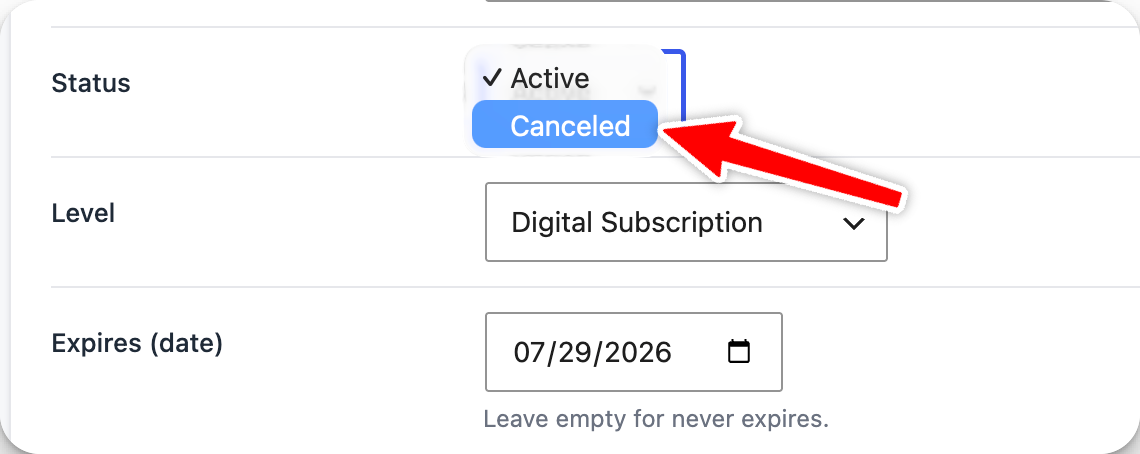
Select the “Canceled” status option.
Select the Save changes button at the bottom of the subscriber’s details. This will automatically cancel the subscriber in Stripe. No extra adjustments needed.