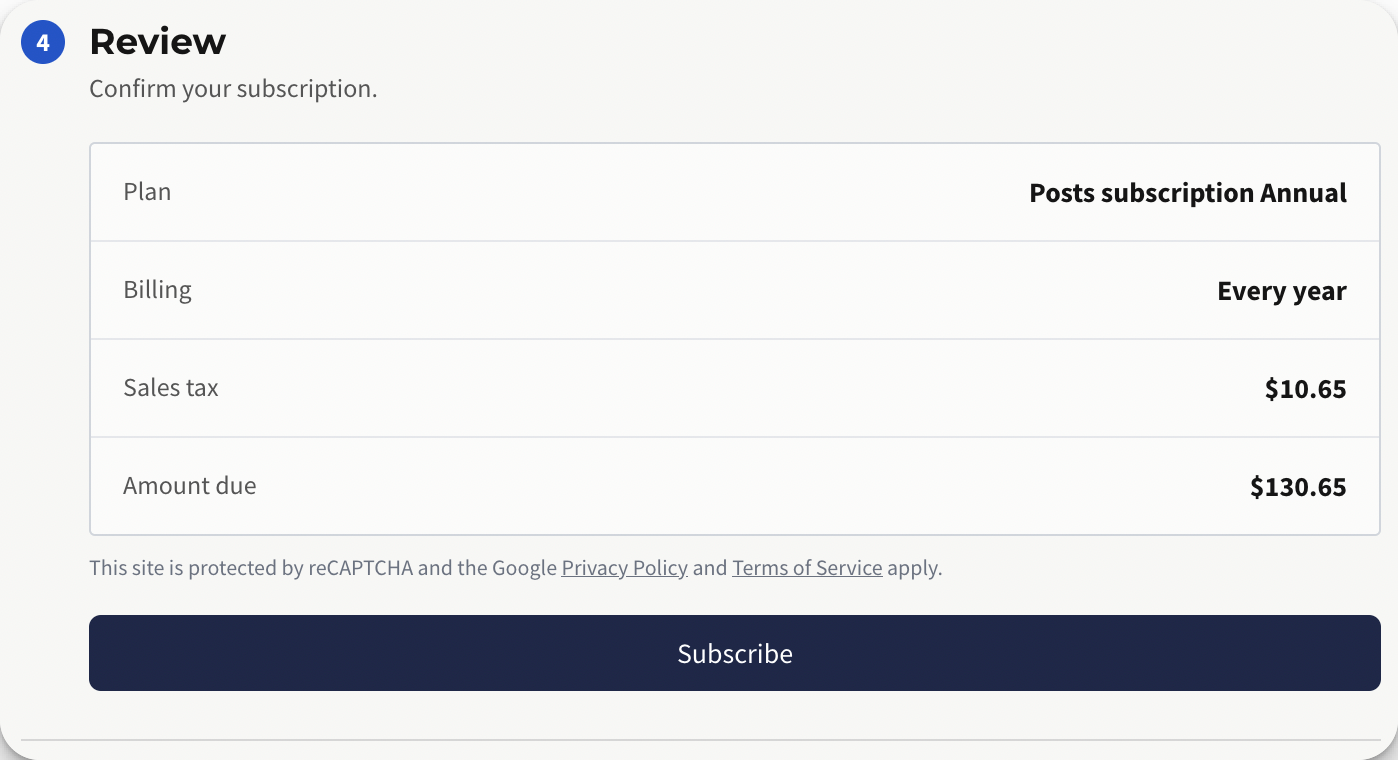
To display sales tax at checkout, you’ll first need to set up the required tax locations in Stripe.
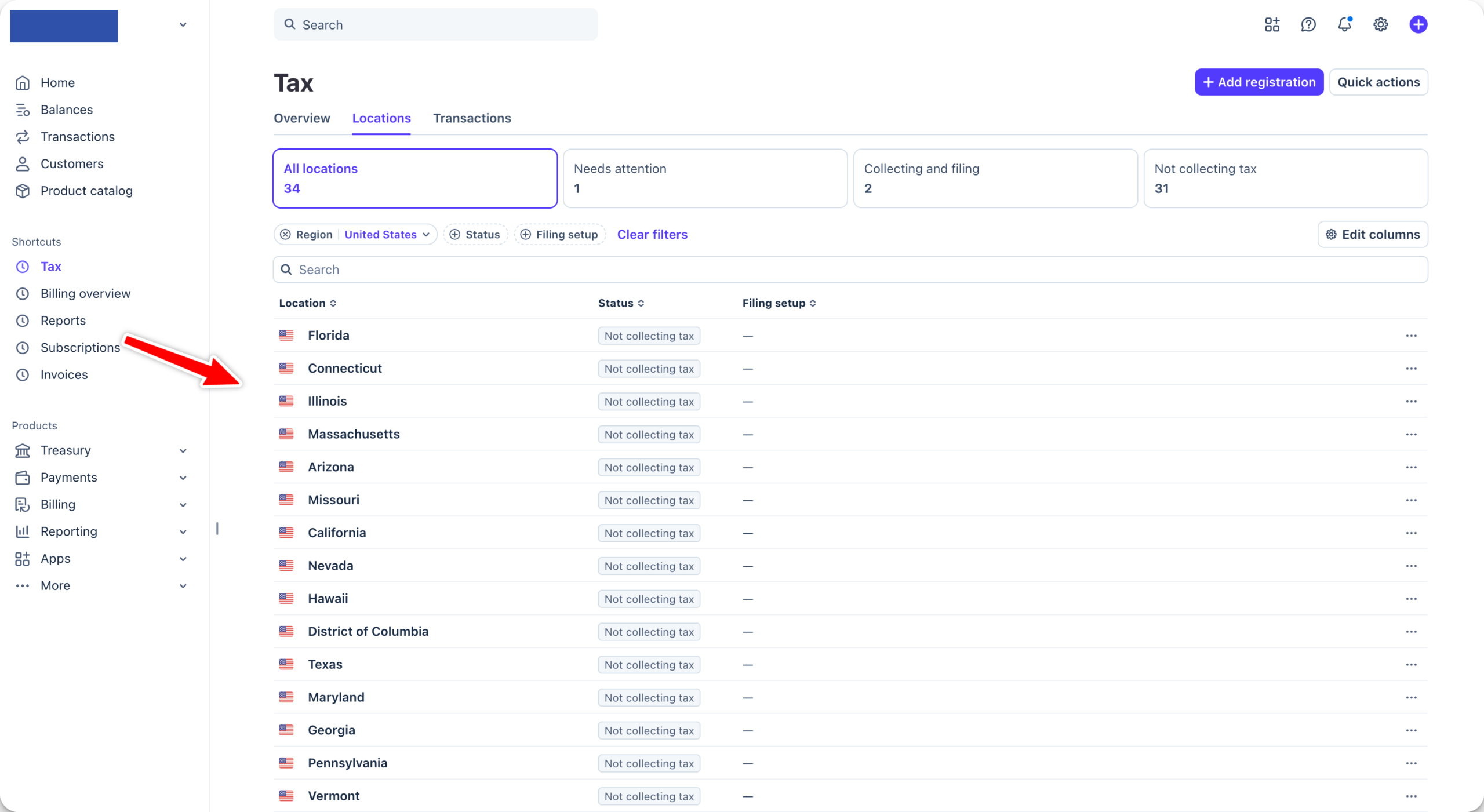
For example, if you are based in Illinois, you will need to set up Illinois in Stripe Tax in order for PaywallProject to properly display sales tax to Illinois-based subscribers.
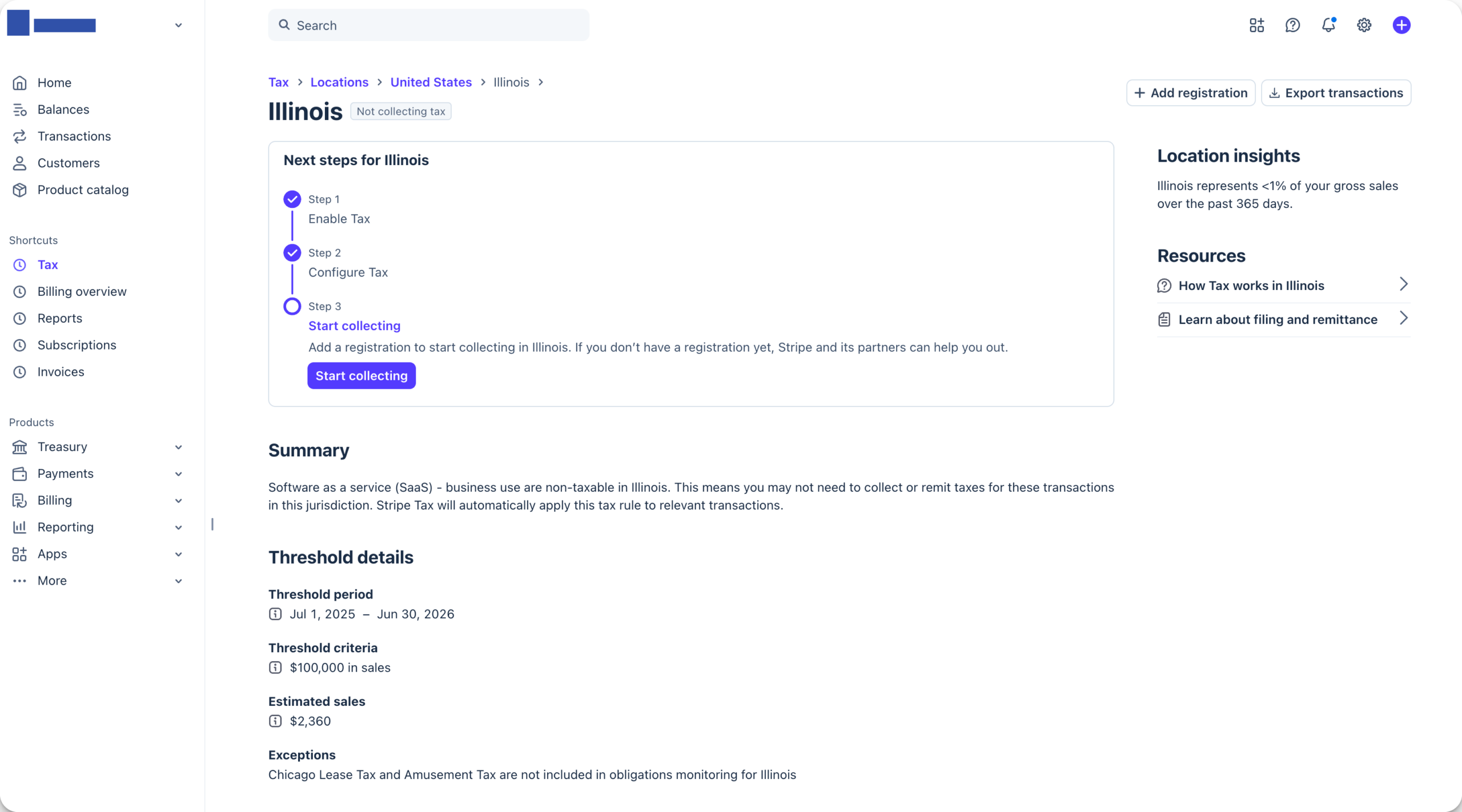
Select Start collecting and Stripe will walk you through the process.
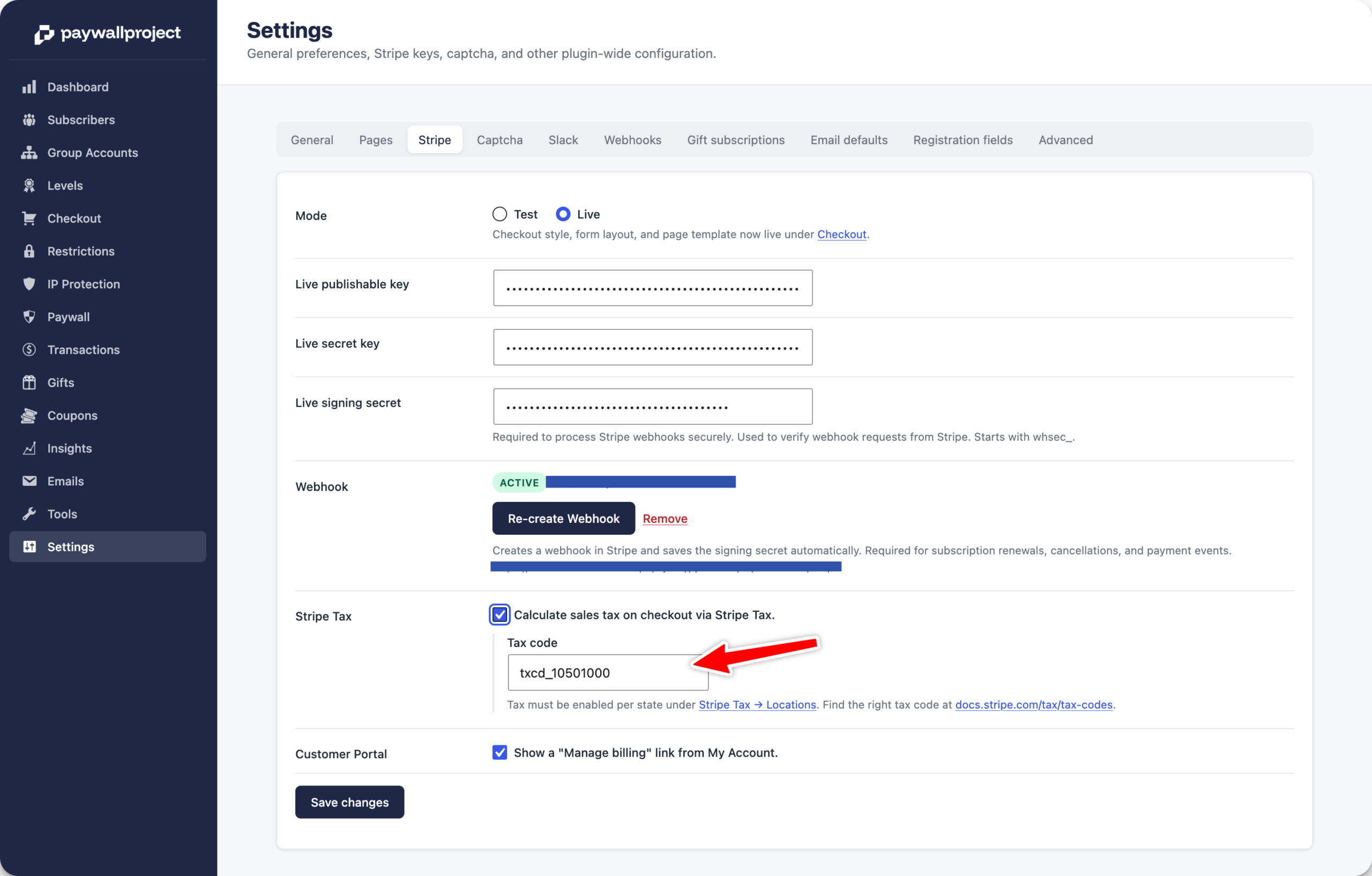
Next, choose a Stripe tax code based on your product/service.
Go to PaywallProject -> Settings and toggle on the Calculate sales tax on checkout via Stripe tax and enter your Tax code.
Now, whenever someone checks out with an Illinois-based address/zip, the tax will automatically calculate at checkout.