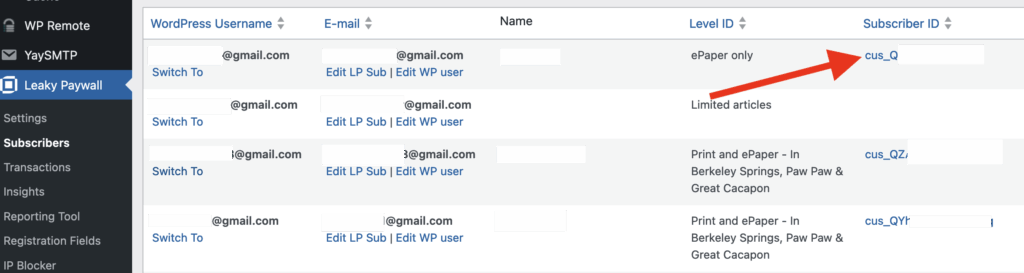
Go to Leaky Paywall -> Subscribers and find the user you would like to cancel. Select the Subscriber ID link.
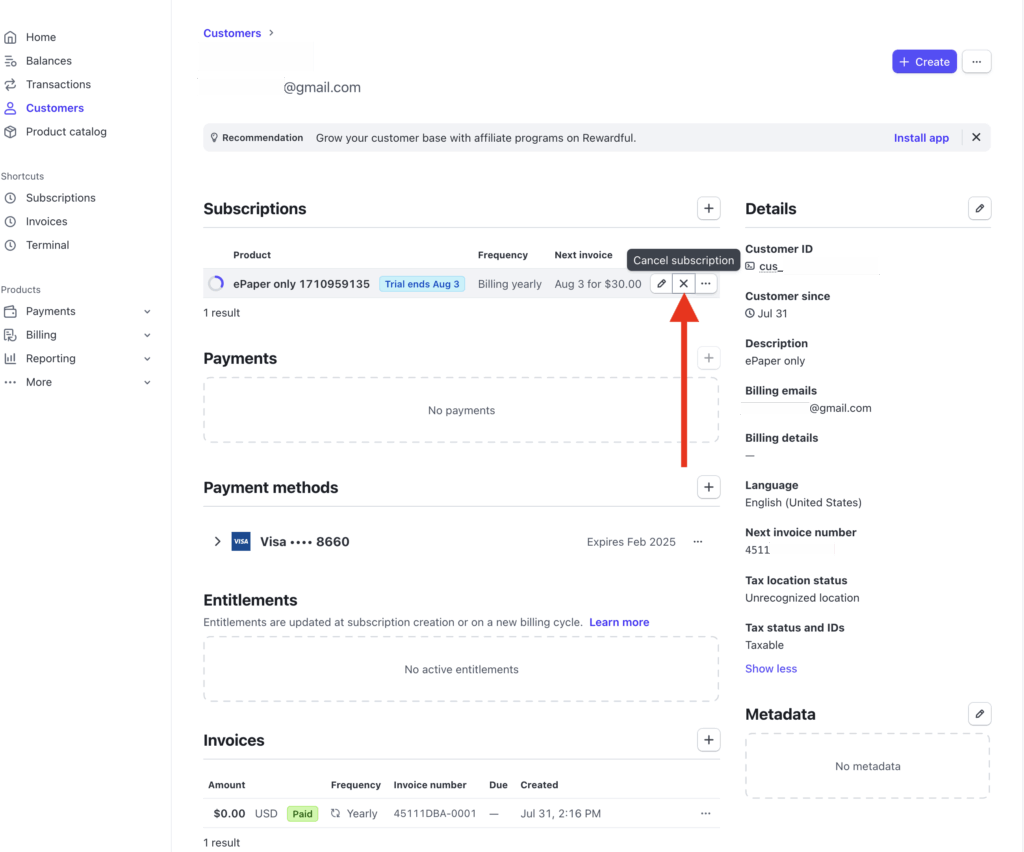
You’ll be redirected to Stripe. Please login if prompted.
Select the “X” icon for the subscription you’d like to cancel.
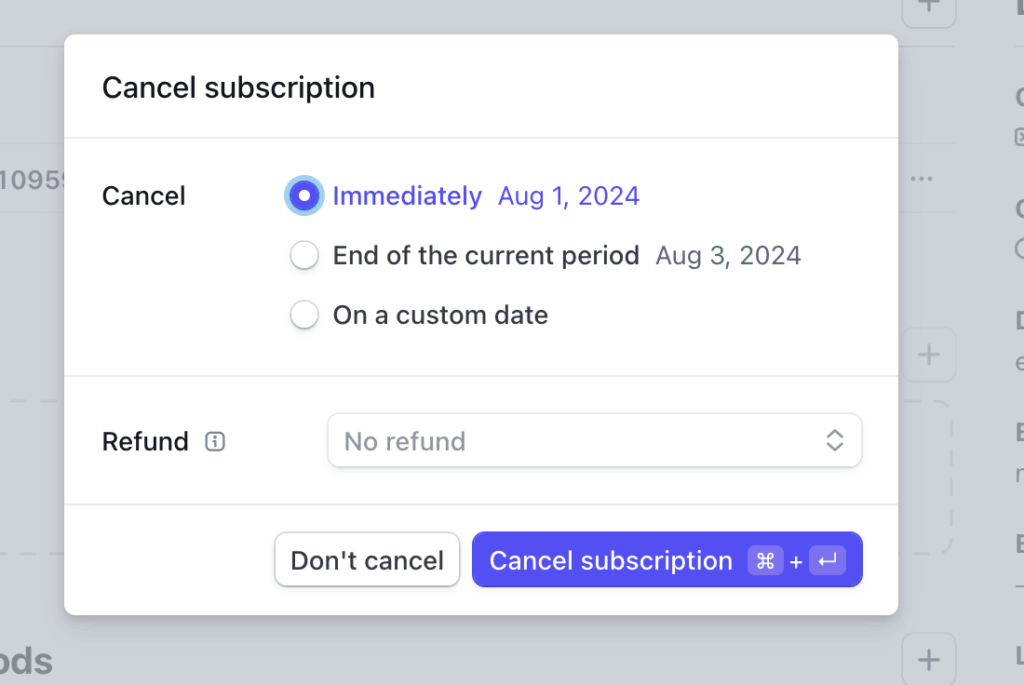
Cancel the subscription “Immediately”. The subscriber will continue to have access until the end of their current period.