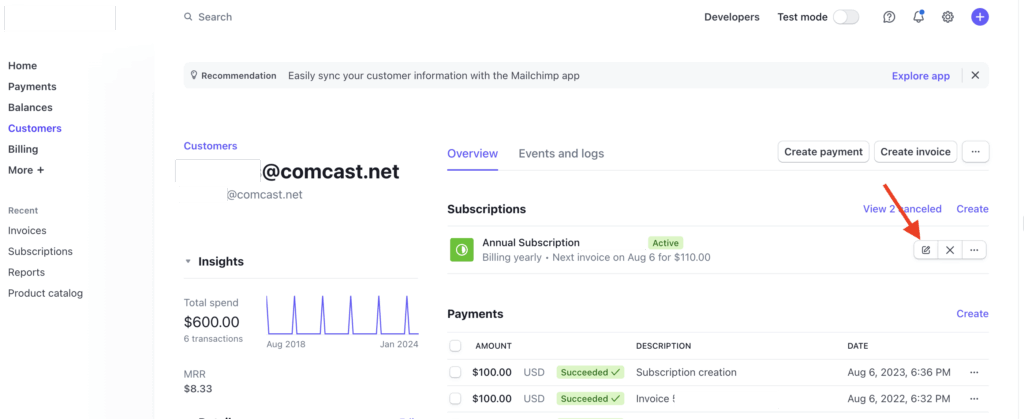
To adjust the pricing for a recurring subscription, find the user in Stripe by searching for the cus_xxxxx ID.
Select the edit option for the subscription price you wish to change.
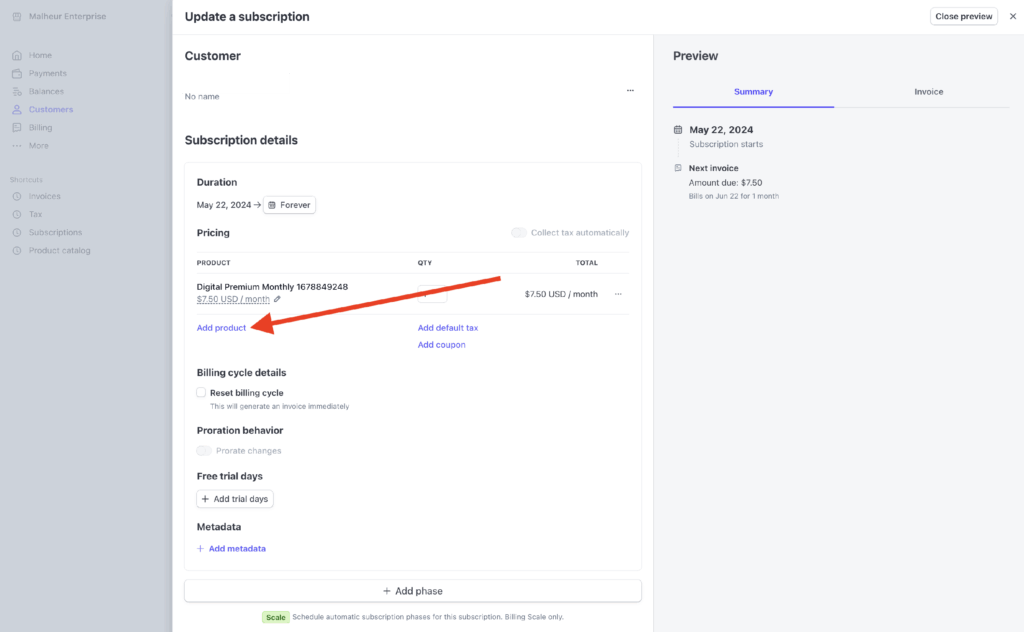
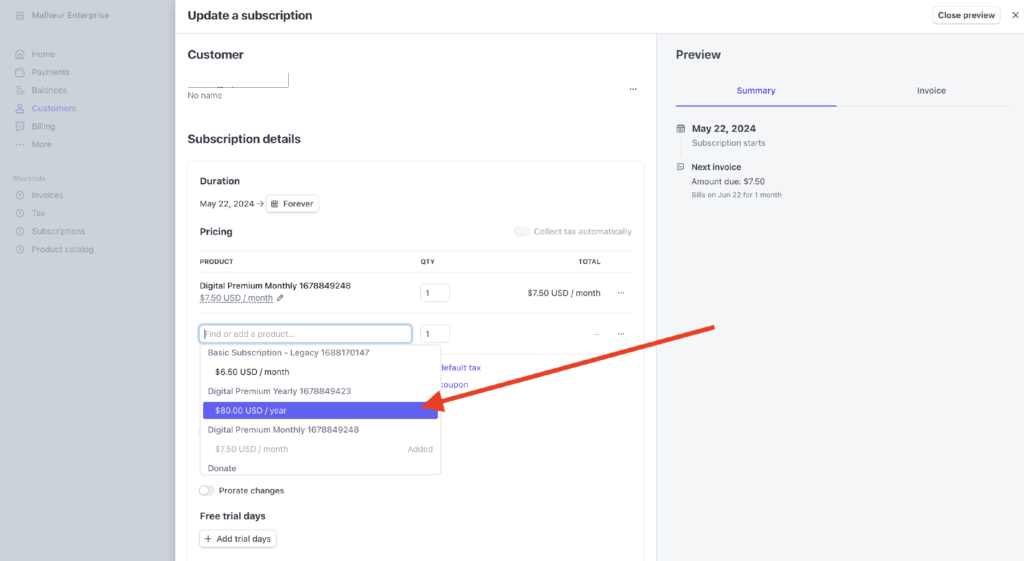
Select Add product and select the desired new plan.
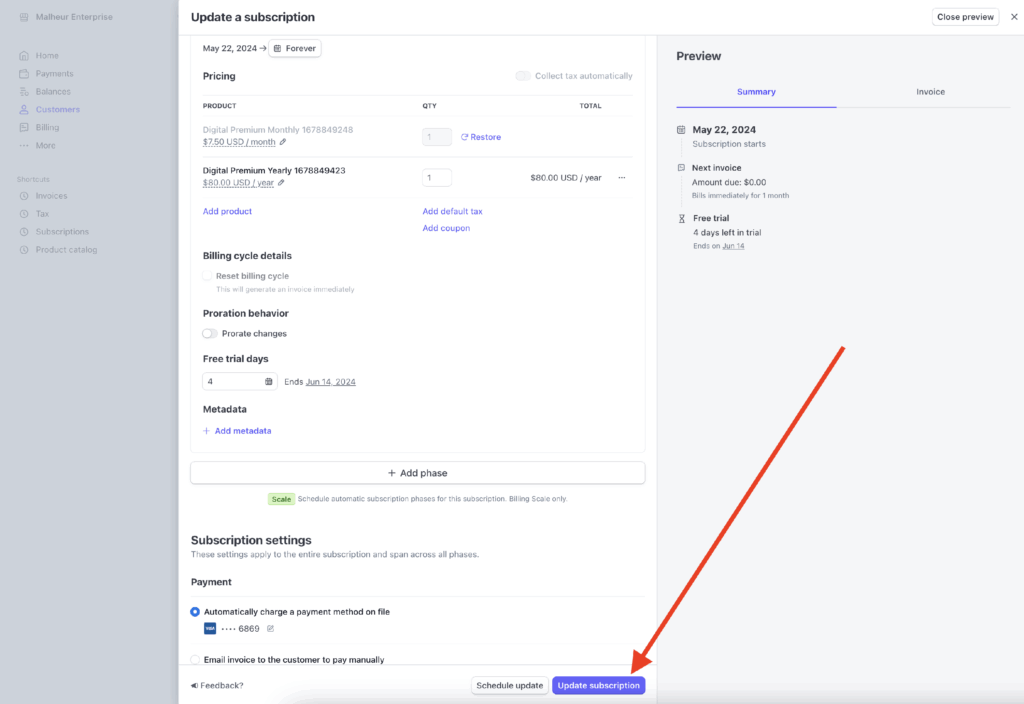
Delete the old plan pricing.
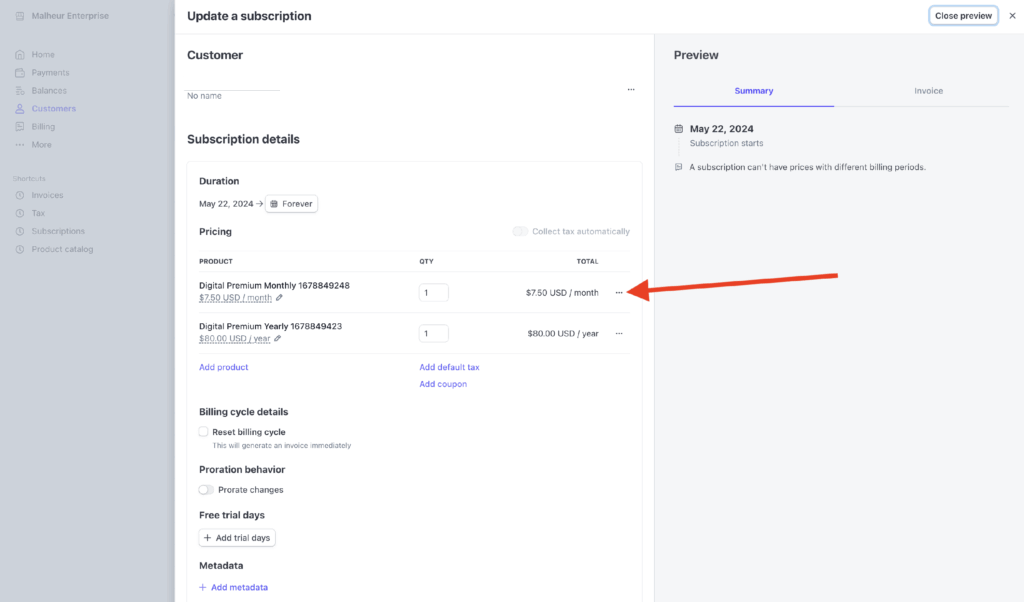
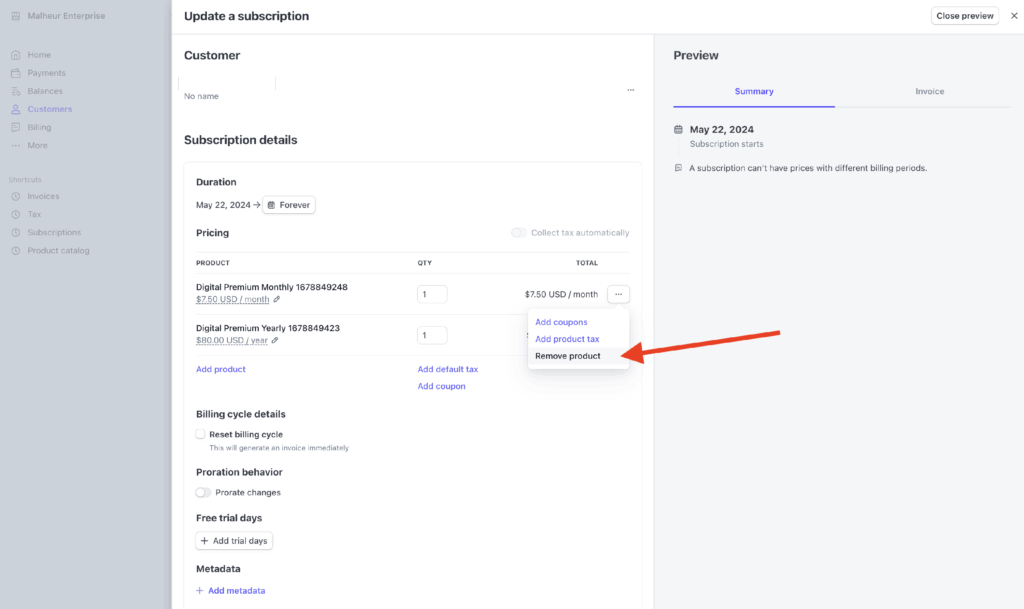
Add a free trial to match the billing date from the prior subscription. This will create a trial so the next billing cycle occurs on the correct date.
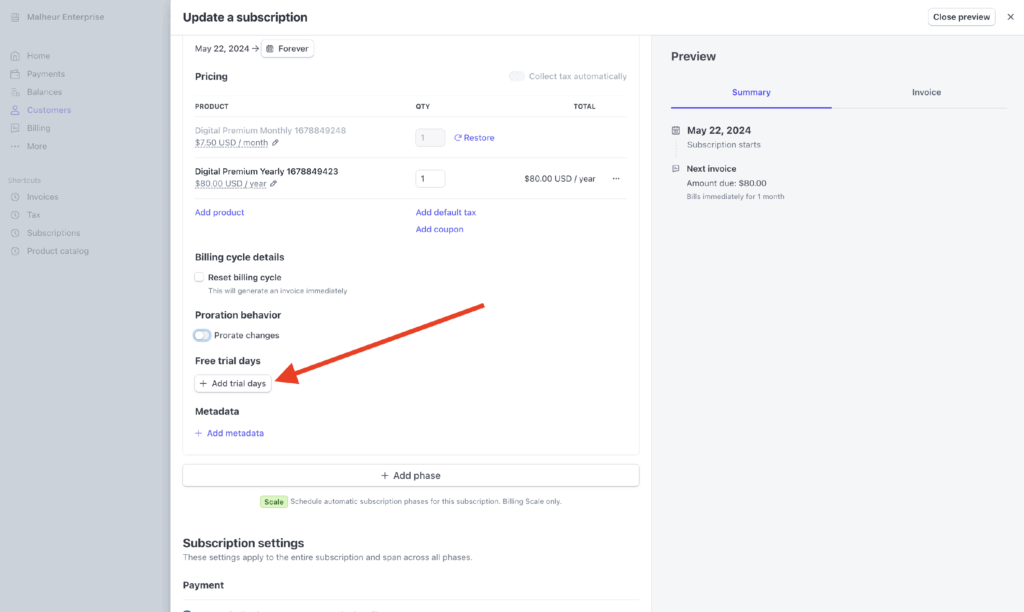
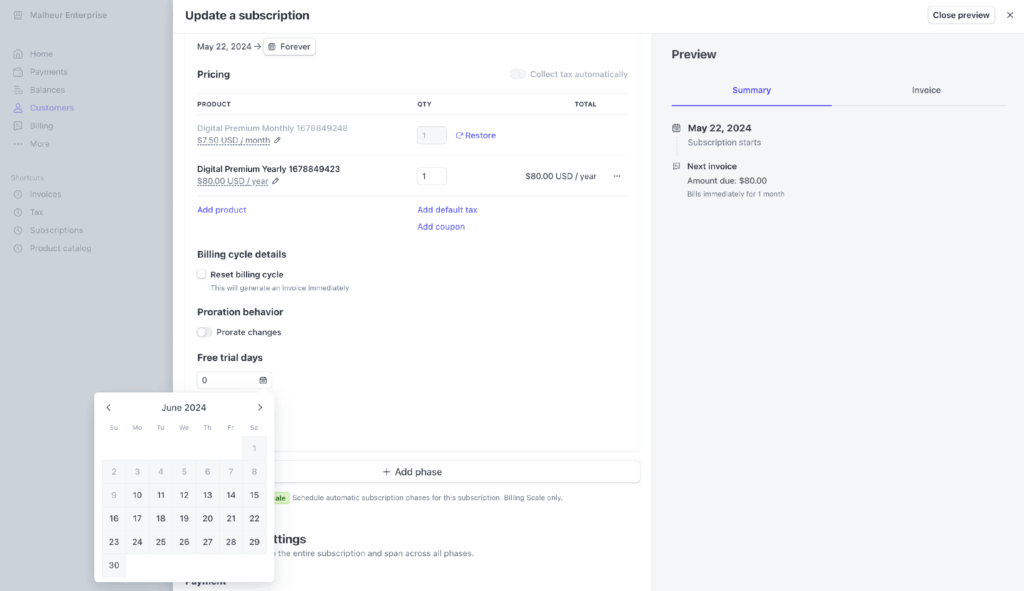
Update the subscription and the customer will be all set. There’s nothing to change in Leaky Paywall.