
To adjust the pricing for a recurring subscription, find the user in Stripe by searching for the cus_xxxxx ID.
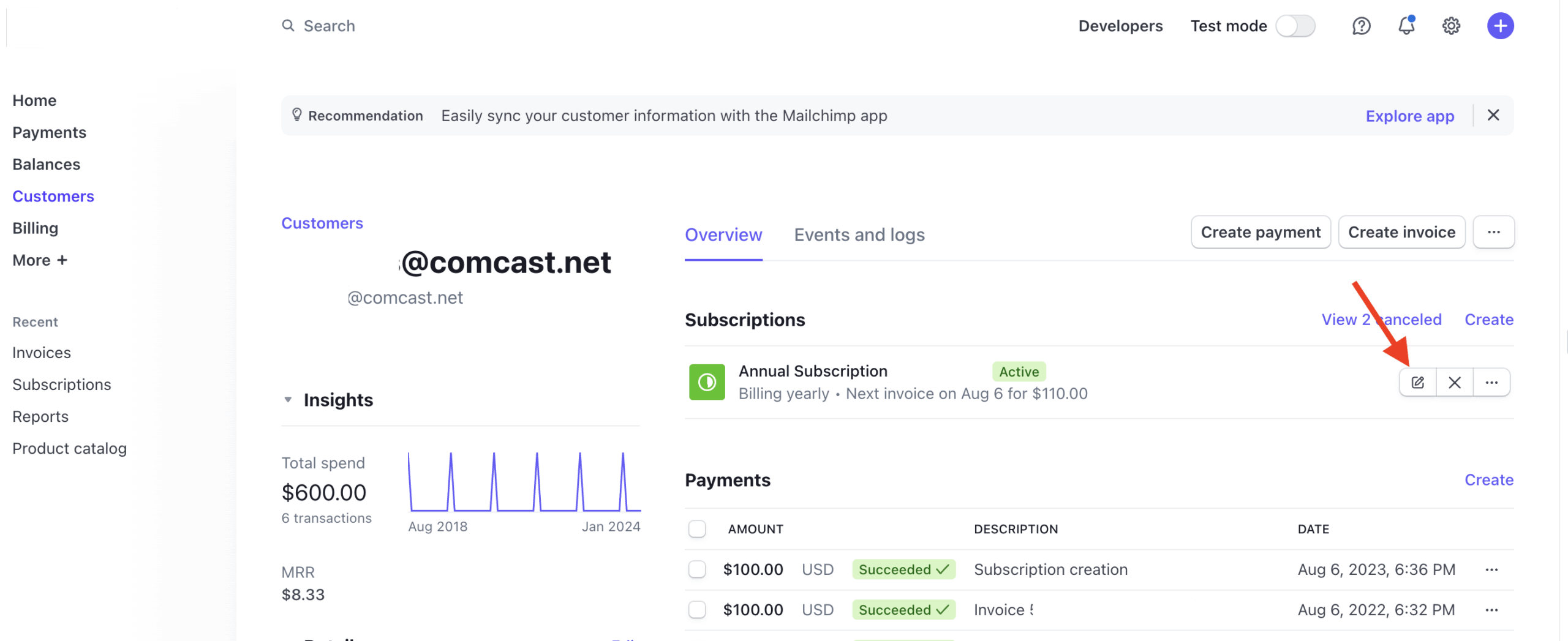
Select the edit option for the subscription price you wish to change.
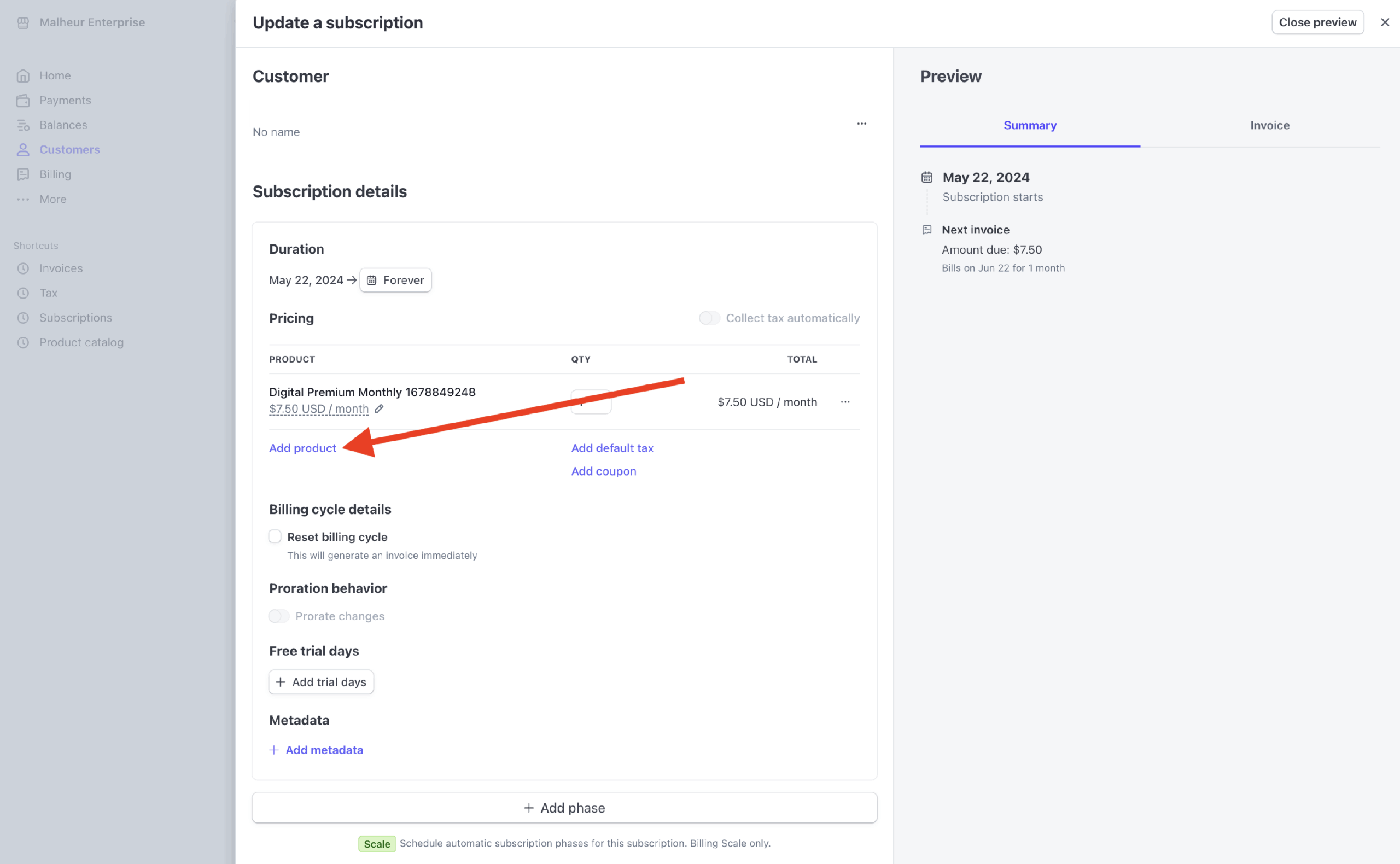
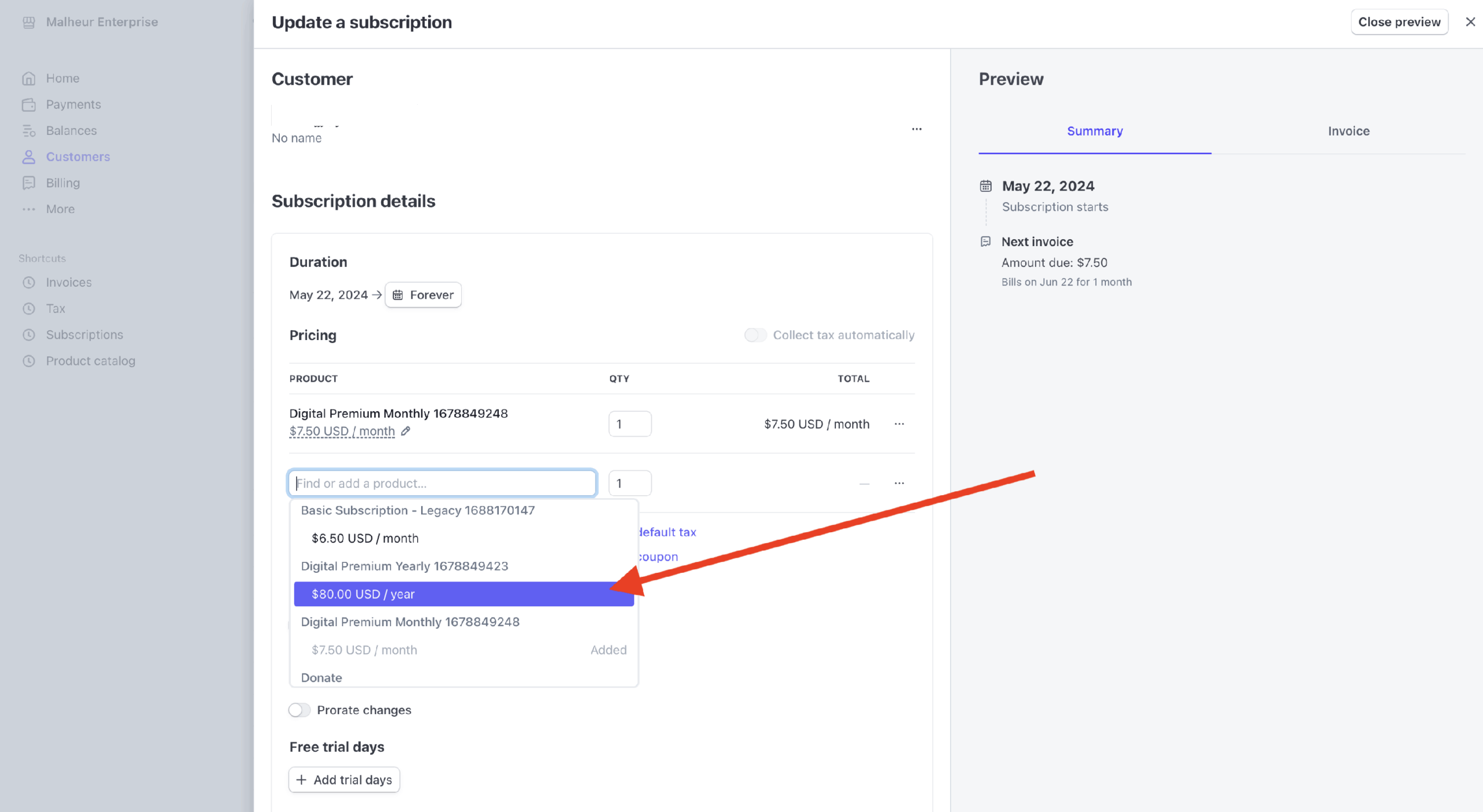
Select Add product and select the desired new plan.
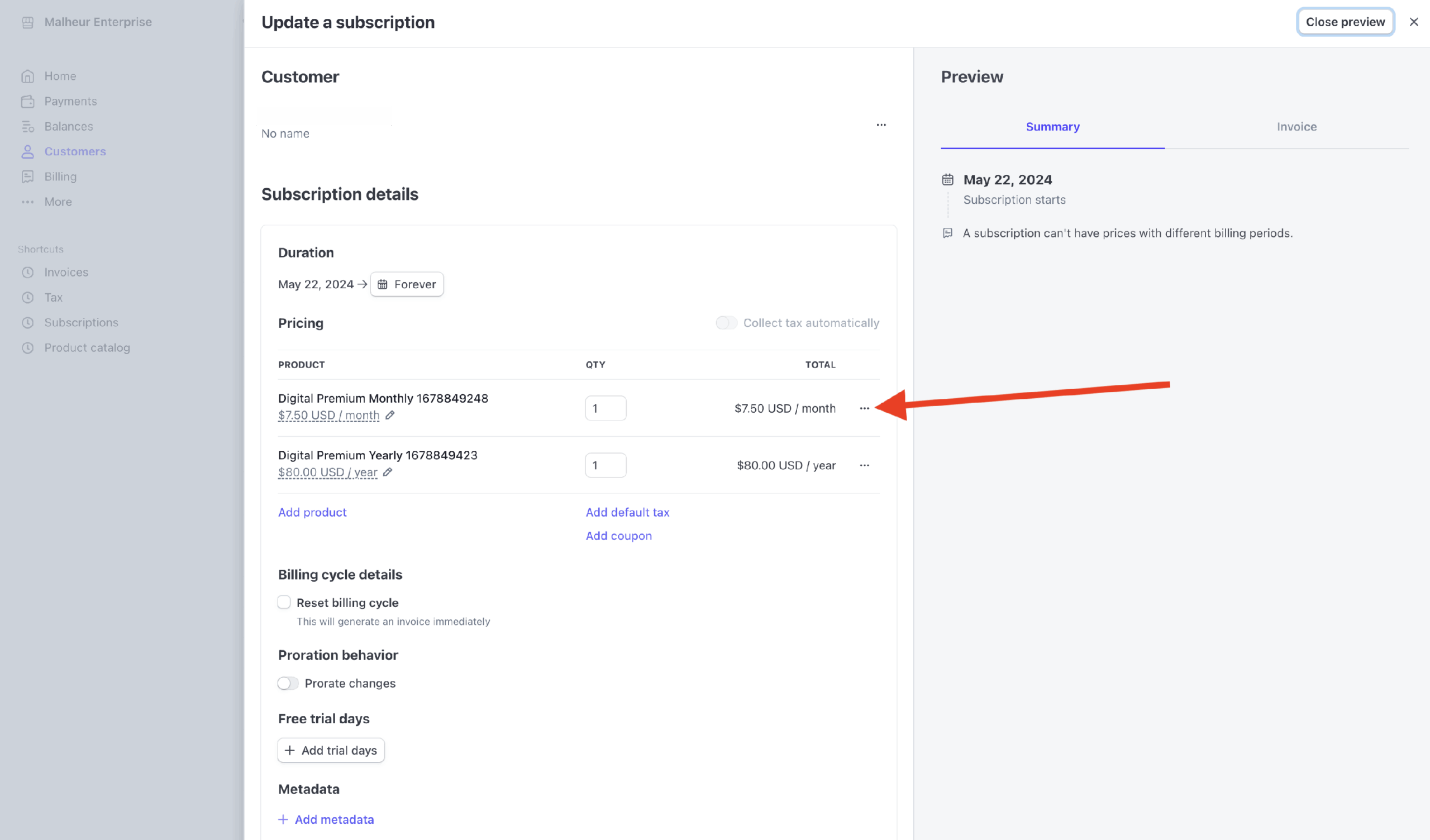
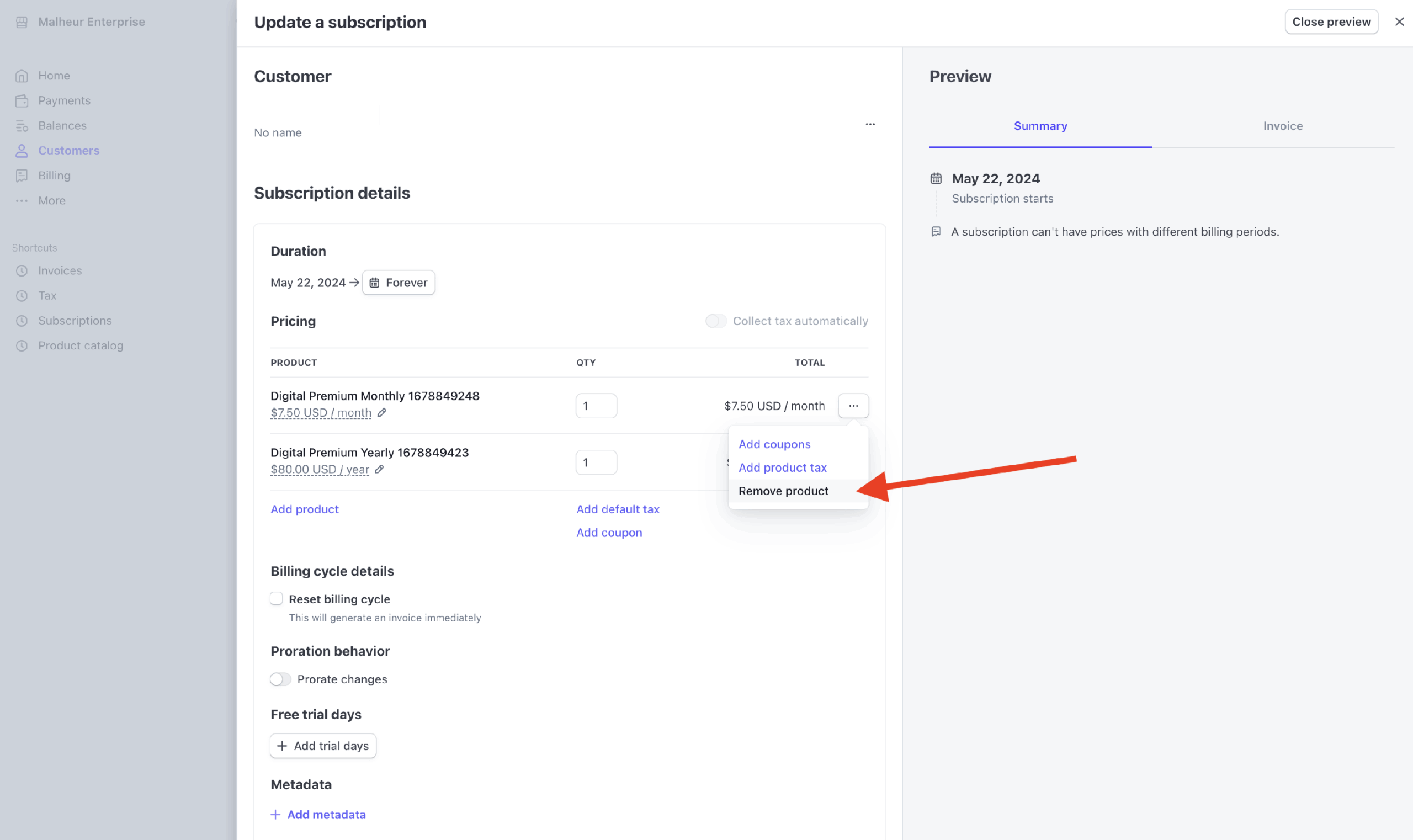
Delete the old plan pricing.
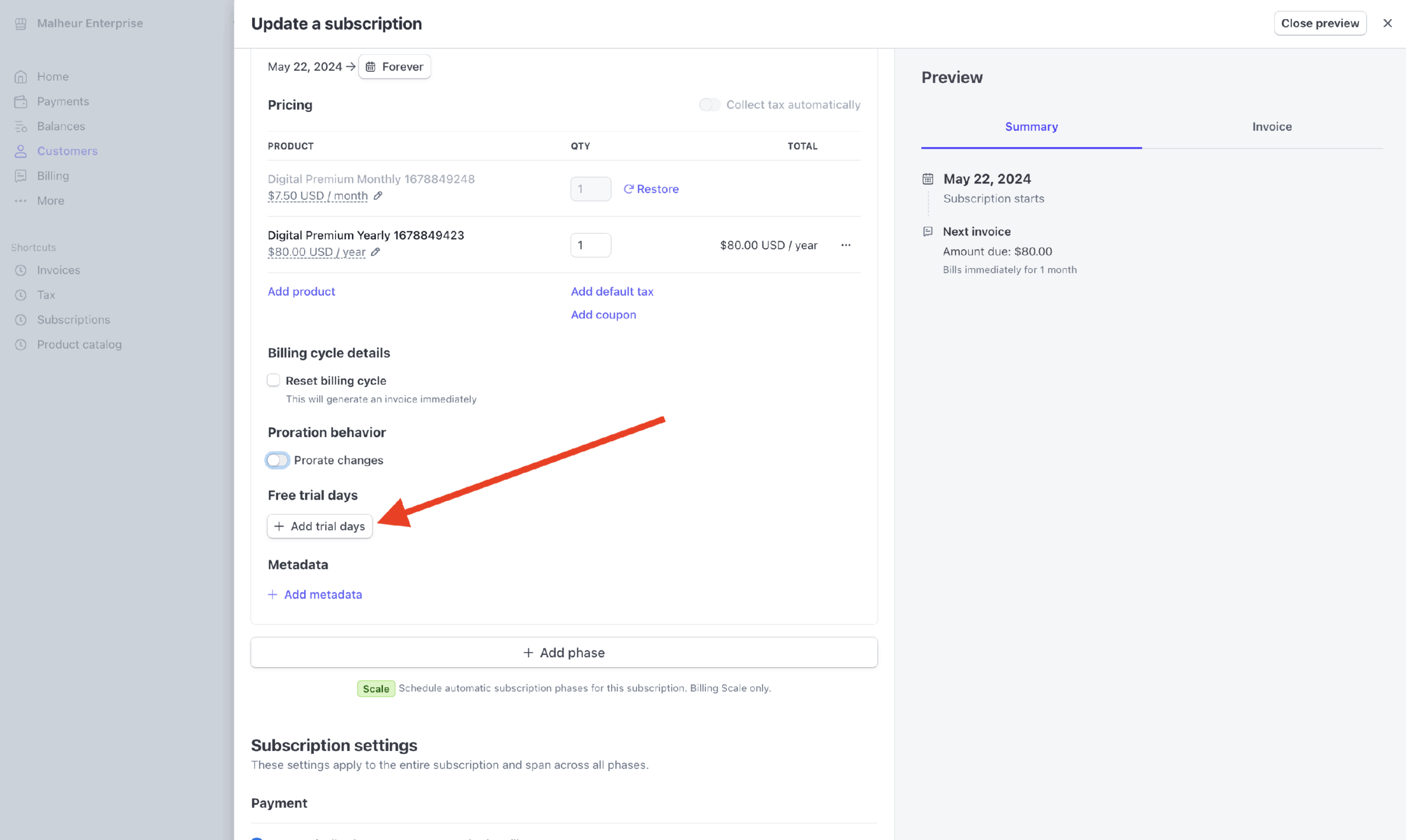
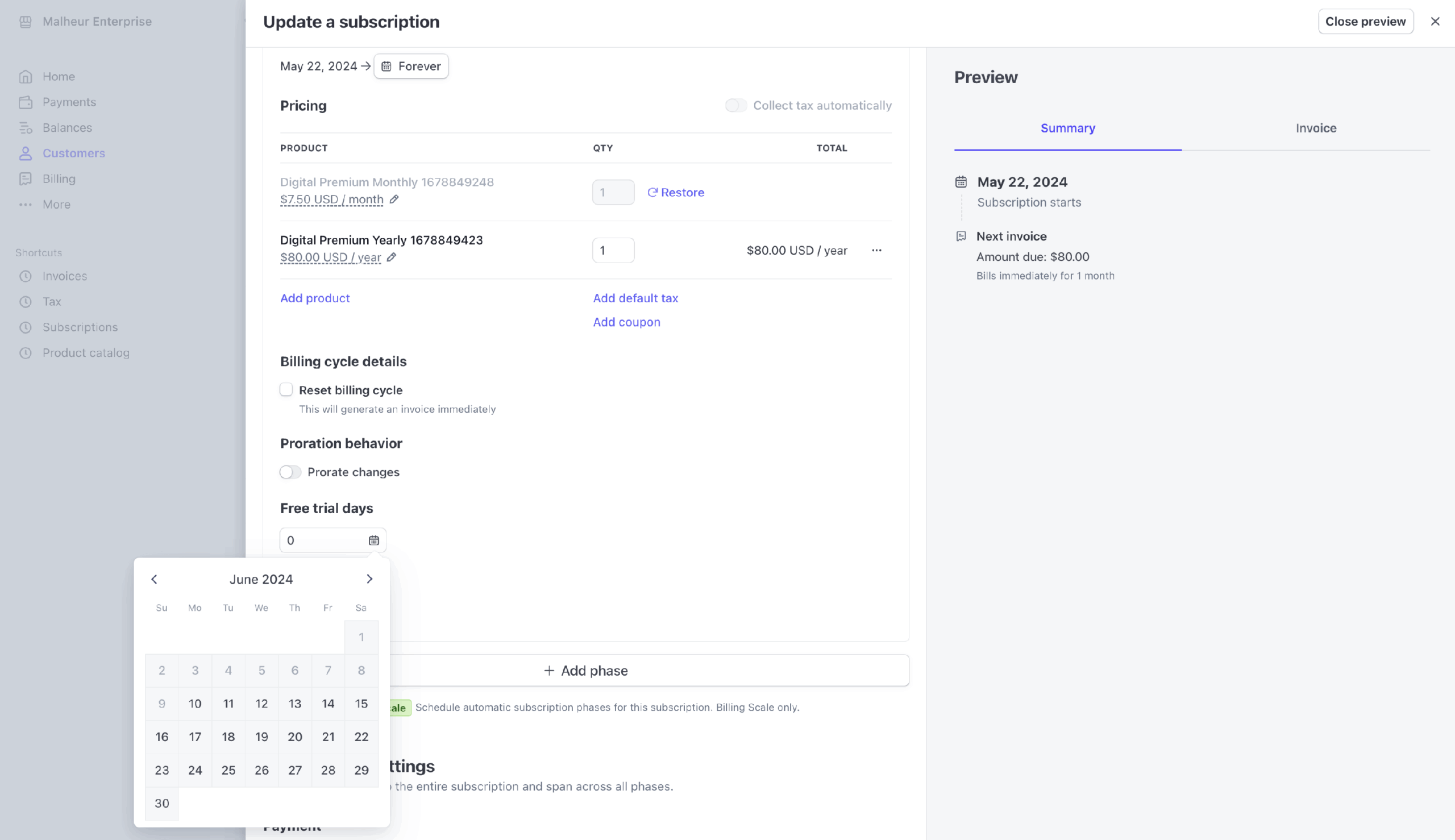
Add a free trial to match the billing date from the prior subscription. This will create a trial so the next billing cycle occurs on the correct date.
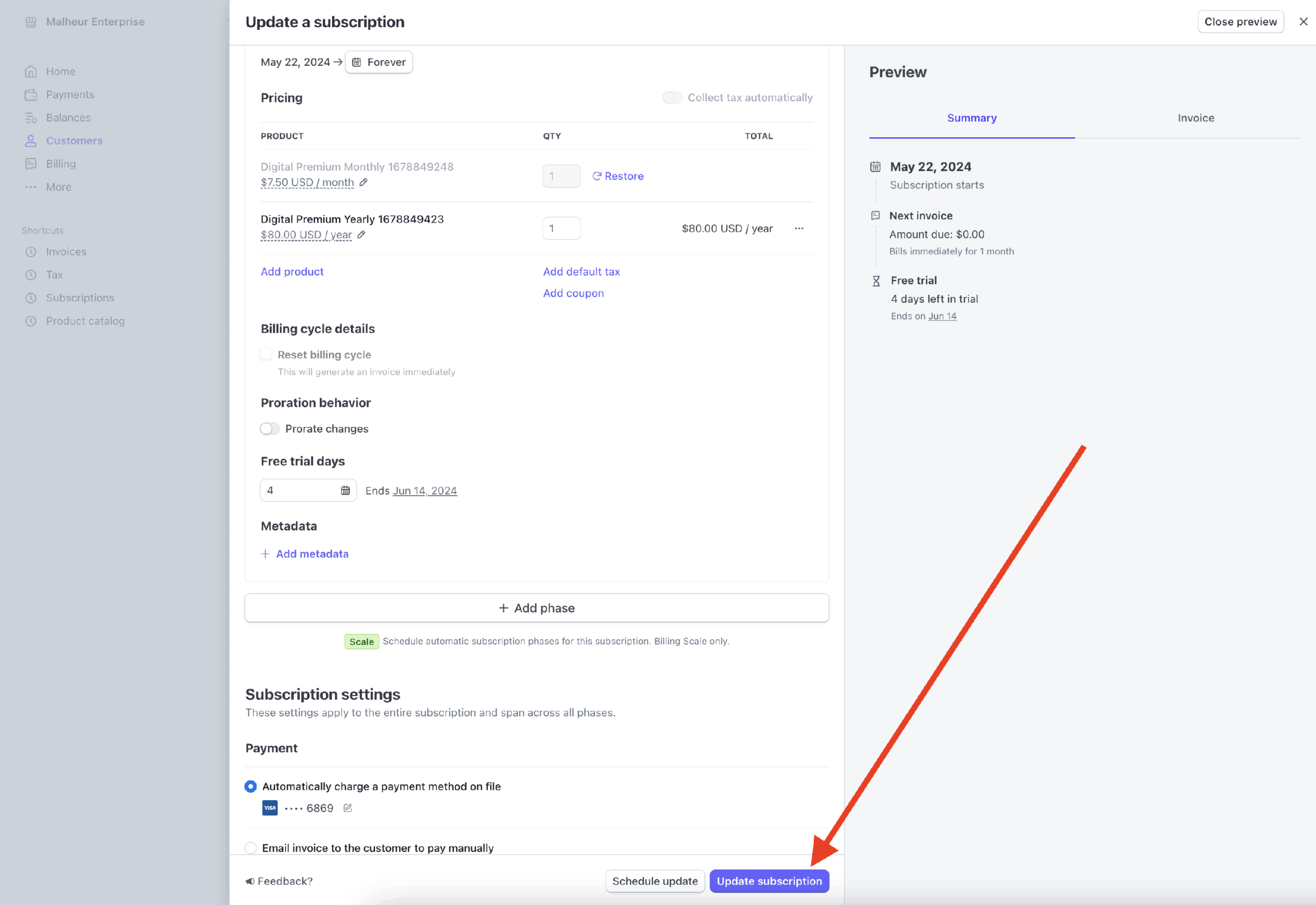
Update the subscription and the customer will be all set.
Back in PaywallProject, switch the level to the new one for the subscriber.
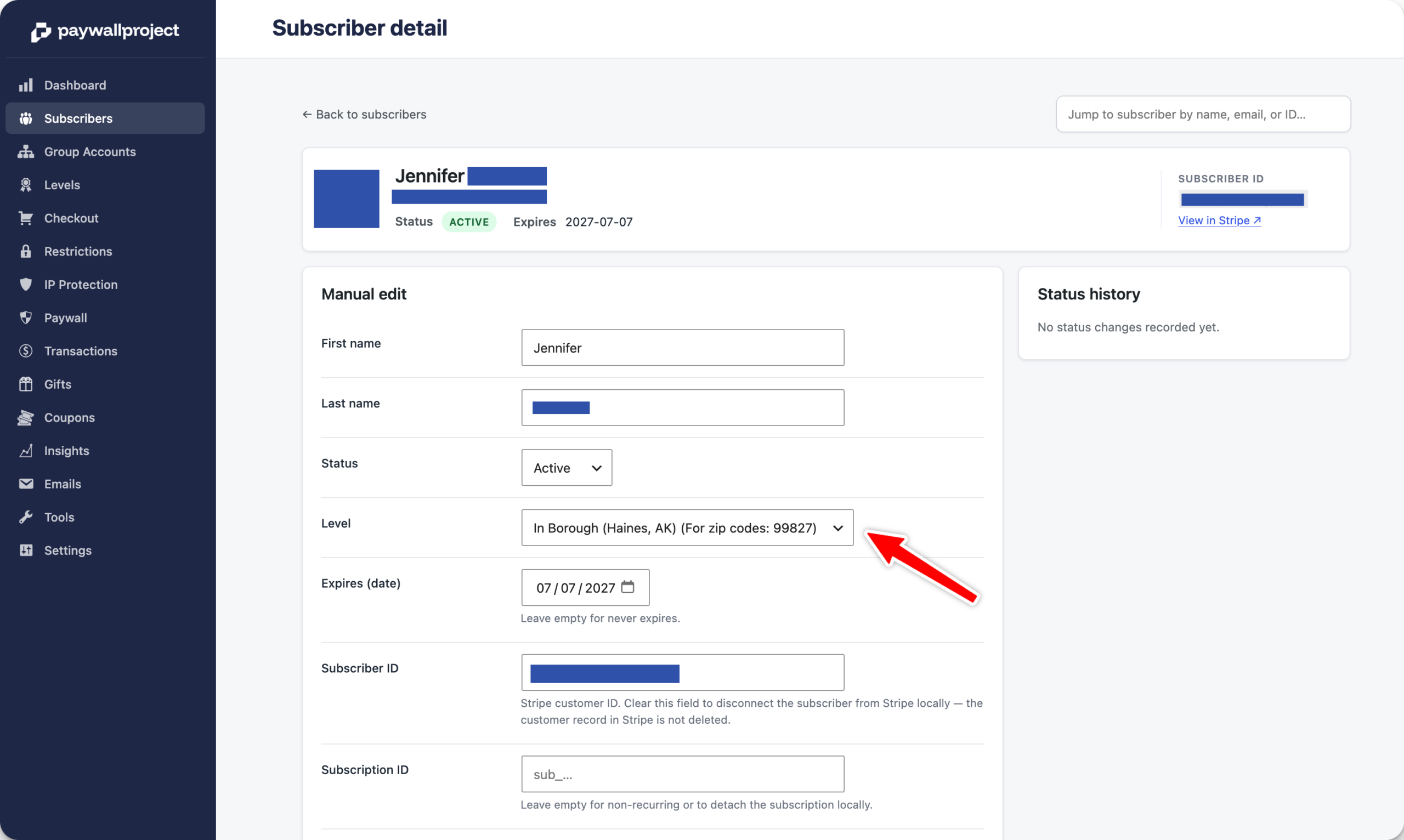
Don’t forget to Save changes.