1. Home
  2. Paywall
  3. How to refund a subscriber in Stripe
  1. Home
  2. Stripe
  3. How to refund a subscriber in Stripe

How to refund a subscriber in Stripe

  • Log in to Stripe.com and search for the customer by email address.
  • Once located, select the customer, and select the refund option on the payment you’d like to return.
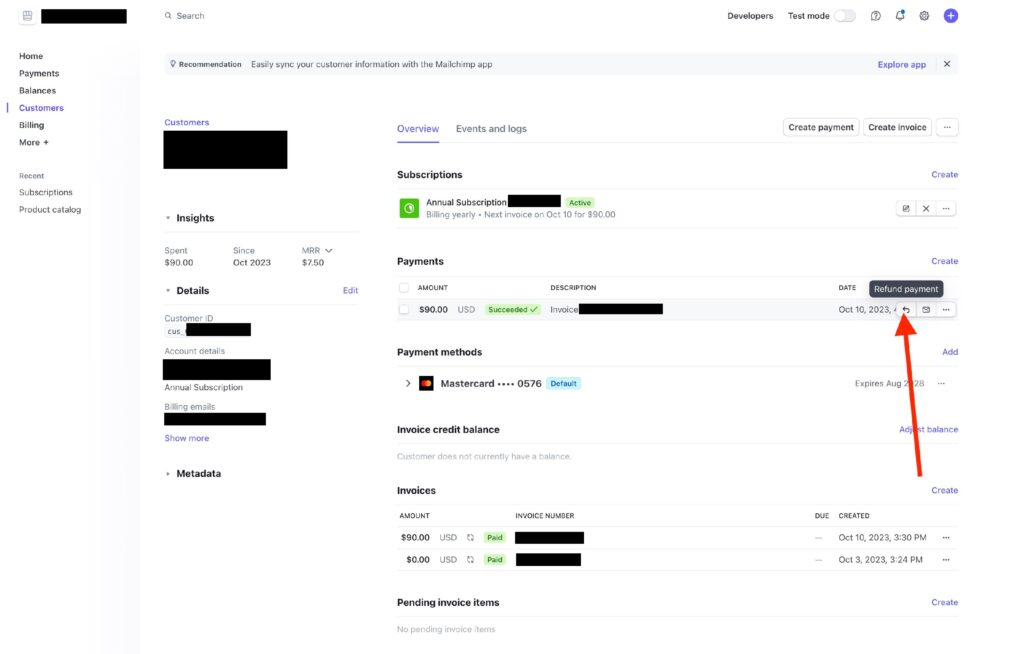
Follow the prompts to confirm.

Updated on November 22, 2025
Was this article helpful?
Get more help
Can't find the answer you're looking for? Get in touch.
Contact support