Log in to Stripe.com and search for the customer by email address.
Once located, select the customer, and select the refund option on the payment you’d like to return.
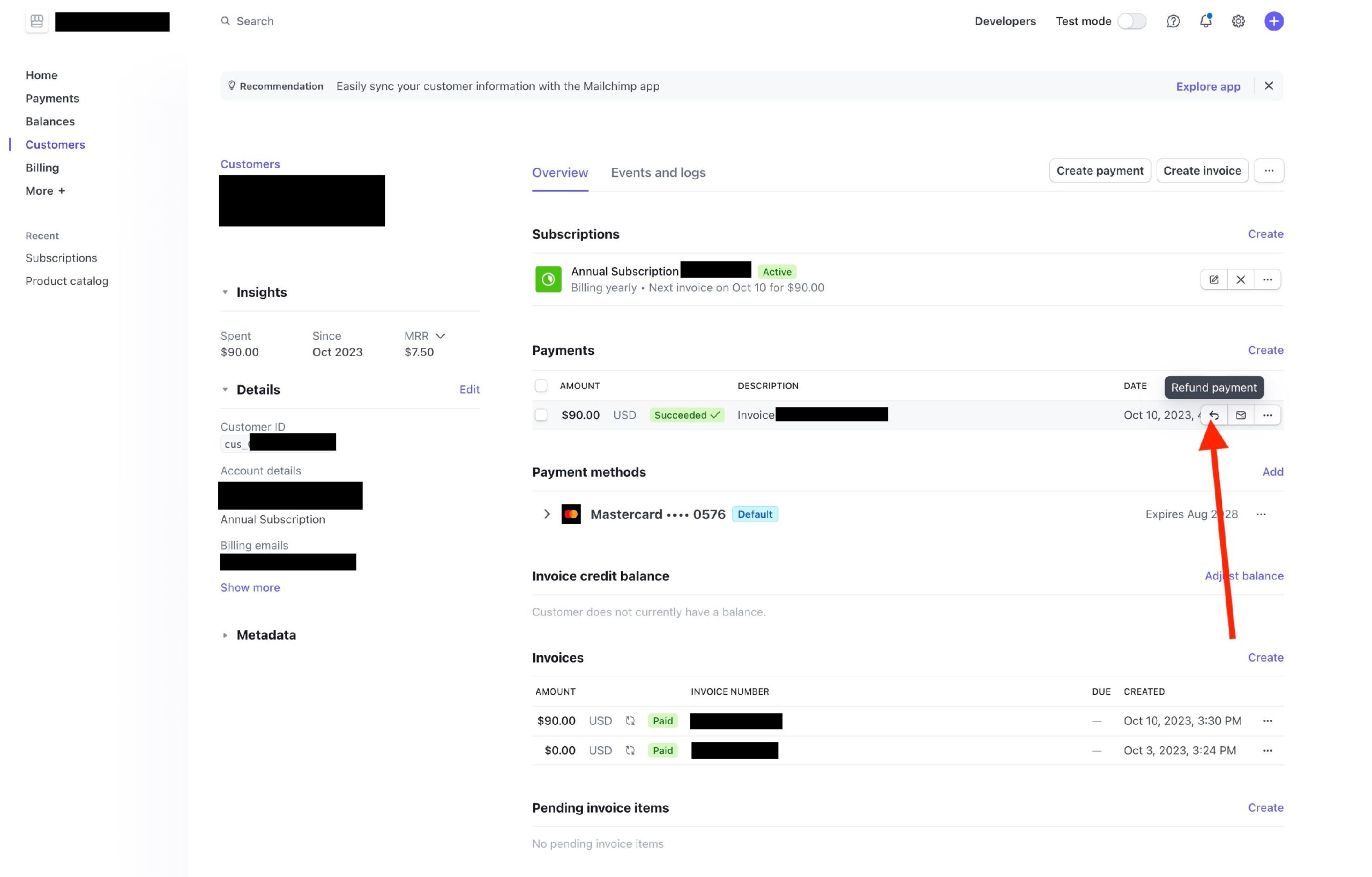
Follow the prompts to confirm.

Log in to Stripe.com and search for the customer by email address.
Once located, select the customer, and select the refund option on the payment you’d like to return.
Follow the prompts to confirm.