
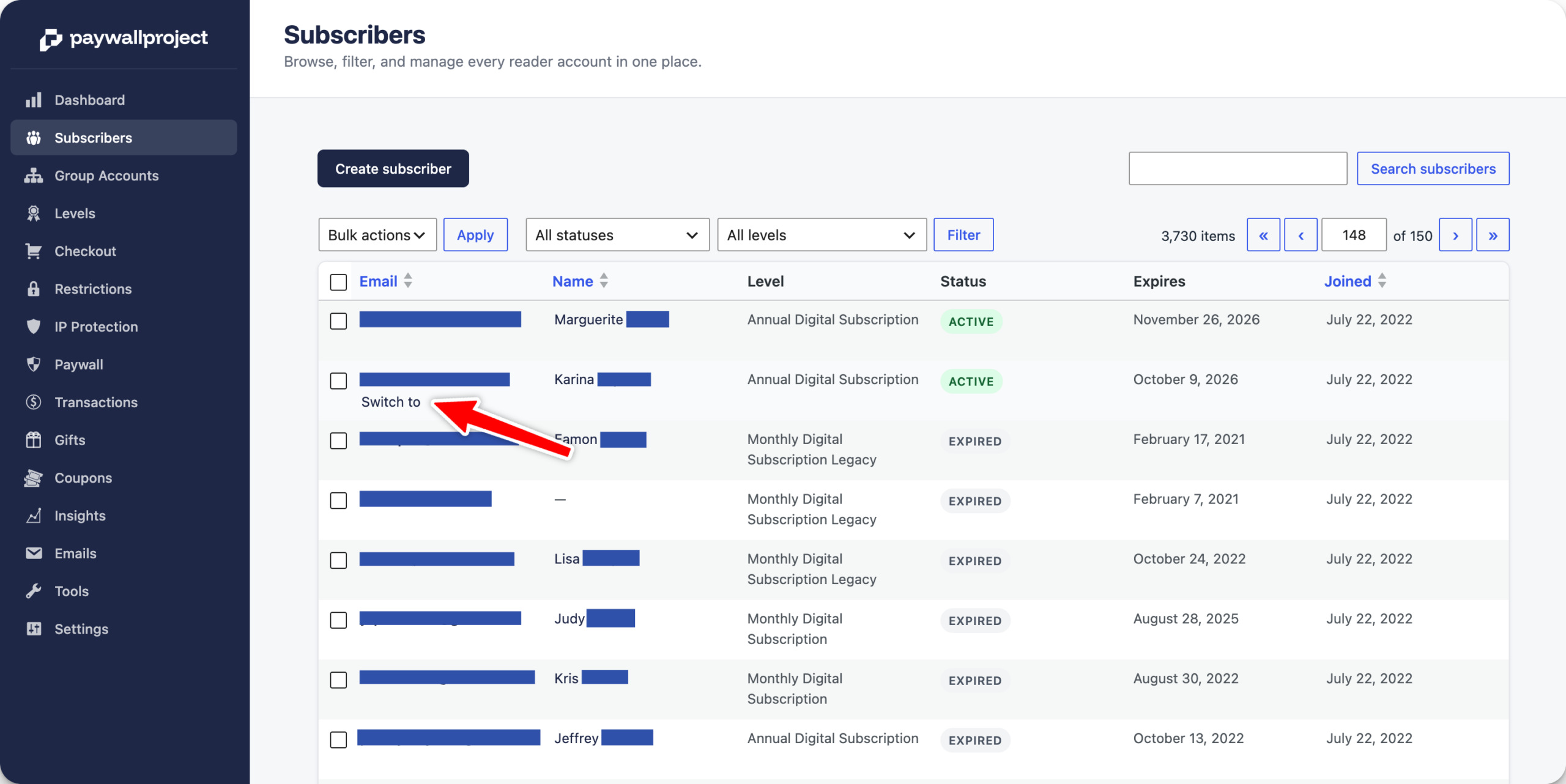
Subscribers can update credit cards on their own within the My Account area. If a customer calls and prefers that you update it for them, please go to PaywallProject -> Subscribers -> Switch to for that subscriber.
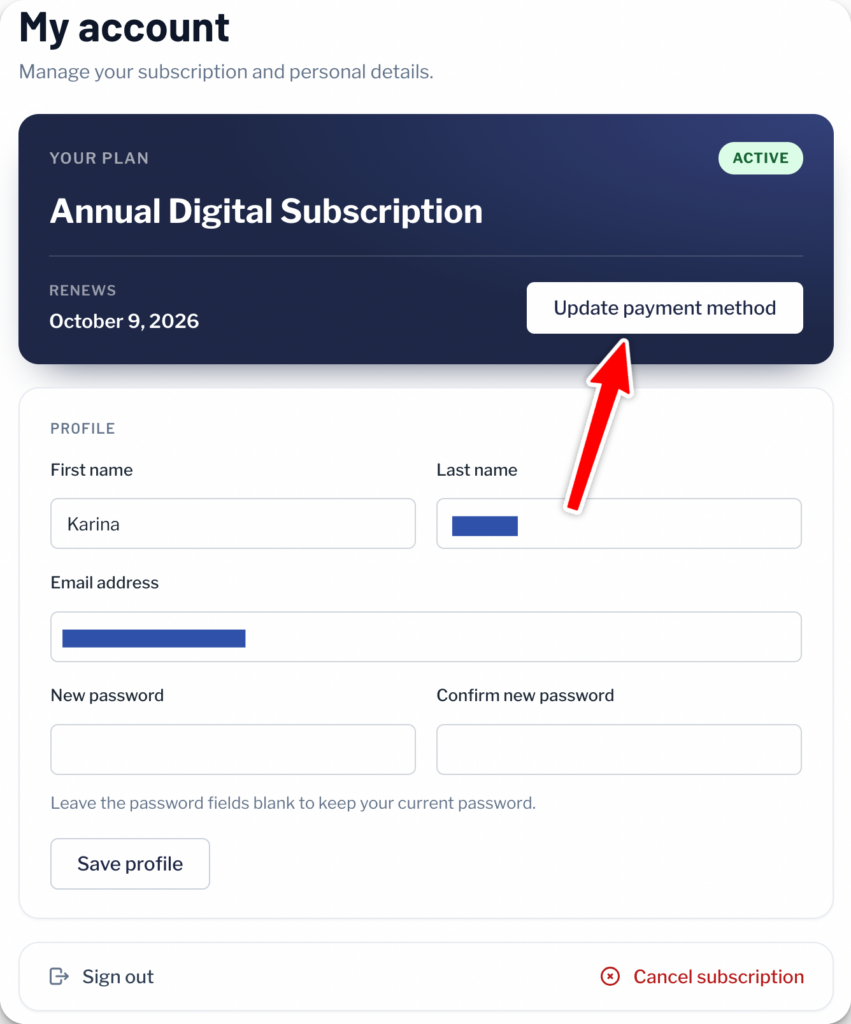
Select the My Account page and click Update payment method.
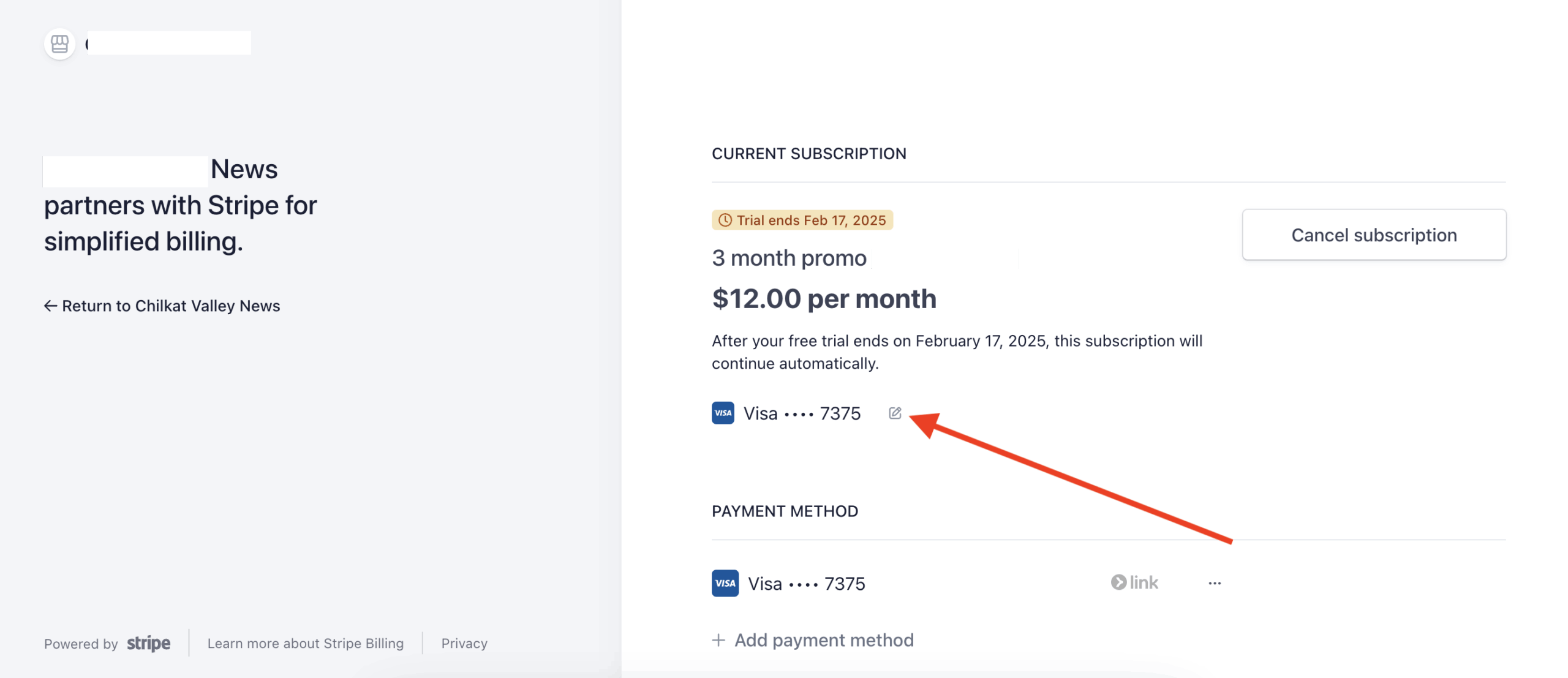
Select the pencil tool next to the existing credit card.
Add the new card.
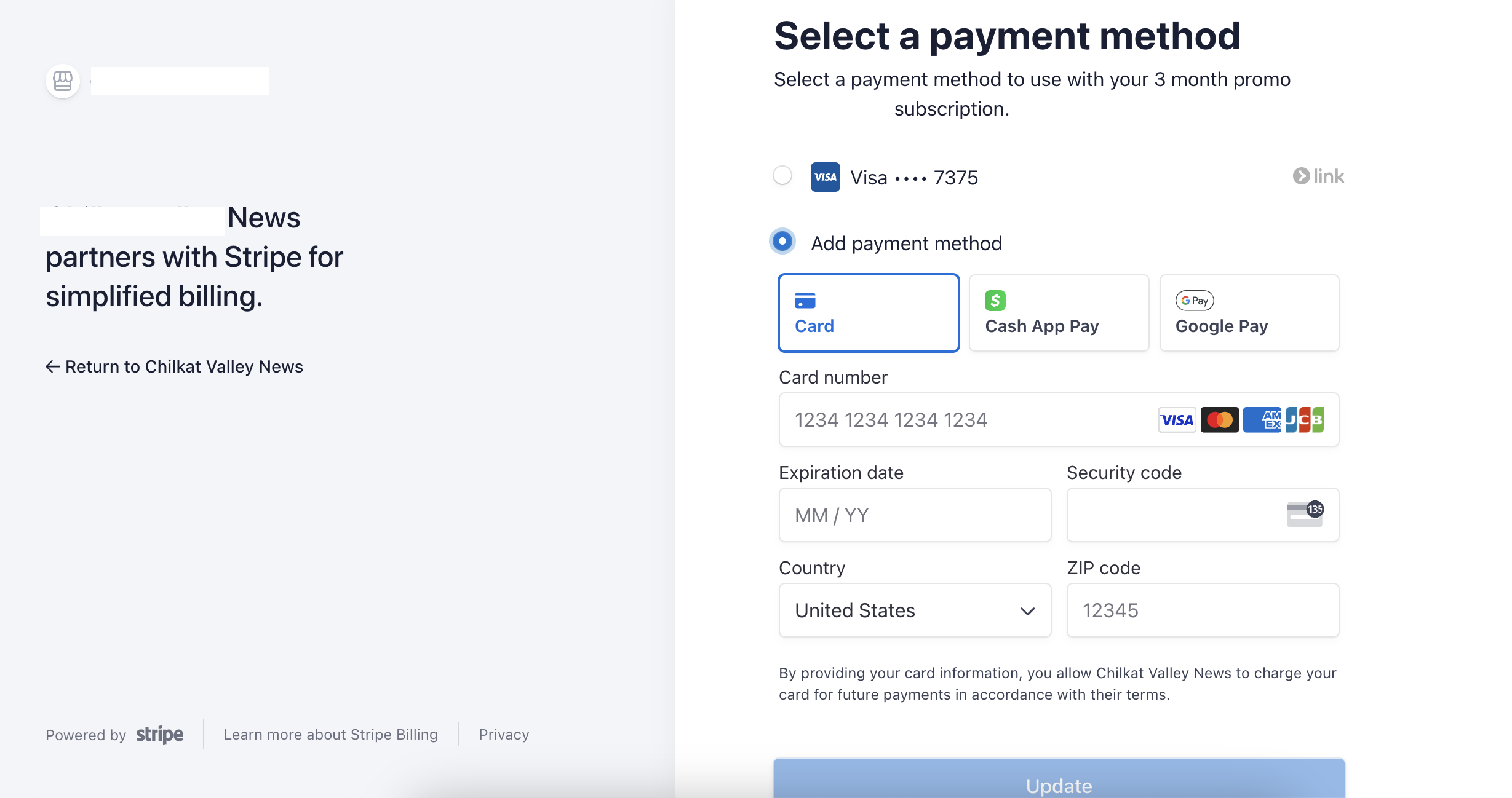
Select “Update” when finished.