

This guide moves paid members from Ghost to PaywallProject on WordPress. Ghost bills with Stripe subscriptions in your own Stripe account, so members keep their card, price and renewal date (Ghost: Stripe). Moving your posts is a separate job.
Before you start
- Update to PaywallProject 4.2.0 or later. You need administrator access to WordPress and to your Stripe account.
- Connect the Stripe account your readers already pay into, under PaywallProject → Settings → Stripe.
- Create one level for each old plan, with the same price and billing interval. Steps 1 and 2 of the walkthrough show how.
- Do a test run on a staging copy of your site first.
Method 1: Import directly from Ghost (recommended)
- In Ghost, go to Settings → Advanced → Integrations and select Add custom integration. Name it, for example “PaywallProject”, and copy its Admin API key.
- In WordPress, go to PaywallProject → Tools. On the Import subscribers card, select Start an import.
- Choose Import directly from Ghost (with an API key).
- Enter your Ghost site’s address in Admin API URL, such as
https://yoursite.ghost.io. Paste the key in API key. - Select Connect and read. PaywallProject checks the key and reads your members.
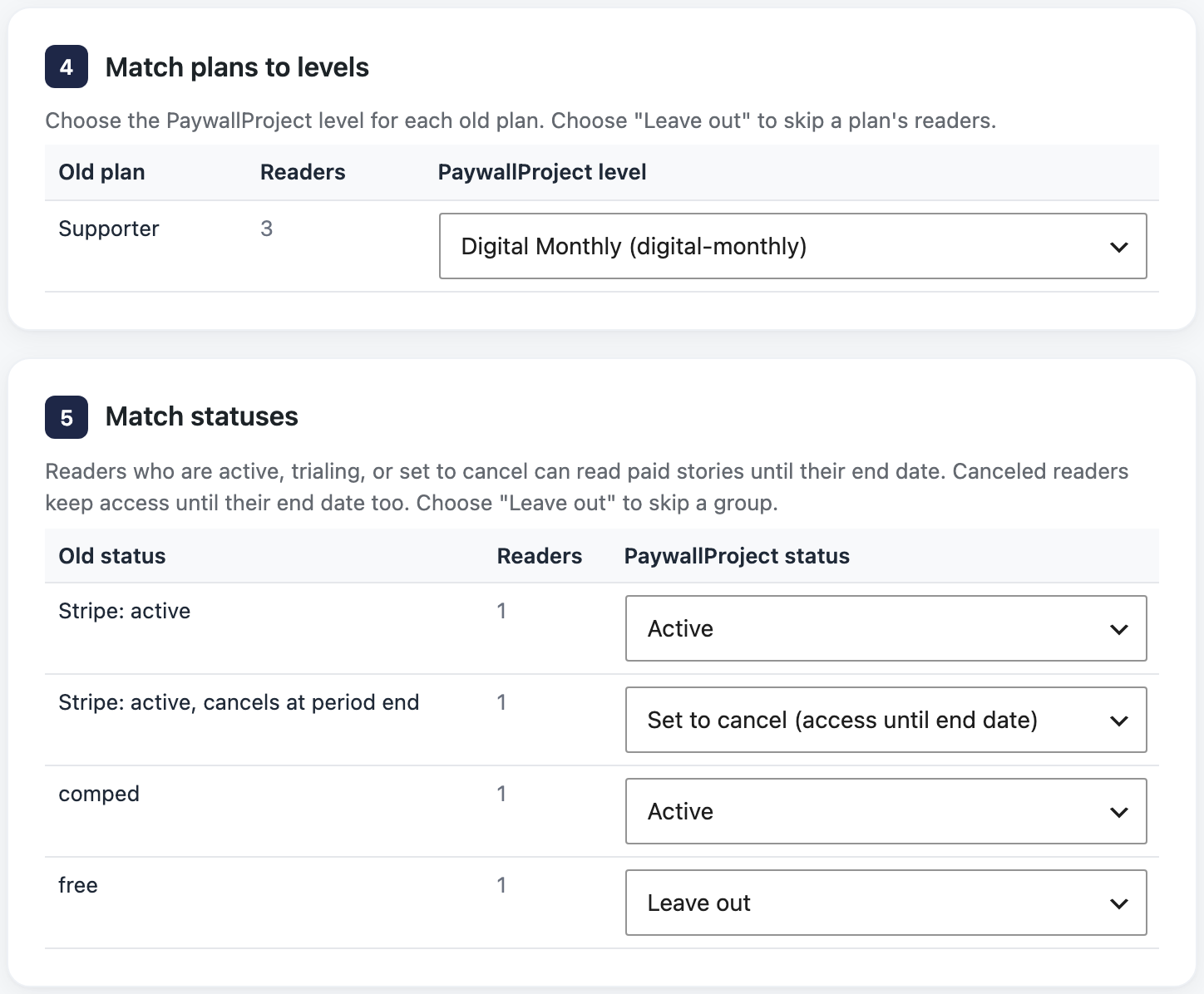
- Under Match plans to levels, check the level for each old plan. A level with the same name is chosen for you. Choose Leave out to skip a plan.
- Under Match statuses, check the status chosen for each old status. Change any you want.
- Select Preview import and read the preview. Nothing is saved yet.
- Select Import now and confirm. Then select Download report (CSV) to keep a record.
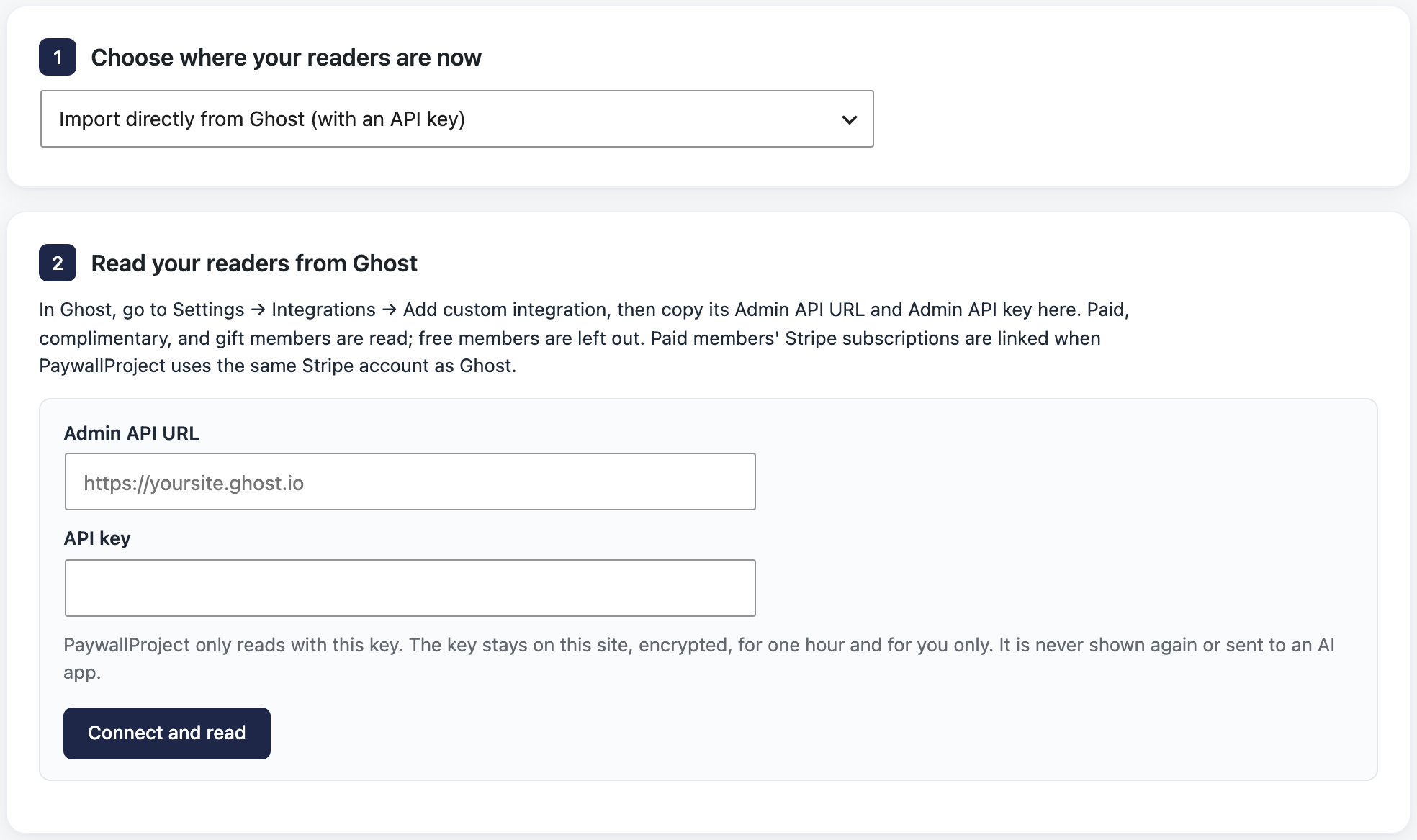
PaywallProject only reads with the key. It keeps the key encrypted on your site for one hour, for you only, and never shows it, logs it or sends it to an AI app. Select Forget the key to remove it sooner, and delete the key in Ghost when the move is done.
Method 2: Import an export file
Add both files. Ghost’s members.csv has no status, end date or subscription ID; the Stripe export adds them. Without it, members have no end date until their next renewal.
- In Ghost, go to Settings → Advanced → Import/Export and select Export. The download includes
members.csv(Ghost: exports). - In Stripe, go to Billing → Subscriptions, select Export, choose All columns and the UTC time zone, and export.
- Go to PaywallProject → Tools. On the Import subscribers card, select Start an import.
- Under Upload an export file, choose Ghost.
- Under Add your export file, add
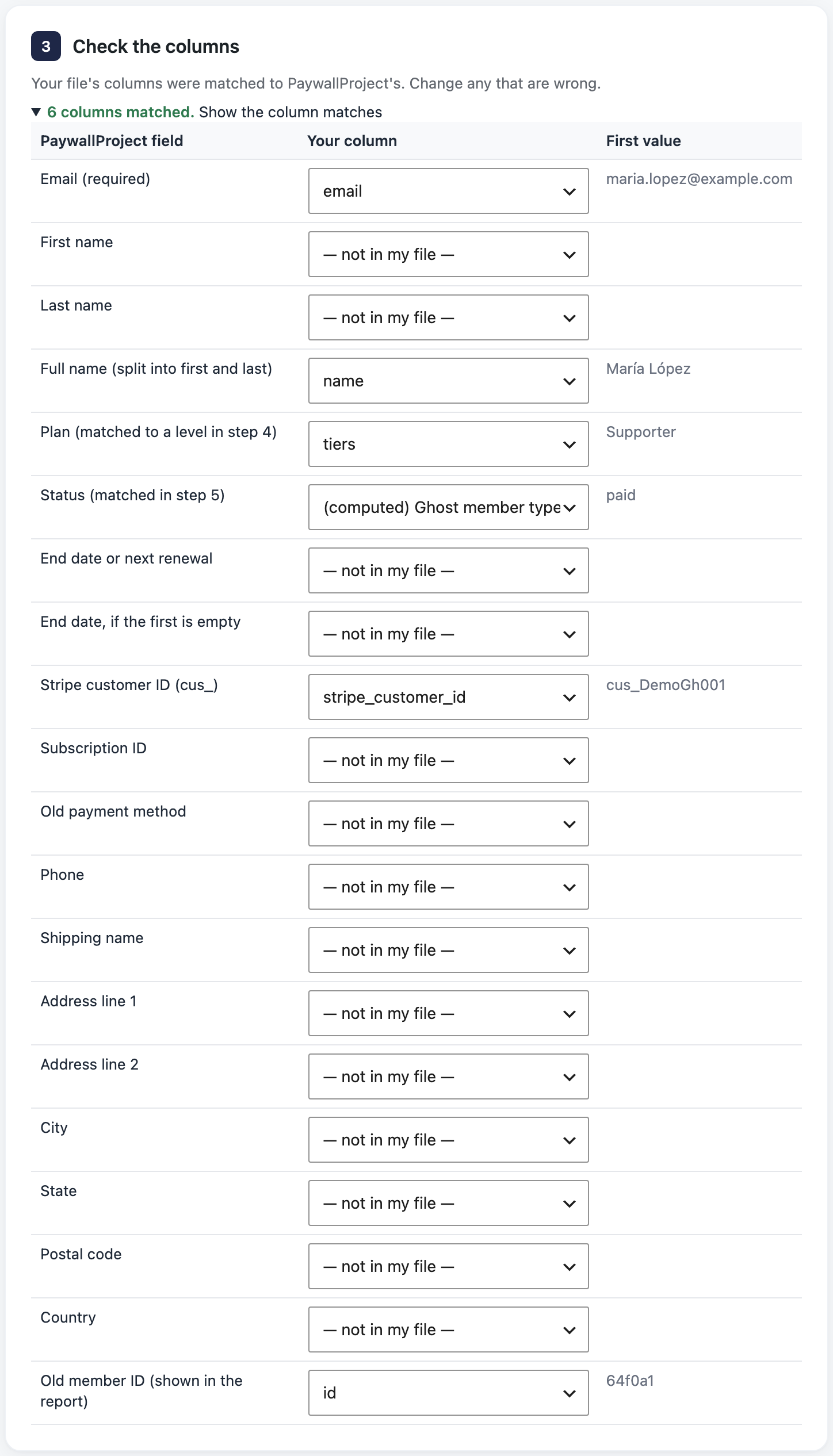
members.csv. Add the Stripe export under Stripe subscriptions export. - Under Check the columns, select Show the column matches and fix any wrong match.
- Under Match plans to levels, check the level for each old plan. A level with the same name is chosen for you. Choose Leave out to skip a plan.
- Under Match statuses, check the status chosen for each old status. Change any you want.
- Select Preview import and read the preview. Nothing is saved yet.
- Select Import now and confirm. Then select Download report (CSV) to keep a record.
After the import
Ghost won’t disconnect Stripe while paid members exist (Ghost: reinstall). Check your readers in PaywallProject first, then:
- In Ghost, delete the paid members. If Ghost asks whether to cancel their Stripe subscriptions, don’t.
- In Ghost, disconnect Stripe, and delete the PaywallProject integration.
- In Stripe, under Developers → Webhooks (or Workbench → Webhooks), disable the endpoint that points at your Ghost site. Disable it rather than delete it, so you can roll back.
- Email readers that their subscription carries over. They sign in with the same email, using Forgot password? (all the ways in).
Good to know
- Free members are left out. Complimentary and gift members keep the end date Ghost gave their tier, with no billing.
- Ghost takes no transaction fee, so there’s no old fee to remove.
- If you shut Ghost down without canceling, Stripe keeps billing members, which is what you want (Ghost: cancel member subscriptions).
- Ghost always connects Stripe through its own Connect app, so only Ghost can change its subscriptions through Stripe. If a cancellation or plan change from WordPress doesn’t go through, make it in your Stripe Dashboard (why).
- Read the preview explains every result and warning.
- Prefer an AI app? Claude, ChatGPT or another connected app can run the same import. See Move subscribers with an AI app.