

PaywallProject can send your subscriptions to Minilytics, a web analytics app you can run on your own server. Minilytics then shows which articles, campaigns and referrers bring in paying readers and new sign-ups, not just page views. This article is for site admins who already use Minilytics, or plan to.
The integration is built in. It’s off until you turn it on.
Before you start
- You need administrator access to your WordPress dashboard.
- You need a Minilytics install with your news site added to it. Any Minilytics install works, including one you host yourself.
- You need three things from Minilytics: its web address, the Website ID for your site, and an API key for your site. The steps below say where to find each one.
Connect PaywallProject to Minilytics
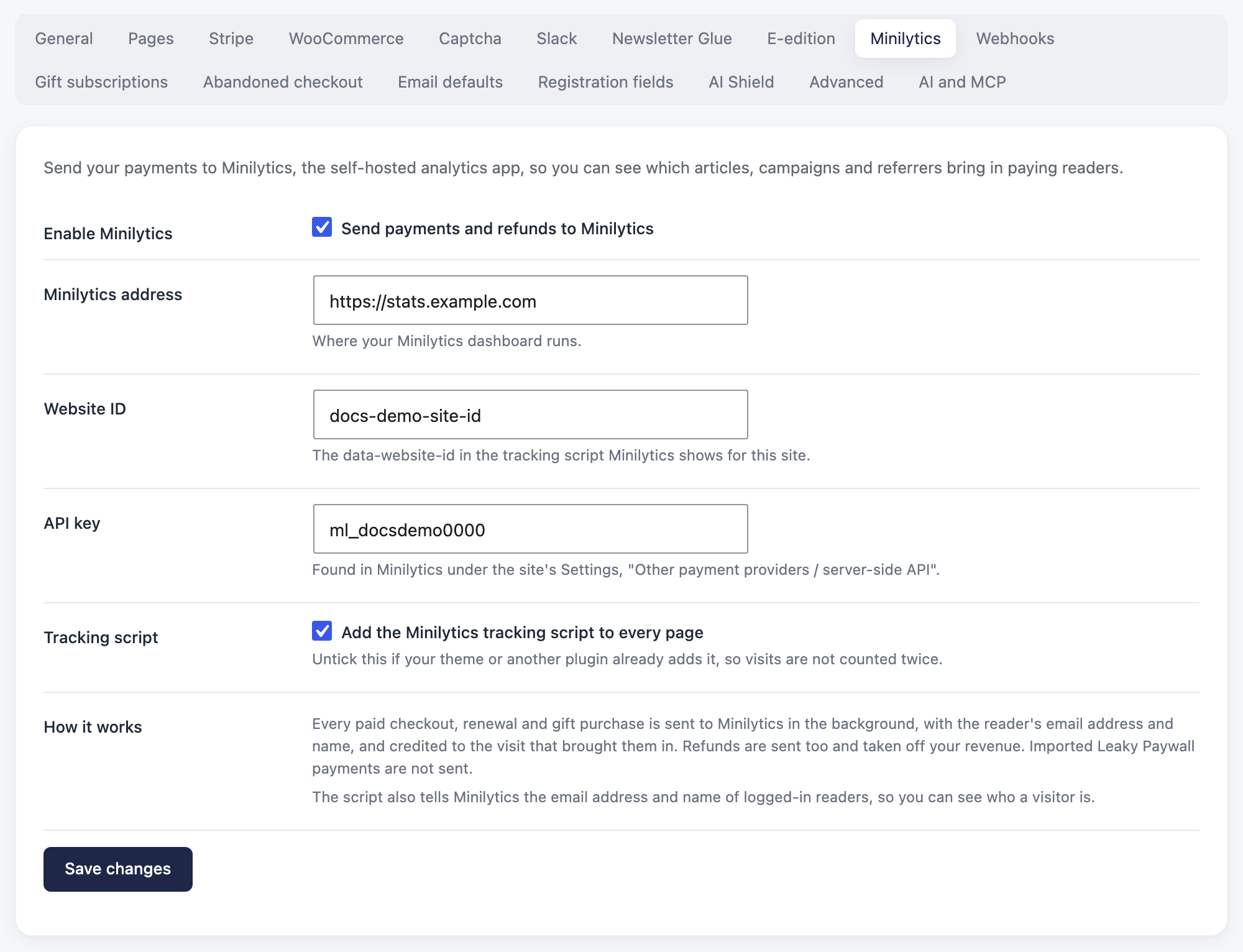
- Go to PaywallProject → Settings and open the Minilytics tab.
- Tick Enable Minilytics (the box reads Send payments and refunds to Minilytics).
- In Minilytics address, enter the address where your Minilytics dashboard runs, for example
https://stats.yournewspaper.com. Any address works, so a self-hosted install is fine. - In Website ID, enter the ID of your site in Minilytics. Open the tracking script Minilytics shows for your site. The ID is the value after
data-website-id. - In API key, paste your site’s API key. In Minilytics, open your site’s Settings and look under Other payment providers / server-side API. The key starts with
ml_. - Leave Add the Minilytics tracking script to every page ticked. It’s ticked by default. Untick it only if your theme or another plugin already adds the Minilytics script, so visits aren’t counted twice.
- Click Save changes.
What PaywallProject sends
- Payments. Every paid checkout, every renewal and every gift purchase. Renewals are marked as renewals, so you can tell them apart from new sales.
- Refunds. Full and partial refunds. Minilytics takes them off your revenue. If you refund part of a payment twice, each part is counted once.
- Who paid. Each payment carries the reader’s email address and name (for a gift, the buyer’s email address). It’s credited to the reader’s visits to your site, so you see which article, campaign or referrer earned it.
- Not sent: payments you imported from Leaky Paywall. They’re past sales, not new ones.
Payments are sent in the background, a moment after checkout. A slow or offline Minilytics server never slows down a reader’s payment. If Minilytics can’t be reached, PaywallProject tries again a few times over the next couple of hours.
Goals you’ll see in Minilytics
PaywallProject also records goals: steps readers take on the way to subscribing. Use them to see where readers drop off, and which articles turn readers into subscribers.
| Goal | What it tells you |
|---|---|
paywall_shown | A reader hit the paywall on an article. Counted once per page view. Minilytics shows whether it was the free sign-up wall or the paid wall. |
paywall_cta | A reader clicked the main button on the paywall, for example Subscribe. |
paywall_plan_select | A reader picked a plan from the plans shown in the paywall. Minilytics shows which plan. |
paywall_register | A reader sent the email sign-up form in the paywall. |
plan_select | A reader picked a plan on your subscribe page. Minilytics shows which plan. |
checkout_submit | A reader clicked the button to pay for a paid plan. Minilytics shows which plan. |
free_signup_submit | A reader clicked the button to sign up for a free plan. Minilytics shows which plan. |
signup | A reader created an account on your site. |
The signup goal only counts accounts readers create themselves on your site. Accounts you add in WordPress admin, or bring in with an import, are skipped.
A note on privacy
When a logged-in reader visits your site, the tracking script tells Minilytics their email address and name. That’s how you can see who a visitor is. Payments also carry the reader’s email address and name. Mention Minilytics in your privacy policy, and keep your Minilytics dashboard limited to the staff who need it.
Good to know
- Ad blockers. If a reader’s ad blocker stops the Minilytics script, Minilytics never sees their visit. Their payment is still sent, but it can’t be credited to an article, campaign or referrer. Their
signupgoal isn’t counted. - Sign-ups include unfinished checkouts. A paid checkout creates the reader’s account before they pay. So
signupalso counts readers who started a paid checkout but didn’t finish paying. Compare it with your payments to see how many finished. - If you untick the tracking script box, the script your theme or other plugin adds still counts visits and button clicks. But PaywallProject doesn’t send
paywall_shown, and doesn’t tell Minilytics who logged-in readers are. - Turning it off. Untick Enable Minilytics and click Save changes. The script and goals come off your site, and nothing more is sent.
- Changes in WordPress admin are never credited to your own visits. If you add a payment or account for a reader there, your admin visit isn’t counted as theirs.