

Some readers start to subscribe and leave before they pay. PaywallProject can email them up to two reminders, each with a link back to checkout. You choose when the reminders go, and you can add a coupon to each one. This article is for publishers and staff who set up checkout.
Reminders reach two kinds of readers:
- Readers with an account. They clicked Subscribe, so checkout made their account, but they didn’t pay. For example, they left Stripe’s payment page or their card was declined.
- Readers with no account yet. They typed their email on the checkout form and left before they clicked Subscribe. PaywallProject keeps their email as a “lead”. No account is made.
Before you start
- Stripe must be connected. PaywallProject checks Stripe before every reminder.
- Have your postal address ready. No reminder is sent without one.
- To offer a discount, create an active coupon first. See How to create and share coupons.
Turn on reminders
- Go to PaywallProject → Settings → Abandoned checkout.
- Turn on the Abandoned checkout reminders switch.
- Set the timing and coupons in the Reminders card.
- Enter your Postal address in the Compliance card.
- Click Save changes.
Reminders are off by default. While the switch is off, you can still set everything up. Nothing is sent until you turn it on and save.
Set the timing
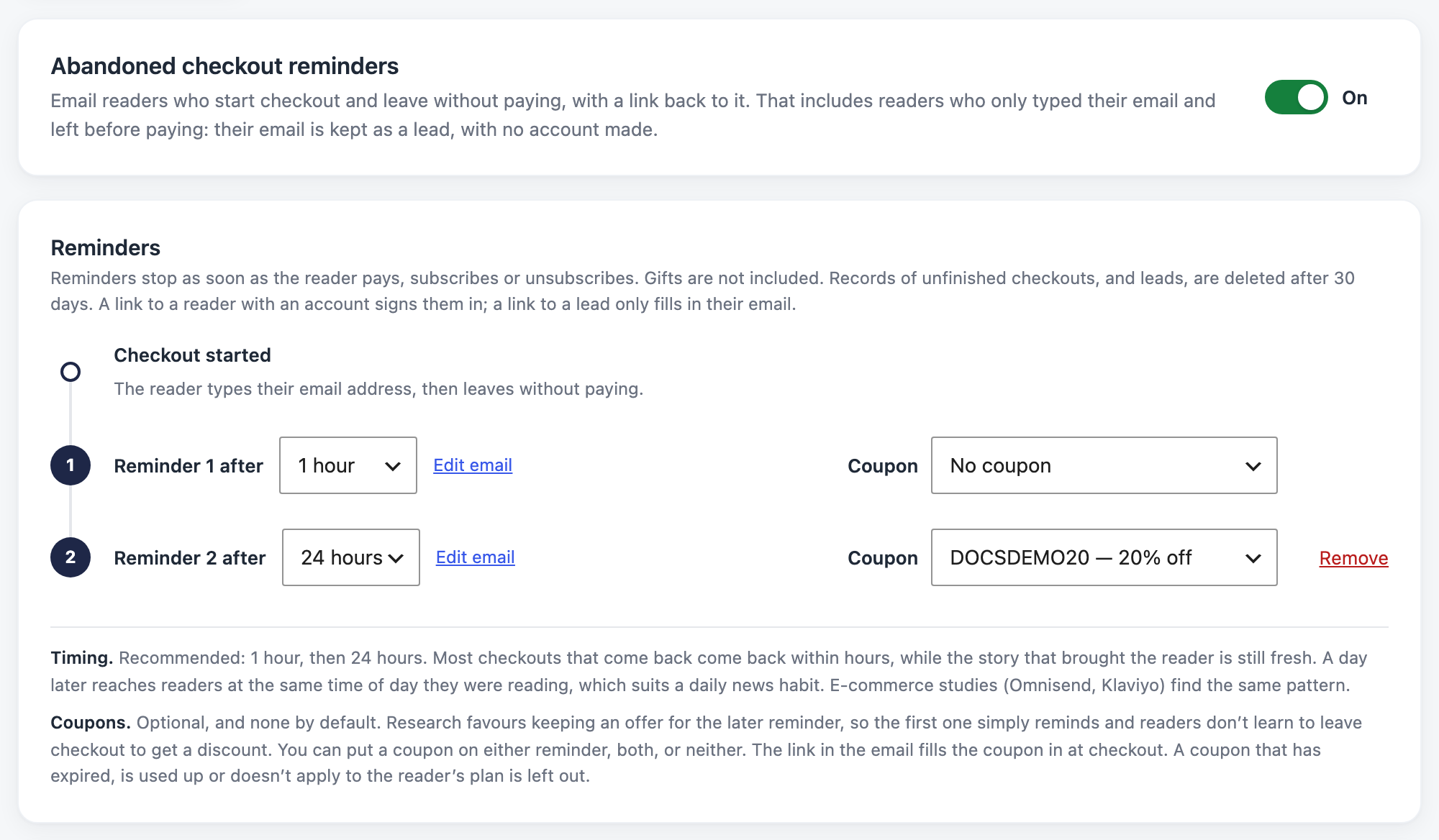
The Reminders card shows a timeline. It starts at Checkout started: the reader types their email address, then leaves without paying.
- Reminder 1 after: 1, 2, 3, 4, 6, 12 or 24 hours, or 2 or 3 days. The default is 1 hour.
- Reminder 2 after: 4, 6, 12 or 24 hours, or 2, 3, 4, 5 or 7 days. The default is 24 hours.
Both times count from when the reader was last at checkout. If they come back and leave again, the clock starts over.
To send only one reminder, click Remove on the second one. To bring it back, click + Add second reminder.
We recommend 1 hour, then 24 hours. Most readers who come back do so within hours, while the story that brought them is still fresh. A day later reaches them at the same time of day they were reading.
Add a coupon (optional)
Each reminder has its own Coupon menu. It’s set to No coupon by default. Pick an active coupon to add it to that reminder. The link in the email fills the coupon in at checkout.
We suggest an offer in the second reminder only. Then the first one simply reminds, and readers don’t learn to leave checkout to get a discount.
A coupon that has expired, is used up, or doesn’t apply to the reader’s plan is left out of the email. A coupon that is no longer active shows “(inactive, so left out)” in the menu.
Add your postal address
Reminders are marketing email. Anti-spam laws (CAN-SPAM in the US, CASL in Canada) require a postal address and a way to unsubscribe in each one. So no reminder is sent until you add an address.
In the Compliance card, enter your Postal address. It shows at the foot of every reminder. When the card says Ready, reminders can go. If it says Add an address to start sending, the address is missing. If you use WooCommerce, you can leave the field empty to use your WooCommerce store address.
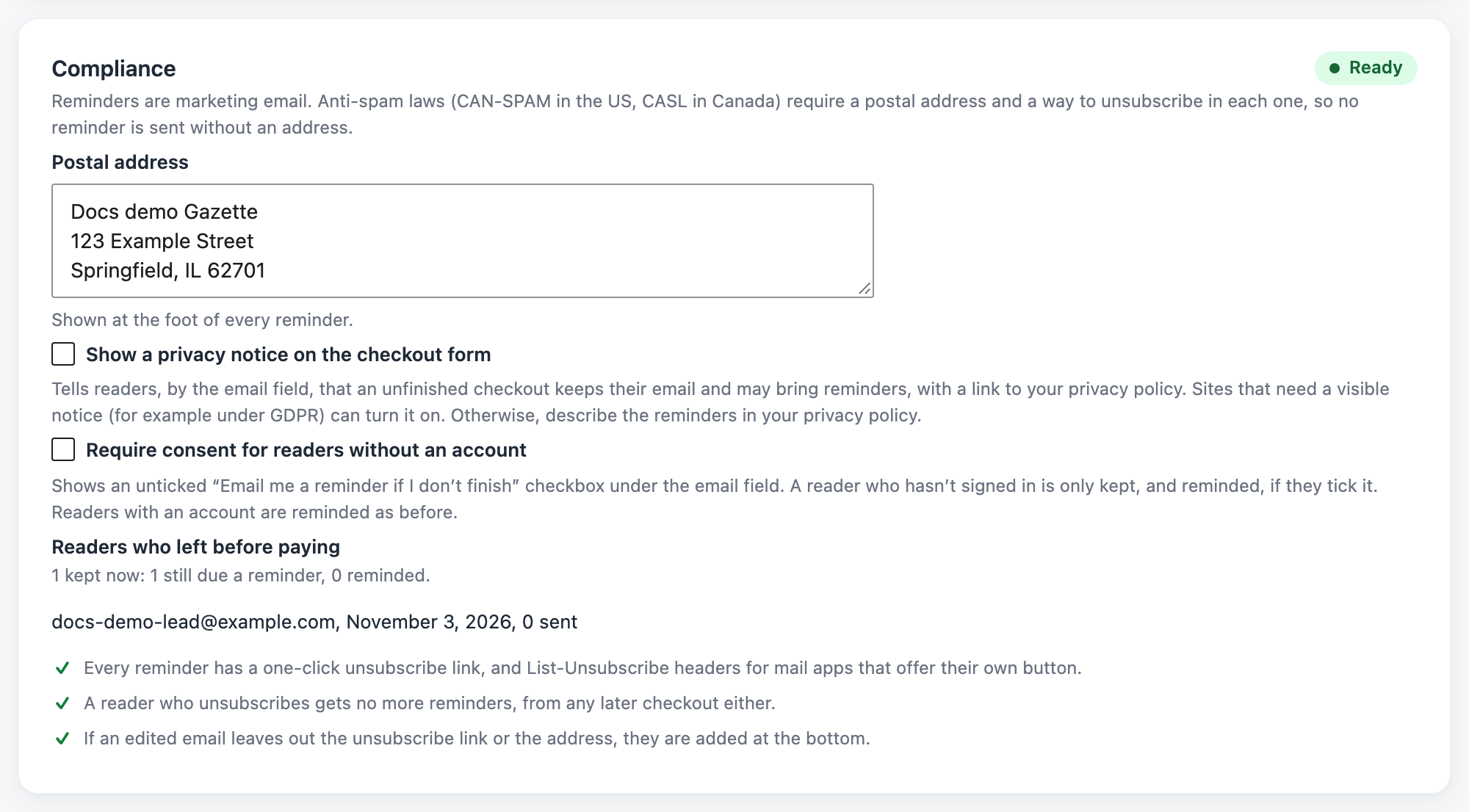
Every reminder has a one-click unsubscribe link. A reader who unsubscribes gets no more reminders, from any later checkout either. If you edit an email and leave out the unsubscribe link or the address, PaywallProject adds them at the bottom.
Show a privacy notice (hidden by default)
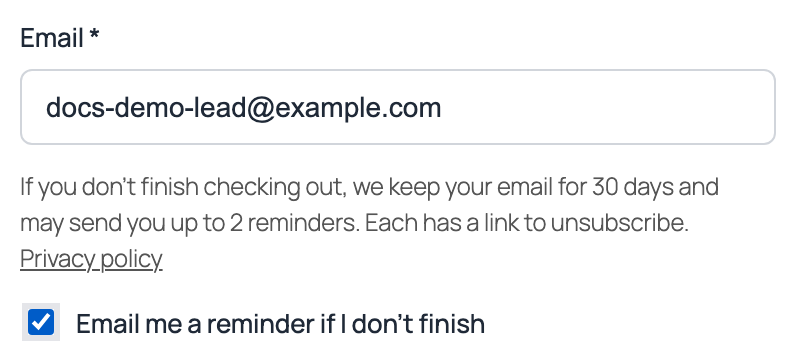
PaywallProject can tell readers about reminders right on the checkout form. The notice is hidden by default. Most sites describe the reminders in their privacy policy instead. Sites that need a visible notice, for example under GDPR, can turn it on.
In the Compliance card, tick Show a privacy notice on the checkout form and click Save changes. A short notice then appears under the email field: “If you don’t finish checking out, we keep your email for 30 days and may send you up to 2 reminders. Each has a link to unsubscribe.” It links to your privacy policy page, if you have one. The notice only shows while reminders are on.
Ask for consent (optional)
Tick Require consent for readers without an account if you want readers to opt in. An unticked “Email me a reminder if I don’t finish” checkbox then appears under the email field. PaywallProject keeps and reminds a reader with no account only if they tick it. If they untick it, their email is deleted. Readers with an account are reminded as before.
See who left before paying
Under Readers who left before paying, the Compliance card counts the leads kept now: how many are still due a reminder and how many were reminded. It also lists the 5 newest, with the date and the number of reminders sent.
Send yourself a test
In the Try it card, click Send me a test reminder. This saves the tab, then emails each reminder you set up to your own address, with sample details and the coupon you chose. No reader is emailed.

The link back to checkout
Each reminder has a Finish subscribing link. It takes the reader back to checkout for the plan they chose, with the reminder’s coupon filled in. The link works for 7 days. What else it does depends on the reader:
- A reader with an account is signed in by the link, so they can pay straight away. The link works once. It doesn’t sign them in if they have paid since, or if the account’s email or password has changed.
- A reader with no account finds their email filled in. The link signs nobody in.
Edit the emails
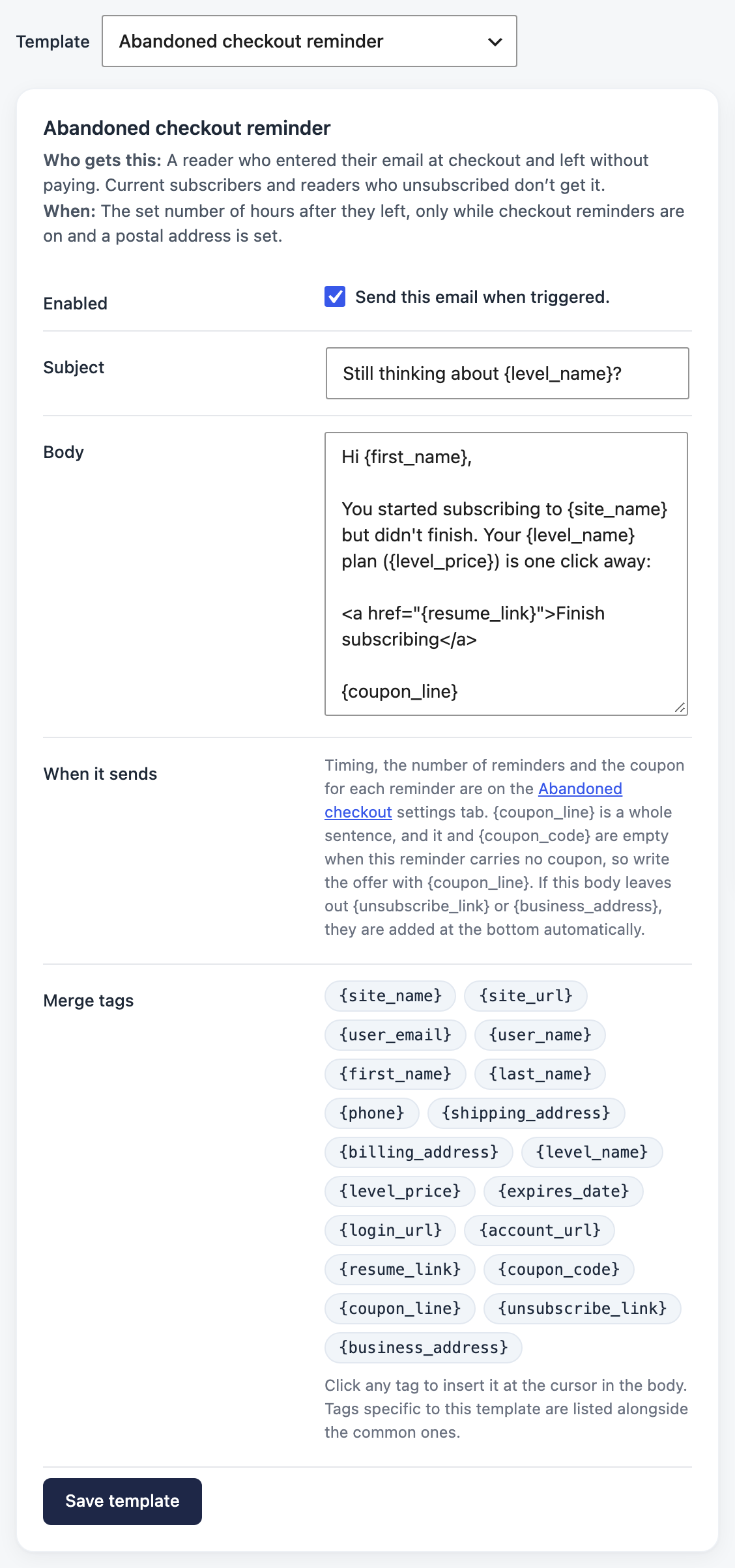
Click Edit email next to a reminder, or go to PaywallProject → Emails and pick the template in the Template menu. Both reminders are in the Checkout recovery group:
- Abandoned checkout reminder. Default subject: “Still thinking about {level_name}?”
- Abandoned checkout reminder (second). Default subject: “Your {level_name} subscription is waiting”
Besides the usual merge tags, you can use {resume_link}, {coupon_code}, {coupon_line}, {unsubscribe_link} and {business_address}. {coupon_line} is a whole sentence about the offer. It and {coupon_code} are empty when the reminder has no coupon. A reader with no account has no name on file, so {first_name} becomes “there”.
Who gets reminders
Reminders are careful on purpose. A reminder must never lead a reader to pay twice. So PaywallProject only reminds readers it’s sure have never paid.
Readers with an account
A reader with an account gets a reminder only when all of these are true:
- PaywallProject’s checkout made their account, since your site has had this feature.
- They have never paid for anything on your site, and they don’t have a plan, a gift or a group seat.
- They haven’t paid since they left checkout, and they haven’t unsubscribed from reminders.
- The account still has the email address they used at checkout.
- The plan they chose still exists.
So these readers get no reminder:
- Accounts made before your site had this feature.
- Readers who registered first, for example with free sign-up, and then started a paid checkout.
- Readers you or your staff changed by hand, imported, or added.
- Readers who are active, on a trial, or have paid before.
- Gift purchases.
Readers with no account yet
The checkout form sends the email to your site as soon as the reader types a valid address. It sends it again when they click Subscribe and when they close the page. The reader sees nothing. PaywallProject keeps one lead per email address and plan.
No lead is kept for:
- a reader who is signed in,
- an email that belongs to an existing account (the reader is asked to sign in instead; see Let readers with an account sign in at checkout),
- staff, readers with an active plan, or accounts that may have paid before,
- an address that unsubscribed from reminders,
- a reader who didn’t tick the checkbox, while you require consent.
A lead is deleted when the address subscribes or pays, when the reader clicks Subscribe and checkout makes their account (the account’s own reminders take over), or when they unsubscribe.
The Stripe check before each reminder
Right before each reminder, PaywallProject asks Stripe whether the reader has paid or could still pay.
- For a reader with an account, it first closes the checkout the reader left, so the old payment page can’t be paid later. Then it checks Stripe again. If Stripe shows a payment, a live subscription, or another way to pay that this checkout didn’t open, no reminder is sent.
- For a reader with no account, it only reads Stripe and changes nothing there. A payment or a live subscription for that email ends the lead. Anything still open for that email stops the reminder.
If PaywallProject can’t reach Stripe, it waits and tries again every hour. After two days it skips that reminder. Skipped reminders appear in the email log with the reason.
Good to know
- Reminders stop as soon as the reader pays, subscribes or unsubscribes.
- Records of unfinished checkouts, and leads, are deleted after 30 days.
- PaywallProject never keeps card details or passwords for leads.
- WordPress’s personal data export and erase tools (Tools → Export Personal Data and Erase Personal Data) include leads.
- If several sites share one Stripe account, fewer reminders may go out. PaywallProject holds a reminder when it finds payments it can’t tell apart.
- Readers who come back on their own can sign in right on the checkout form. See Let readers with an account sign in at checkout.