

This guide moves your readers from Memberful to PaywallProject. Memberful readers can’t keep renewing. Memberful charges cards itself, without Stripe subscriptions, so readers keep the time they paid for and then subscribe again on your checkout (Memberful: payment processing).
Before you start
- Update to PaywallProject 4.2.0 or later. You need administrator access to WordPress and to your Stripe account.
- Connect the Stripe account your readers already pay into, under PaywallProject → Settings → Stripe.
- Create one level for each old plan, with the same price and billing interval. Steps 1 and 2 of the walkthrough show how.
- Do a test run on a staging copy of your site first.
- Ask Memberful support how to stop its renewal charges without refunding readers. Plan this before your switch date, so nobody pays twice.
Method 1: Import directly from Memberful (recommended)
- In Memberful, go to Settings → Custom applications, add an application and copy its API key.
- In WordPress, go to PaywallProject → Tools. On the Import subscribers card, select Start an import.
- Choose Import directly from Memberful (with an API key).
- Enter your Memberful account address in Memberful account address, such as
yoursite.memberful.com. Paste the key in API key. - Select Connect and read. PaywallProject checks the key and reads your members.
- Under Match plans to levels, check the level for each old plan. A level with the same name is chosen for you. Choose Leave out to skip a plan.
- Under Match statuses, check the status chosen for each old status. Change any you want.
- Select Preview import and read the preview. Nothing is saved yet.
- Select Import now and confirm. Then select Download report (CSV) to keep a record.
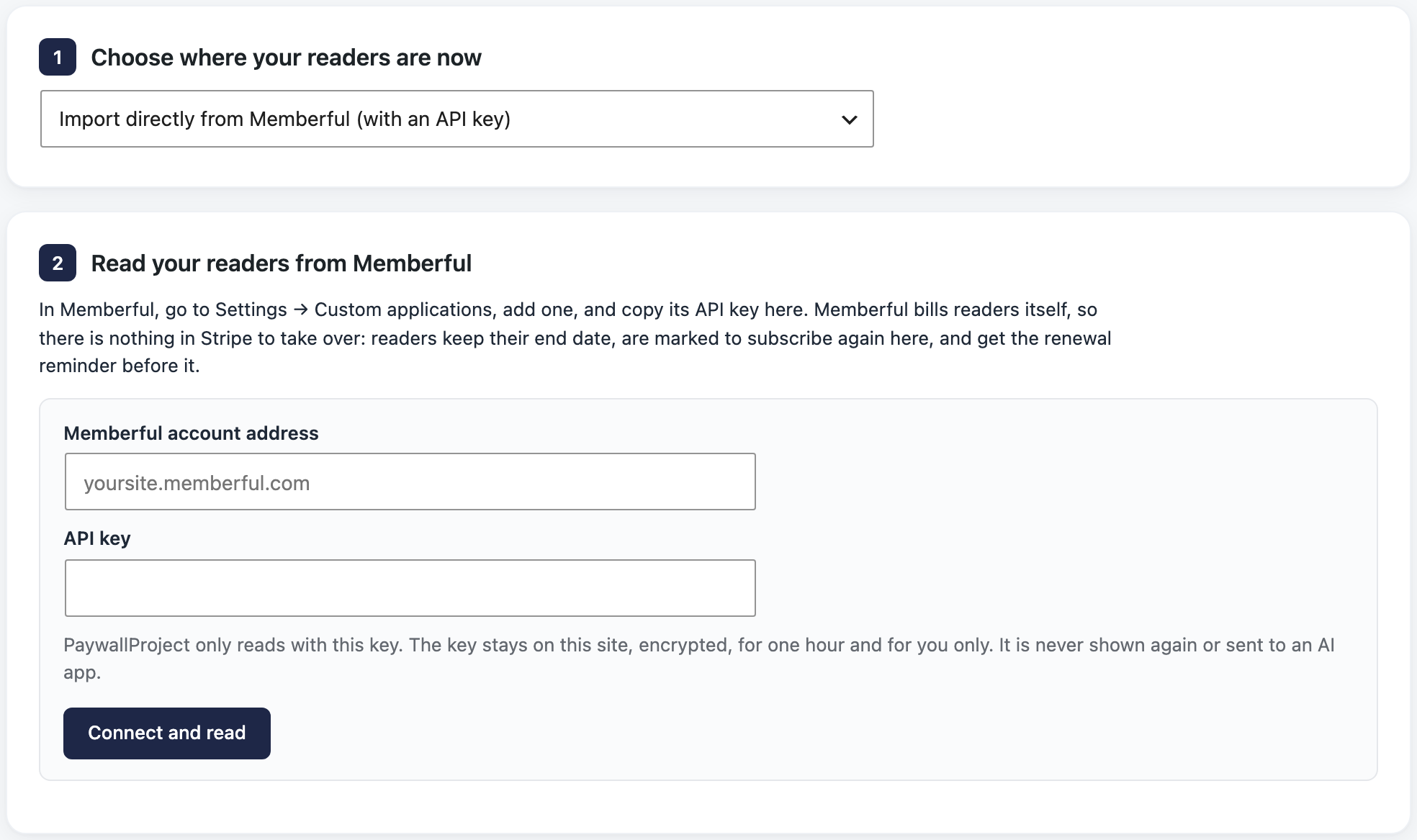
PaywallProject only reads with the key. It keeps the key encrypted on your site for one hour, for you only, and never shows it, logs it or sends it to an AI app. Select Forget the key to remove it sooner, and delete the key in Memberful when the move is done.
Method 2: Import an export file
- In Memberful, open the Members tab, choose a filter, then select Actions → Export CSV (Memberful: export data).
- Go to PaywallProject → Tools. On the Import subscribers card, select Start an import.
- Under Upload an export file, choose Memberful.
- Under Add your export file, add the members export.
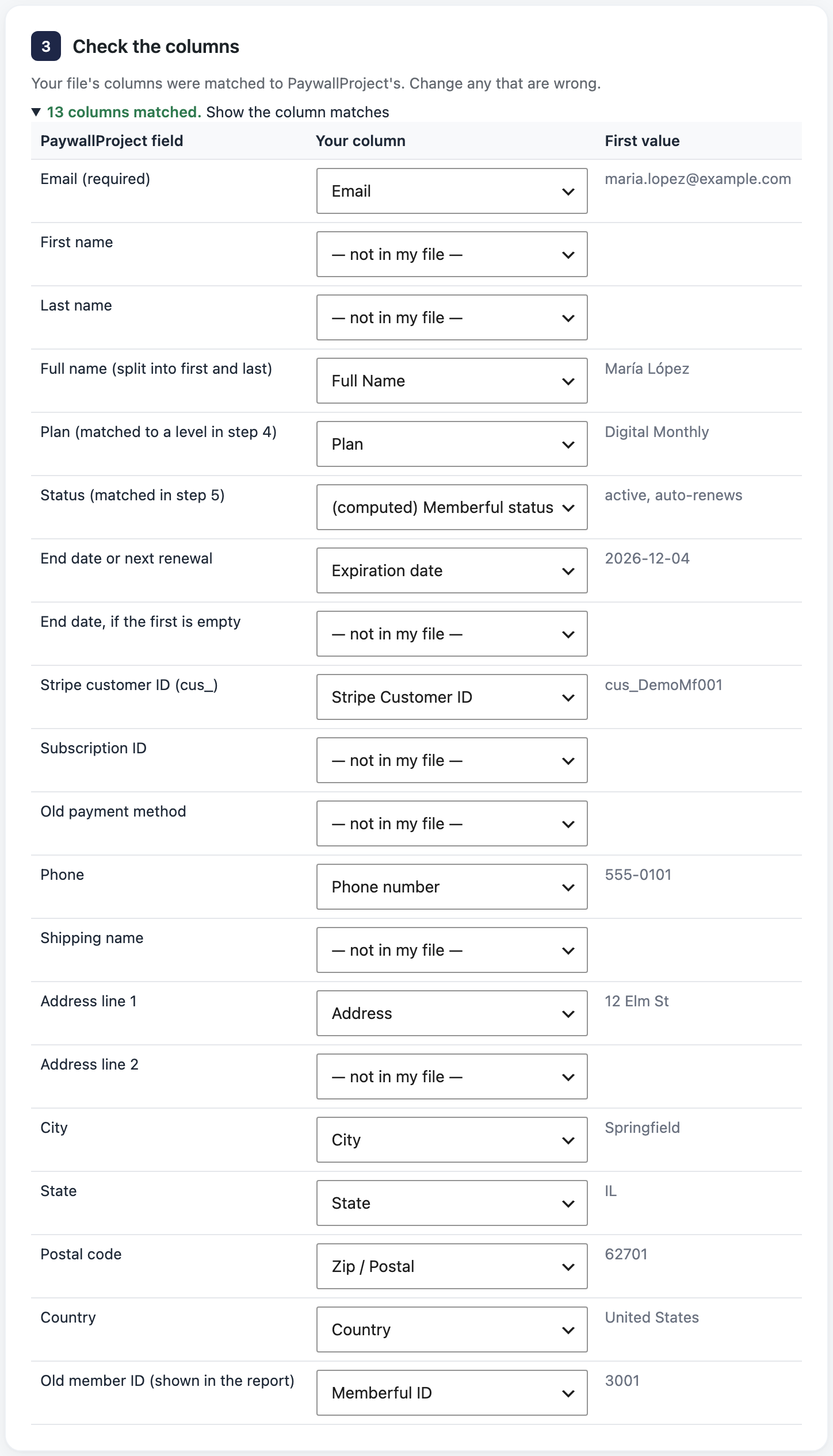
- Under Check the columns, select Show the column matches and fix any wrong match.
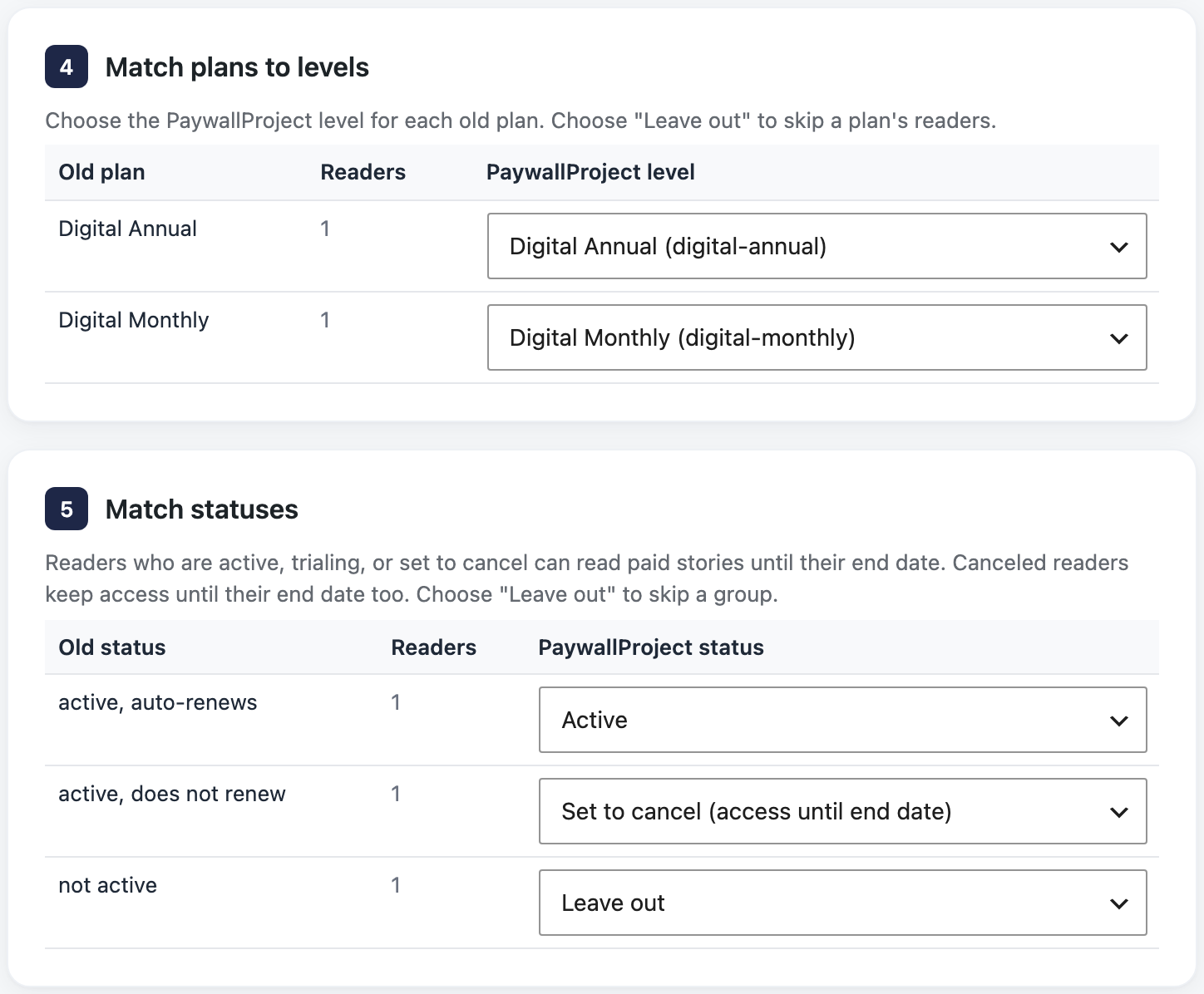
- Under Match plans to levels, check the level for each old plan. A level with the same name is chosen for you. Choose Leave out to skip a plan.
- Under Match statuses, check the status chosen for each old status. Change any you want.
- Select Preview import and read the preview. Nothing is saved yet.
- Select Import now and confirm. Then select Download report (CSV) to keep a record.
After the import
- Stop Memberful’s renewals, as Memberful support advised.
- Turn on the Renewal reminder email under PaywallProject → Emails, and check its days and wording. It reaches every Memberful reader before their end date until they subscribe.
- Email readers a few weeks before their end date with a link to your subscribe page. A coupon for the first period helps (How to create and share coupons). They sign in with the same email, using Forgot password?.
- Deactivate the Memberful WordPress plugin, if you use it.
- Keep your Memberful account until you’ve exported what you need. Closing it deletes everything (Memberful: close your account).
Good to know
- Every reader is imported with their end date, no Stripe IDs, and a mark to subscribe again (details).
- The cards are still in your Stripe account. A developer can create Stripe subscriptions for them, so readers don’t re-enter a card. Contact PaywallProject support for this custom job.
- Method 1 doesn’t bring addresses or phone numbers. For print readers, import the export afterwards; it updates the same accounts.
- If an end date is after 2038, Memberful can’t send that page’s end dates, so those readers are imported without one. The preview says so.
- A member with several subscriptions keeps the active one with the latest end date.
- Read the preview explains every result and warning.
- Prefer an AI app? Claude, ChatGPT or another connected app can run the same import. See Move subscribers with an AI app.