

If your newsroom lives on reader donations, PaywallProject can ask readers to give instead of asking them to subscribe. Nobody is locked out. A signed-in reader who reaches the limit is asked for support and can always choose to keep reading. This article shows how to set it up with the setup wizard, and how to switch the words readers see with the Reader wording setting.
Before you start
- PaywallProject installed and activated, with Stripe connected. See Setting up PaywallProject.
- The wizard’s donation choice only shows on a site that has no levels yet. If you already have levels, skip to Switch the words on an existing site.
Set up donations in the setup wizard
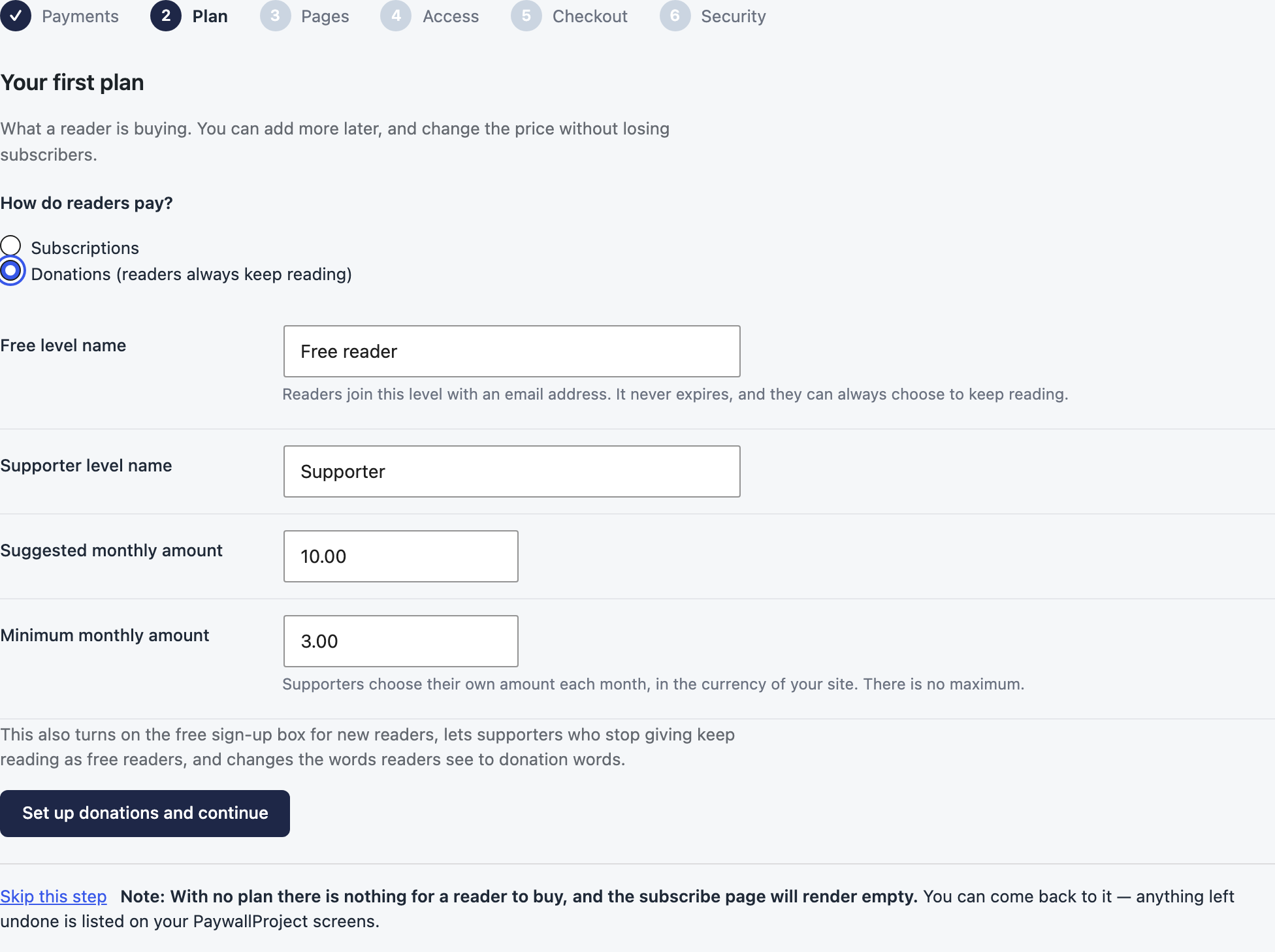
- Go to PaywallProject → Setup and open the Plan step.
- Under How do readers pay?, choose Donations (readers always keep reading).
- Name your two levels, or keep the suggested names. Free level name is for readers who sign up with an email address (default: Free reader). Supporter level name is for readers who give (default: Supporter).
- Set the Suggested monthly amount (default 10.00) and the Minimum monthly amount (default 3.00). Supporters choose their own amount each month, in your site’s currency. There is no maximum.
- Click Set up donations and continue, then finish the other steps as usual.
What the wizard sets up
- A free level. It costs nothing and never expires. Readers join it with an email address.
- A supporter level. It renews monthly and the reader chooses the amount, starting at your suggested amount. Its button says Donate.
- Always keep reading. Both levels have Let readers on this level always keep reading turned on. You can change it on each level under PaywallProject → Levels, in the Never lock readers out section.
- The free sign-up box. Visitors who aren’t signed in are asked to create a free account, on the free level.
- Lapsed access. Supporters who stop giving, or whose payment fails, keep reading as free readers. See Let lapsed subscribers keep free-level access.
- Donation words. Reader wording is set to Donation words.
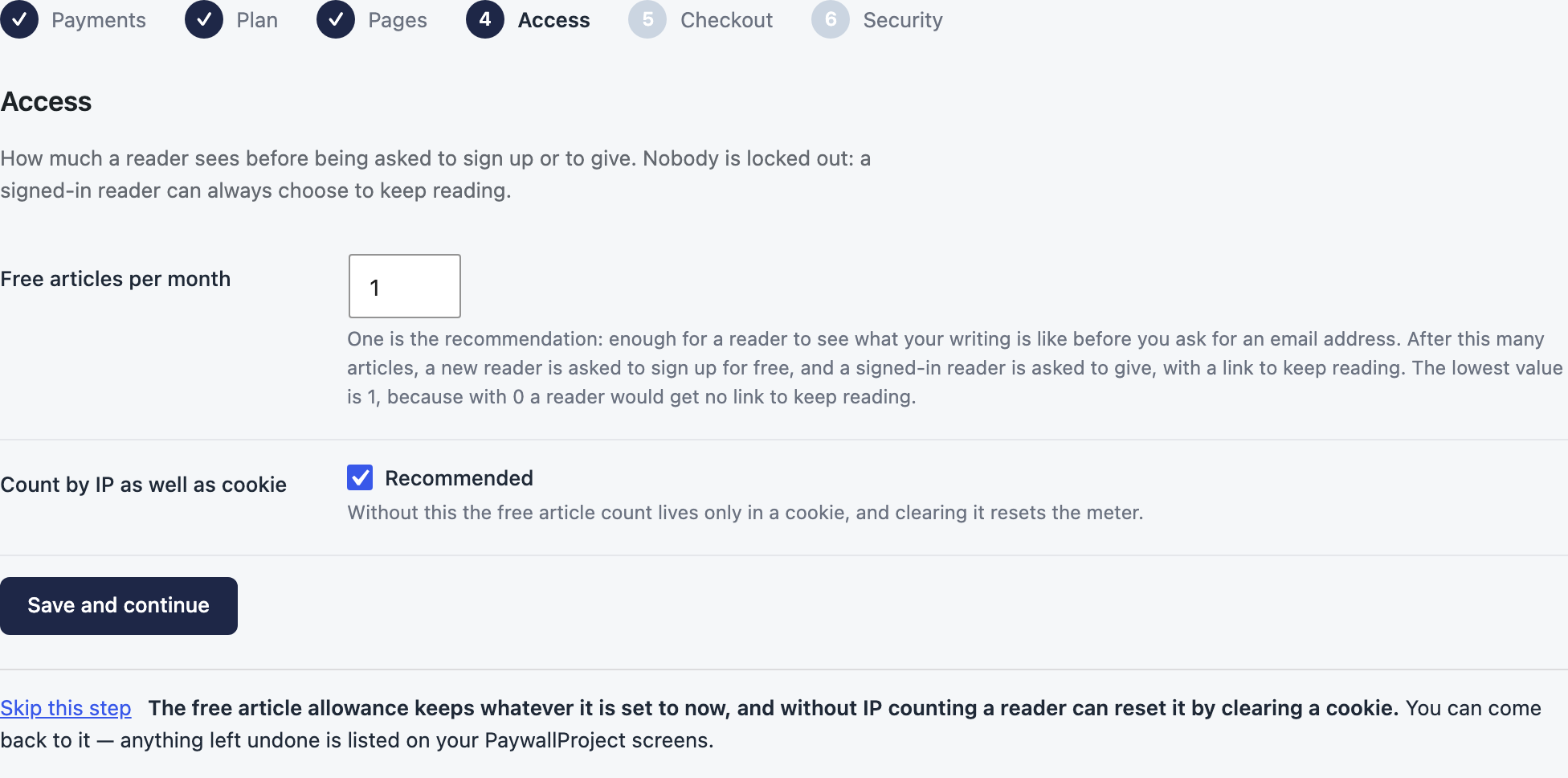
The later wizard steps change a little too. The Pages step creates a Donate page and a Gift a Membership page instead of Subscribe and Gift a Subscription. On the Access step, the lowest number of free articles is 1, not 0. With 0, a reader would get no link to keep reading.
What readers see
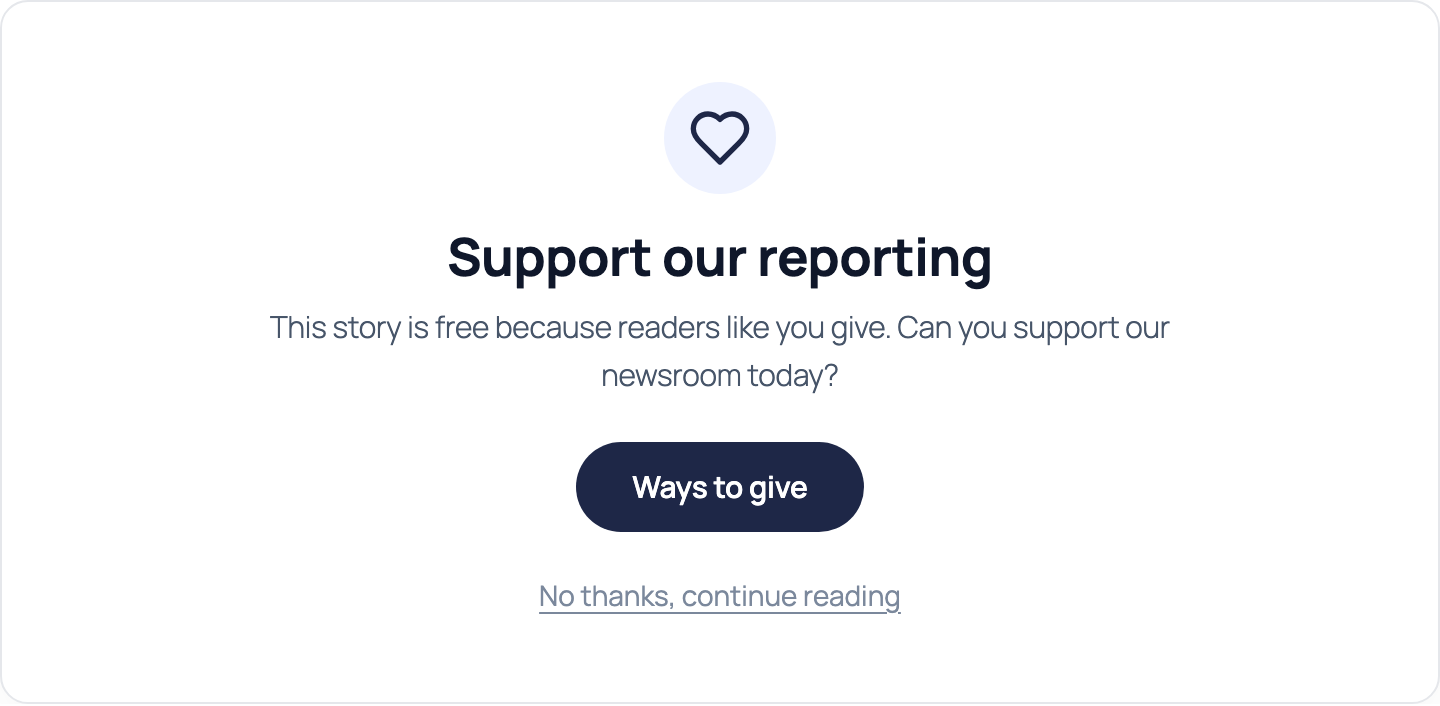
- A visitor who isn’t signed in reads your free articles, then is asked to create a free account.
- A signed-in free reader who reaches the limit sees Support our reporting, a Ways to give button, and a No thanks, continue reading link.
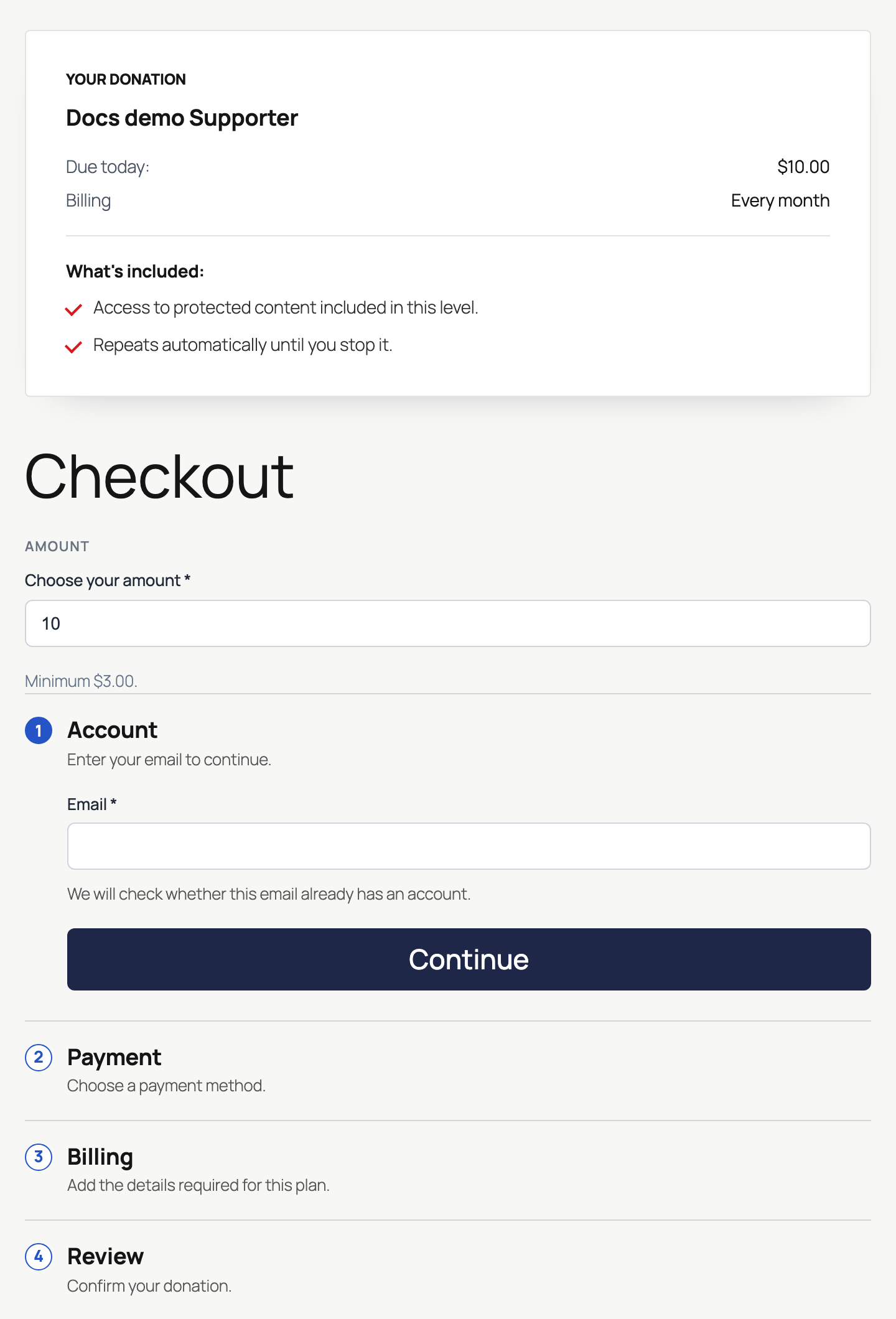
- At checkout, the reader chooses an amount and confirms their donation.
Switch the words on an existing site
The Reader wording setting changes the default words readers see on articles, at checkout and on their account page. It doesn’t create levels or change who can read what.
- Go to PaywallProject → Paywall.
- In the Layout section, set Reader wording to Donation words.
- Click Save changes.
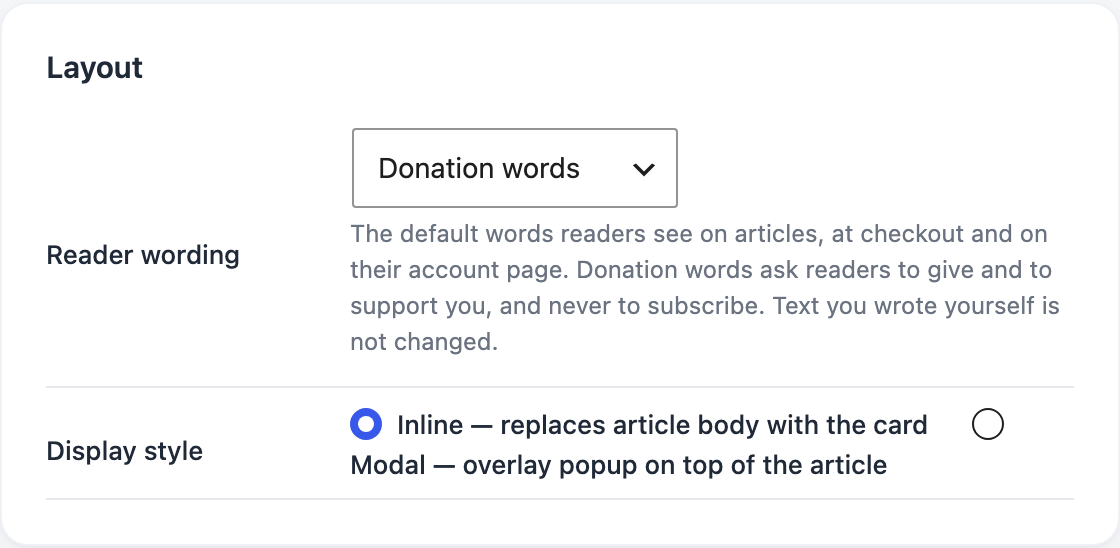
There are three choices. Automatic is the default and shows subscription words. Subscription words always shows them. Donation words asks readers to give and to support you, and never to subscribe. A few examples:
| Subscription words | Donation words |
|---|---|
| Subscribe to keep reading | Support our reporting |
| View subscription options | Ways to give |
| Subscribe | Donate |
| Your subscription | Your donation |
| Renews automatically until canceled. | Repeats automatically until you stop it. |
| Already a subscriber? | Already a supporter? |
| Cancel subscription | Stop my donation |
| Change plan | Change your donation |
To let readers keep reading on an existing site, also turn on Let readers on this level always keep reading on your levels under PaywallProject → Levels.
Good to know
- Your own text stays as you wrote it. Donation words only replace PaywallProject’s default text. Headings, buttons and emails you wrote yourself, and page titles already saved, don’t change.
- Your screens keep their names. In wp-admin, Subscribers, Levels and the other screens keep their usual names.
- Donation words are in English. If your site shows PaywallProject in another language, readers see the translated subscription words instead. See Show PaywallProject in Spanish (or another language).
- Some posts stay closed. Visitors who aren’t signed in still have to sign up. Posts that need a particular level stay closed, even with “always keep reading” on.
- The free level is on the Donate page. It shows there with a Donate button and a price of $0.00. To show only the supporter level, edit the free level under PaywallProject → Levels and tick Hide from subscribe page.
- You can switch back. Set Reader wording to Subscription words at any time. Your levels and settings stay as they are.