

Pick your platform below. For most platforms, PaywallProject reads your readers directly, so you don’t need an export file. Readers who pay through your own Stripe account keep their card, price and renewal date. Others keep the time they paid for, then subscribe again.
Guides
| Old platform | Method 1 (recommended) | Readers keep their card and renewal? | Guide |
|---|---|---|---|
| Stripe only (Payment Links, Checkout or the Dashboard) | Direct import | Yes | Move from Stripe Payment Links or Checkout |
| Leaky Paywall | Direct import | Yes, if they pay with Stripe | Move from Leaky Paywall |
| MemberPress | Direct import | Yes, if they pay with Stripe | Move from MemberPress |
| Paid Memberships Pro | Direct import | Yes, if they pay with Stripe | Move from Paid Memberships Pro |
| Restrict Content Pro (Kadence Memberships) | Direct import | Yes, if they pay with Stripe | Move from Restrict Content Pro |
| WooCommerce Subscriptions or Memberships | Direct import (Subscriptions) | Yes. WooCommerce keeps billing them | Move from WooCommerce |
| Ghost | Direct import with an API key | Yes | Move from Ghost |
| Memberful | Direct import with an API key | No. They keep their paid time, then subscribe again | Move from Memberful |
| Substack | Export file (the only method) | Yes for web subscribers. App Store subscribers subscribe again | Move from Substack |
Migrate existing Stripe subscriptions to PaywallProject is the detailed reference for every guide.
How every move works
- Connect the Stripe account your readers already pay into, under PaywallProject → Settings → Stripe.
- Create one level for each old plan, with the same price and billing interval.
- Go to PaywallProject → Tools and select Start an import (PaywallProject 4.2.0 or later). Run it on a staging copy first, then on your live site.
- Switch off the old platform.
- Tell readers how to sign in.
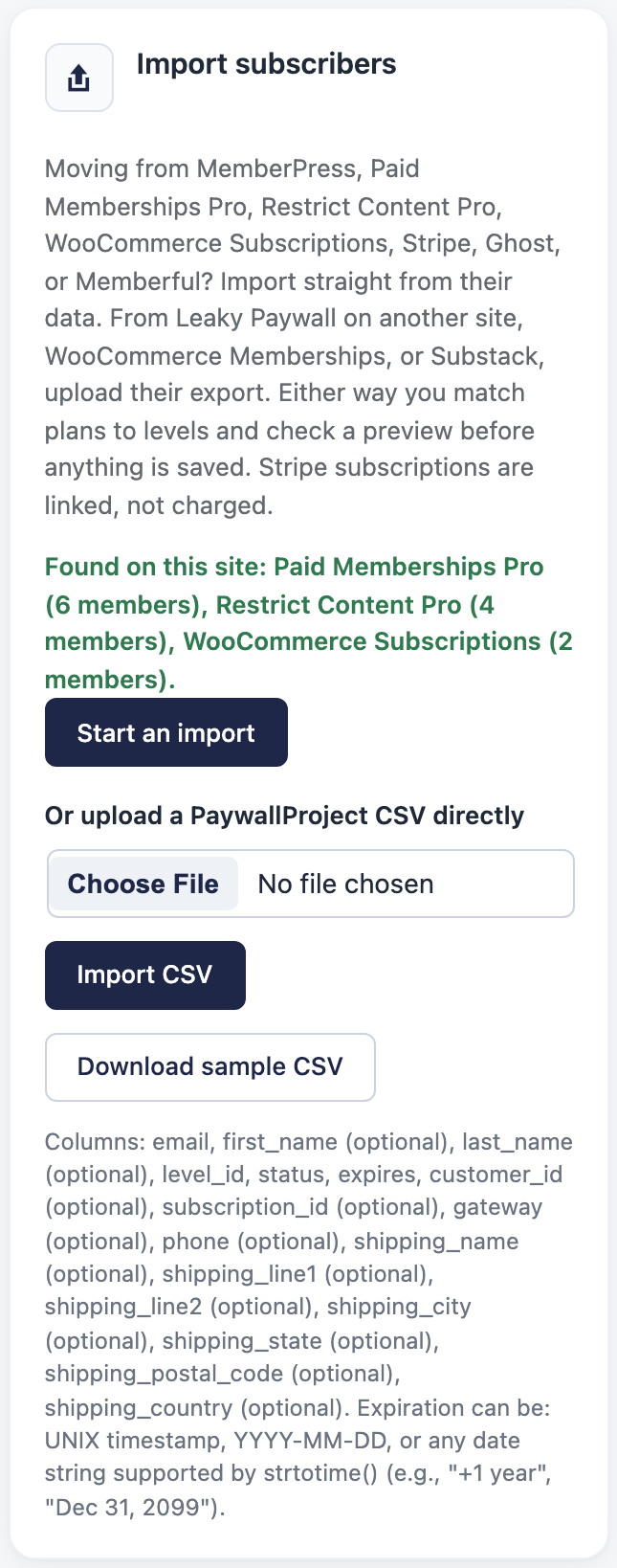
The import charges nobody, creates nothing in Stripe and sends no email. You see a preview of every reader before anything is saved.
Do readers need a new password?
- No, if your old plugin ran on this WordPress site (MemberPress, Leaky Paywall, Paid Memberships Pro, Restrict Content Pro or WooCommerce). Readers sign in as before.
- Yes, if they come from a hosted platform (Stripe alone, Memberful, Ghost or Substack), or if you also move to a new WordPress site without its users table. Readers choose a password with Forgot password? or a sign-in link.
Step 7: Tell readers how to sign in has the details.
Other platforms
Contact PaywallProject support before you plan a move from these:
- Piano. Piano runs Stripe subscriptions through subscription schedules, which must be released first (Piano: Subscription Log, Piano metadata in Stripe).
- Beehiiv. Ghost reports that a Stripe account tied to Beehiiv can’t be connected to another platform (Ghost: migrating from Beehiiv).
- BLOX / TownNews, Pigeon and paywalls that bill through NMI, Authorize.Net, PayPal or Braintree. Cards move only through a transfer between payment processors.
For any of them, you can import readers with their end date and no billing. Choose Another platform (match columns yourself) and leave the Stripe columns unmatched. Readers keep access until that date, then subscribe on your new checkout.
Prefer an AI app? See Move subscribers with an AI app.